For Home & Classroom

Help Every Learner Master the Building Blocks of Language

Categories Learning Center is a research-backed tool that helps children and adults organize their world. By mastering categorization, learners build the vocabulary and memory skills needed for better reading, writing, and everyday conversation.

Download on the App Store
Categories Learning Center App

Five Targeted Ways to Learn

Whether in the classroom, the clinic, or at the kitchen table, Categories Learning Center adapts to your learner's needs with five unique activity types.

Understanding 🧩

Sorting Levels 1 & 2

Start with simple drag-and-drop sorting. Move from identifying dissimilar objects to grouping similar items, building the foundation for logical thinking.

Understanding πŸ“

Where Does it Go?

The individual is given an object and must choose the correct "home" from three different categories. Perfect for building semantic associations.

Communication πŸ—£οΈ

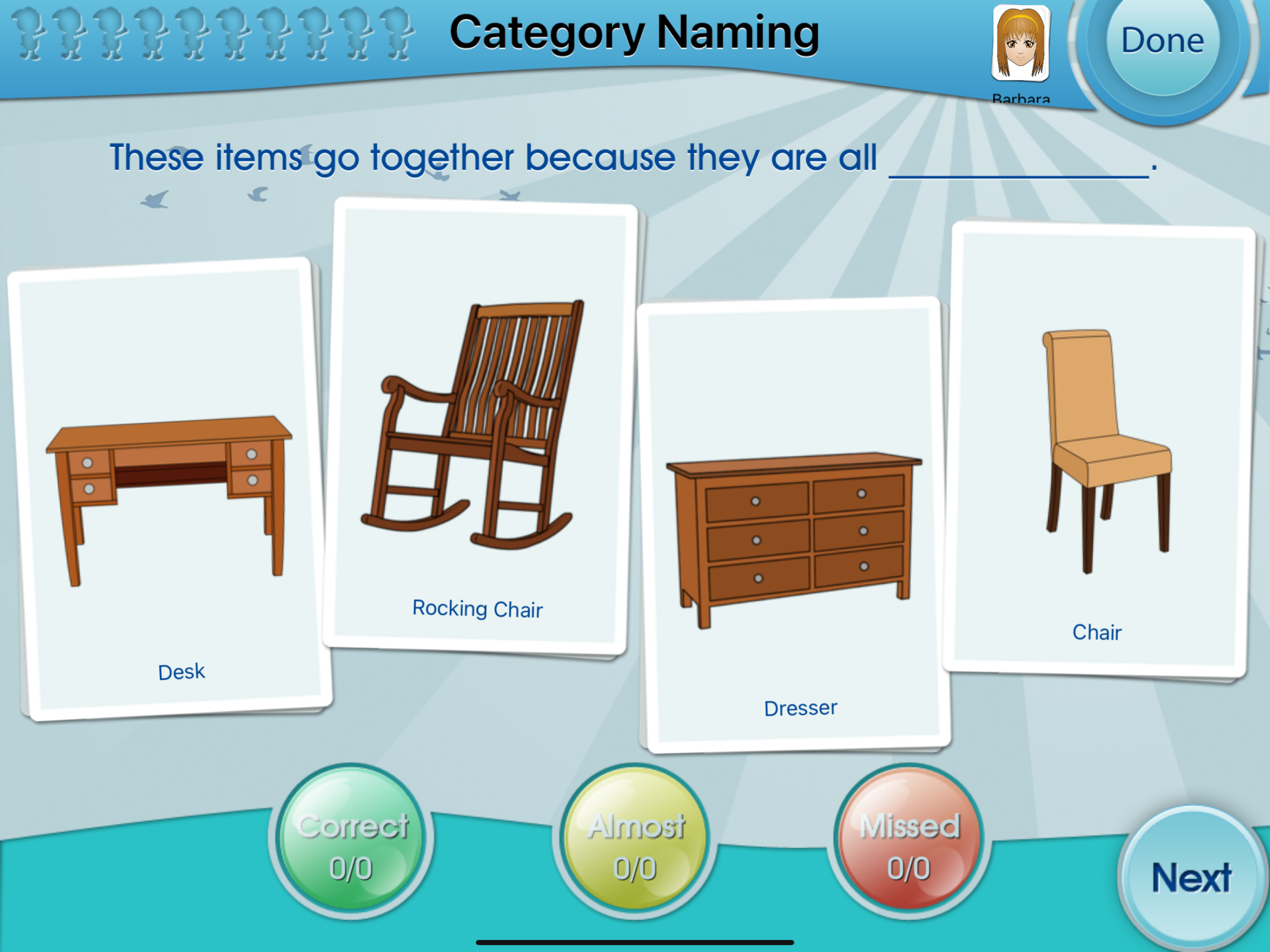
Category Naming

An open-ended task where the student names the category for a group of items. Supports word-finding and expressive language growth.

Communication βœ…

Category Selection

A multiple-choice challenge where the student identifies which specific category name best fits a group of pictures.

45+ Categories to Explore and Master

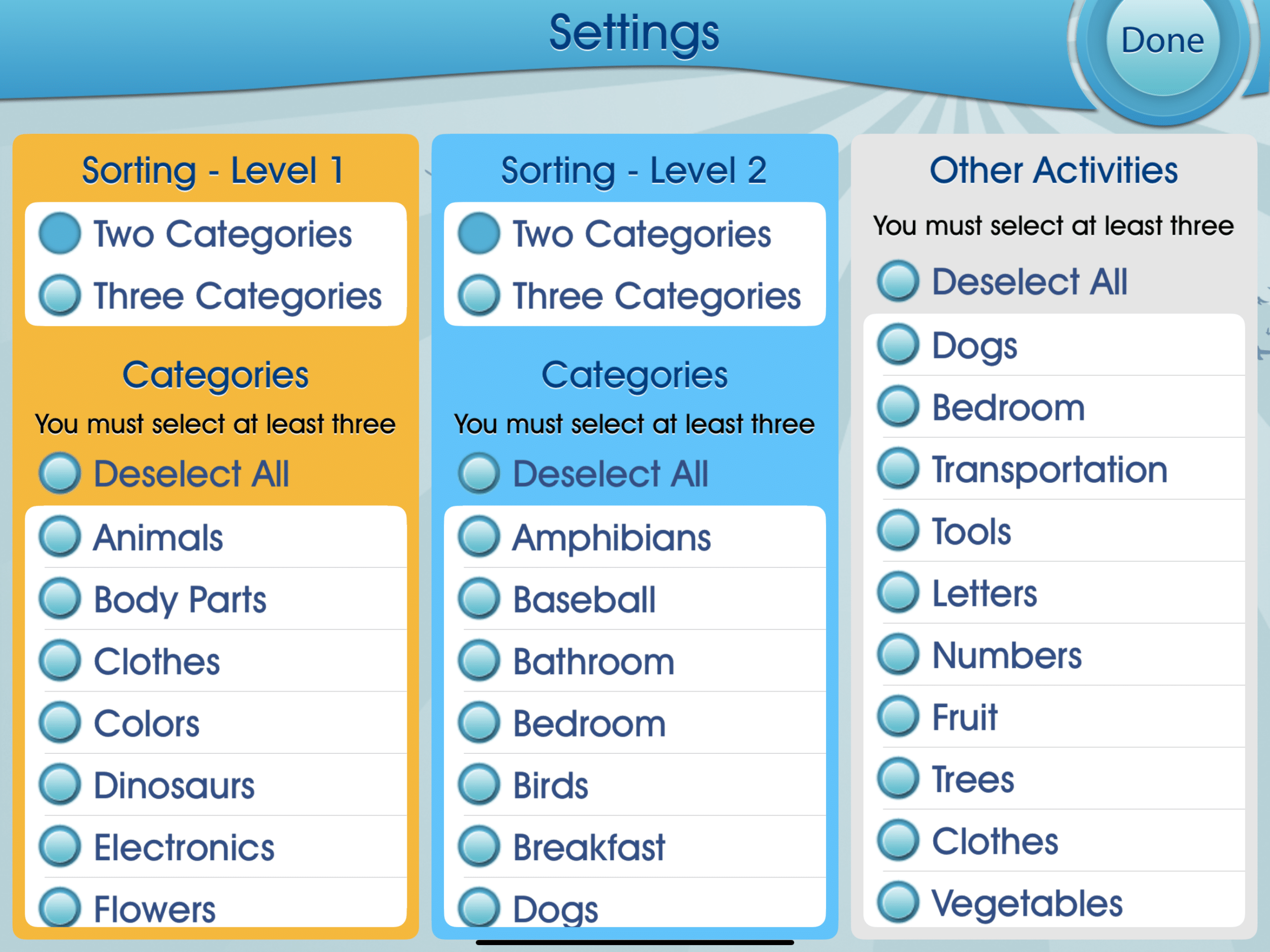
Go beyond general labels. We help learners move from broad concepts like "Animals" to specific groups like "Amphibians" and "Reptiles." This precision is what builds the high-level vocabulary needed for success in the classroom and beyond.

Electronics Transportation Body Parts Bathroom Tools Fruit Trees + 40 More
One Click Customization Parents and teachers can instantly adjust the challenge. Choose between two or three categories at once to match your student’s current skill level.
Category settings and selection list

Engaging Games, Serious Results

Receptive Language

Where Does it Go?

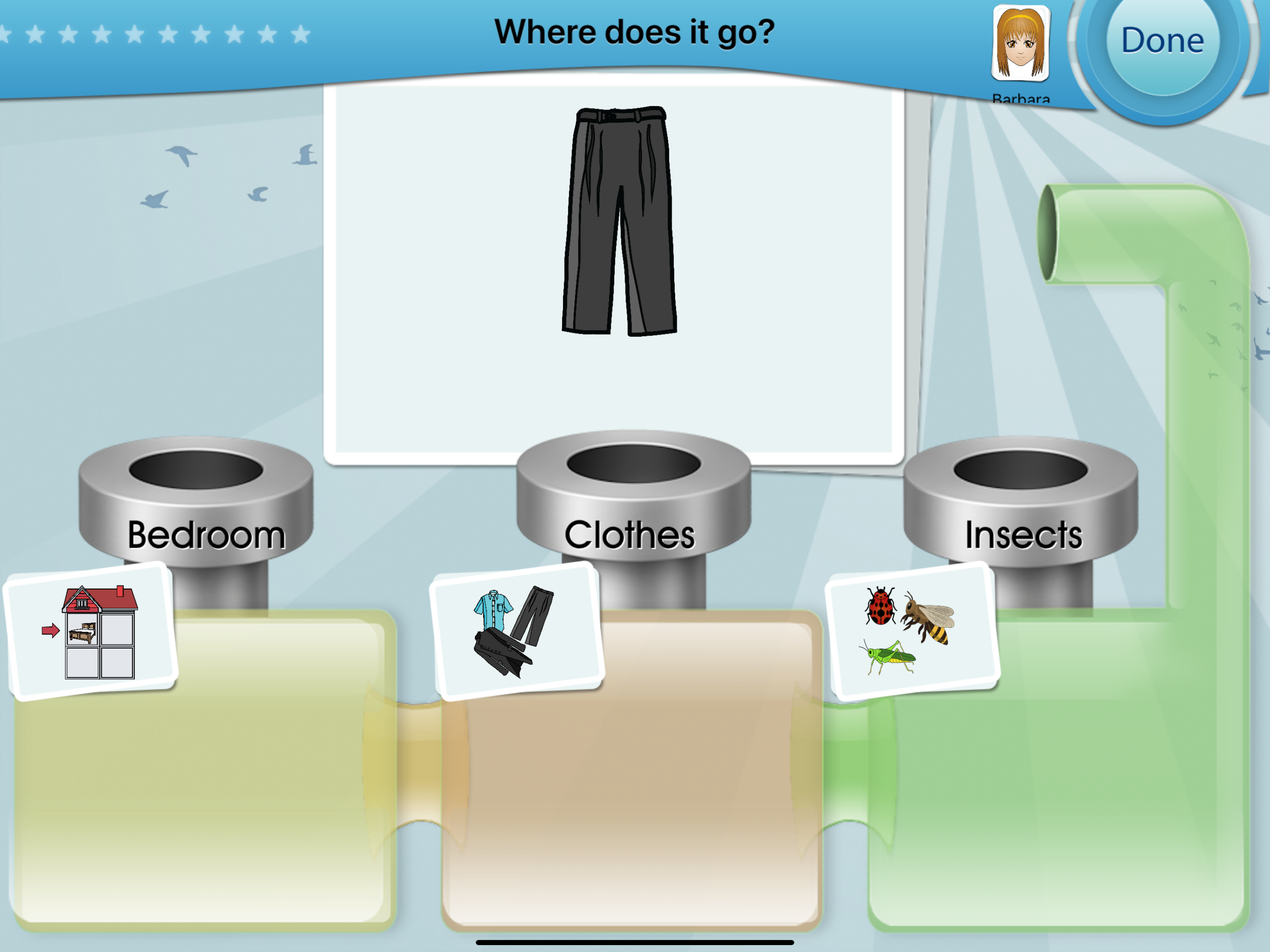
In this lab-themed activity, students are presented with a central object and three "category pipes." They must decide which pipe is the best home for the item.

It’s a perfect way to build association skillsβ€”helping students understand that a pair of pants belongs to "Clothes" and not "Insects."

Where Does it Go Game Interface
Cognitive Organization

Visual Sorting Labs

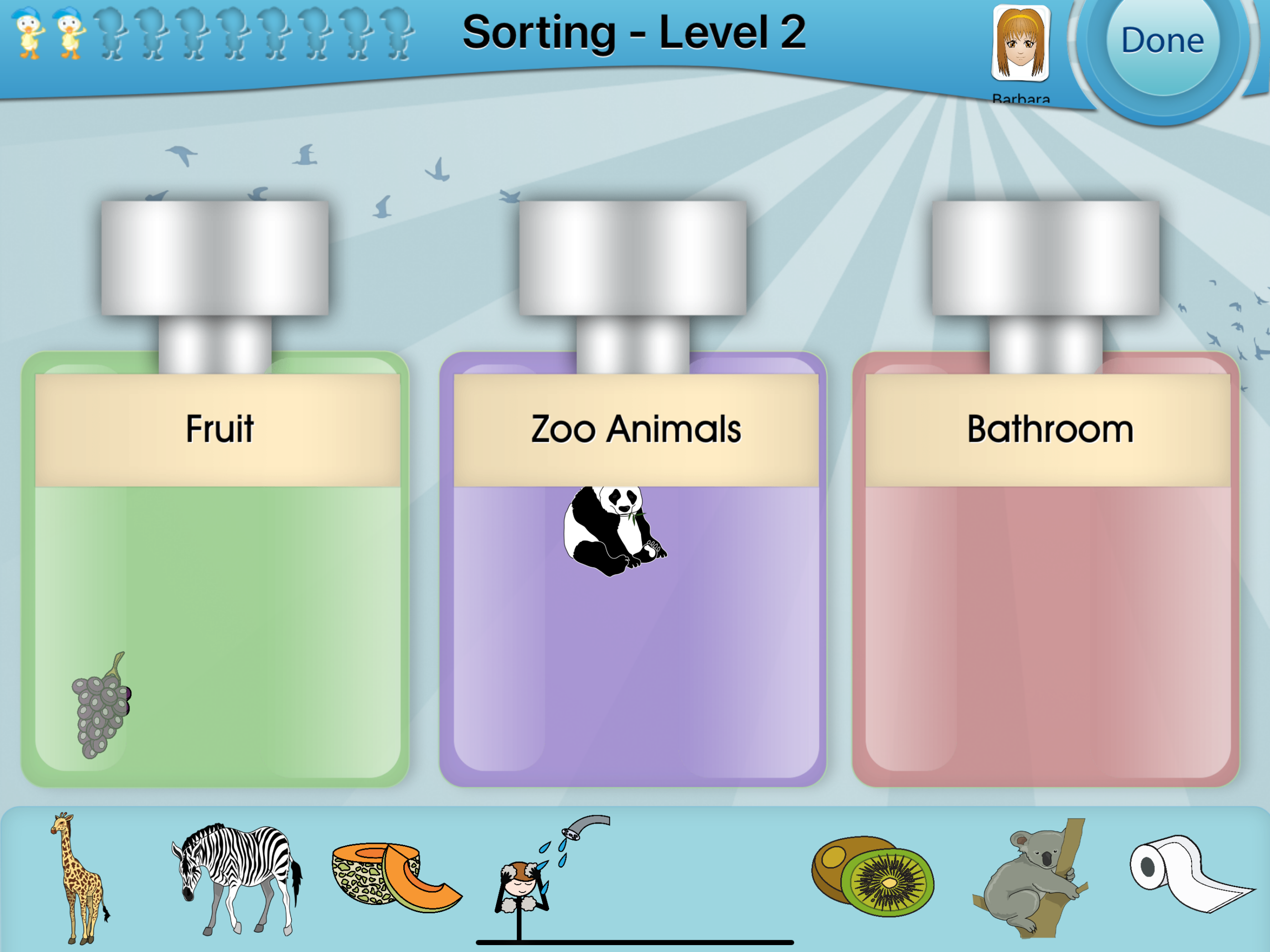
Using a simple drag-and-drop mechanic, students sort items into themed jars. Tapping any item provides an instant audio label, supporting readers and non-readers alike.

This hands-on approach helps children physically "organize" their mental library, improving memory and word-finding speed.

Sorting Level 2 Game Interface

Moving Beyond Multiple Choice

True communication happens when a learner can explain why things belong together. Our Expressive tasks challenge students to name categories out loud, building the confidence they need for real-world conversation.

🎯
The "Almost Correct" Advantage Did your child say "Home things" instead of "Furniture"? Our unique scoring allows you to reward broad categories while teaching more specific labels.
πŸ–ΌοΈ
High-Quality Visual Prompts Clear, easy-to-identify illustrations prevent confusion, allowing learners to focus entirely on the relationship between objects.
πŸ’‘
Informal Expansion Teachers can use the built-in labels to prompt students for even more items that fit the category, turning every screen into a deep learning opportunity.
Category Naming Activity showing the 'Almost Correct' button

Effortless Tracking for Groups of All Sizes

Whether you are a teacher managing a small group or a parent supporting siblings at home, Categories Learning Center keeps your data organized and actionable.

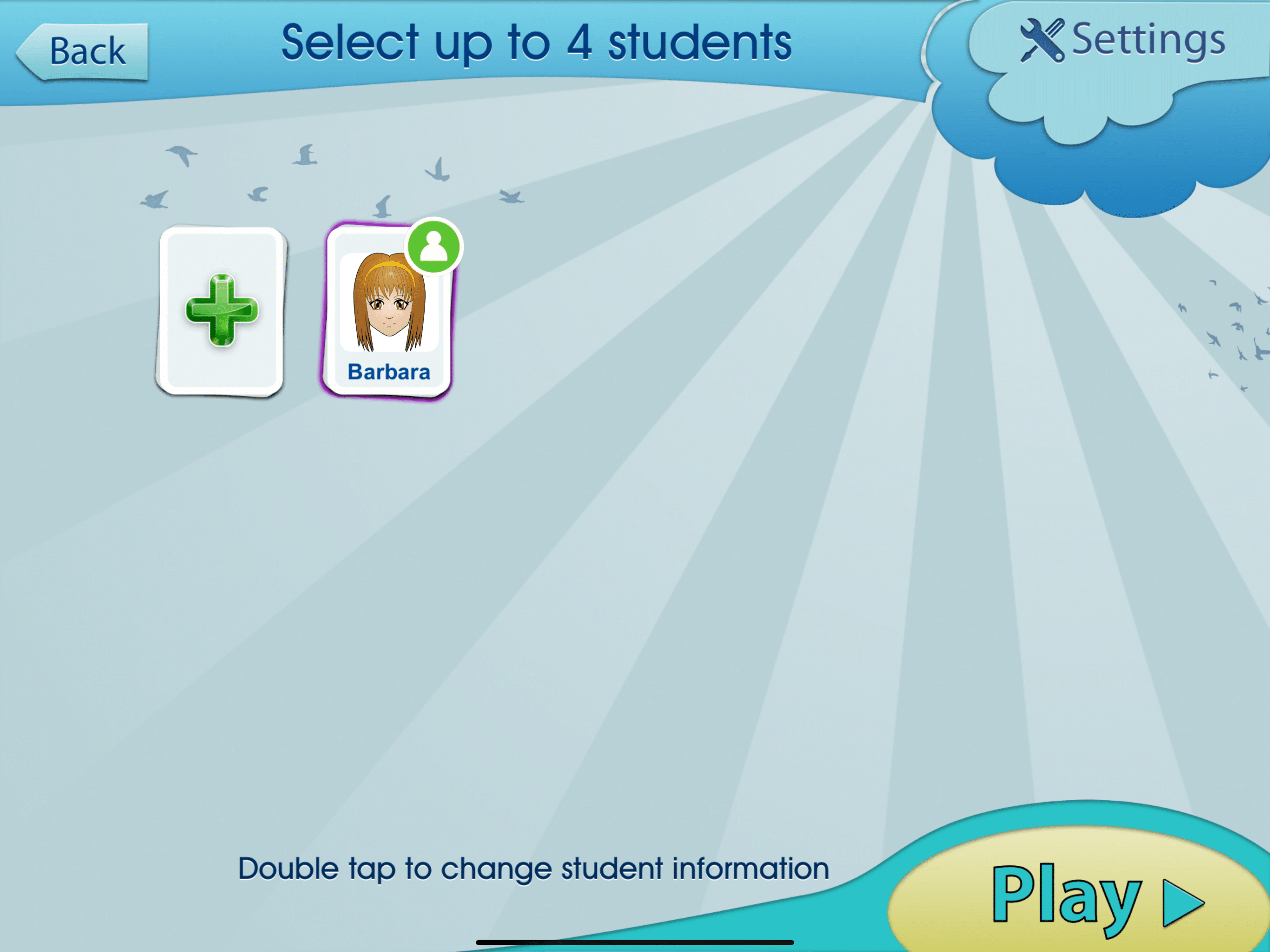
Up to 4 Players Engage multiple students simultaneously while the app maintains separate data trails for each learner.
Custom Avatars Personalized profiles make student selection fun and help learners take ownership of their progress.
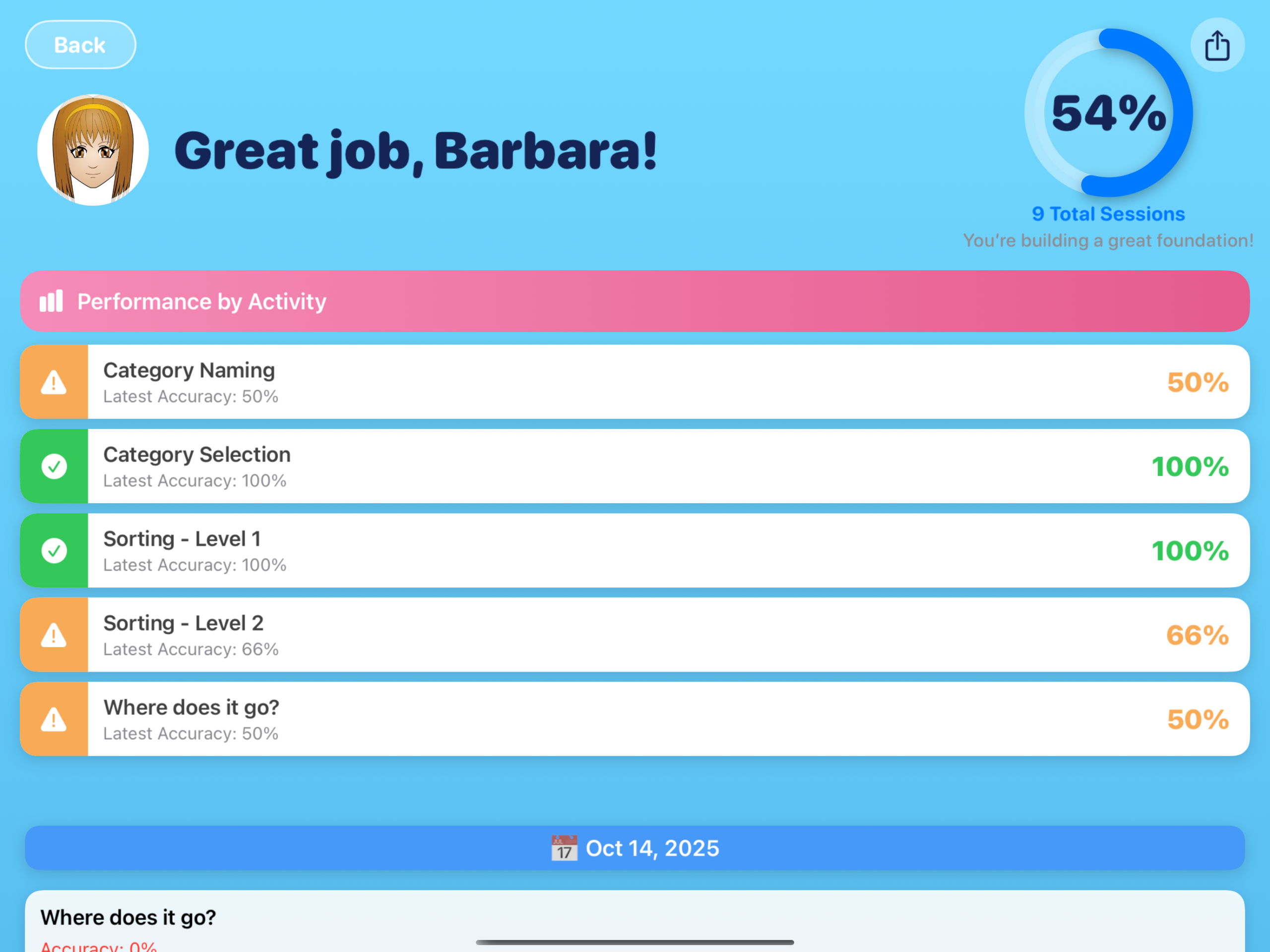
Instant Report Cards See accuracy percentages for every activity type. Perfect for IEP meetings or home progress reviews.
Session History Track total sessions and date-stamped performance to visualize growth over weeks and months.

Multi-player student selection interface Automated student progress report card

Recommended by the Professional Community

"It helps kids to think past general categories. For example, one category is not just 'animals', but 'reptiles'. I enjoy the age-appropriate recordings."

β˜…β˜…β˜…β˜…β˜… Twin Sisters

"Excellent app for working on categorization, expressive, and receptive language skills. I have also used it with adult clients who have aphasia."

β˜…β˜…β˜…β˜…β˜… SLP Echo

"Perfect for developmentally delayed students as it addresses many of their needs in one app. We can track progress and move up a level when they are ready."

β˜…β˜…β˜…β˜…β˜… Bridging Apps

The Evidence Behind the App

Categories Learning Center is built on research surrounding language development and narrative processing.

Constantinidou & Kreimer (2004): Explores categorization effects after brain injuryβ€”proving clinical utility for adult rehabilitation.
Partyka & Kresheck (1983): A comparison of categorization skills in language-delayed children in early elementary school.
CELF-4 & LPT-3 Foundations: Our curriculum aligns with standardized clinical evaluations used by professionals worldwide.
Semel et al. (2003): Rooted in the Clinical Evaluation of Language Fundamentals to ensure academic and clinical rigor.

Full Video Tutorial

Take a guided tour with Speech-Language Pathologist Barbara Fernandes and see how Categories Learning Center can transform your teaching or home practice sessions.

βœ… Setting up Students
βœ… Adjusting Complexity
βœ… Expressive Naming Tips
βœ… Reviewing Report Cards
πŸ”’

Privacy First

No third-party advertising or data collection. We ensure a focused, safe environment for every learner.

✈️

Works Offline

Perfect for classroom use or travel. Once downloaded, all 45+ categories are available without a Wi-Fi connection.

🚫

No In-App Purchases

Download once and get full access to all features, activities, and future content updates.