Custom Boards Hero Section - iPad Style
Custom Boards Elite App Icon

Empower Visual Communication

Custom Boards Elite is the ultimate app powered by Smarty Symbols, designed to bring your therapy and classroom visual supports to life.
  • Design templates across six core categories including Activities & Games and Signs & Labels.
  • Build specialized Schedules & Calendars, Devices & Switches, and Work sheets with ease.
  • Search thousands of symbols, customize background colors, and adjust text formatting on the fly.
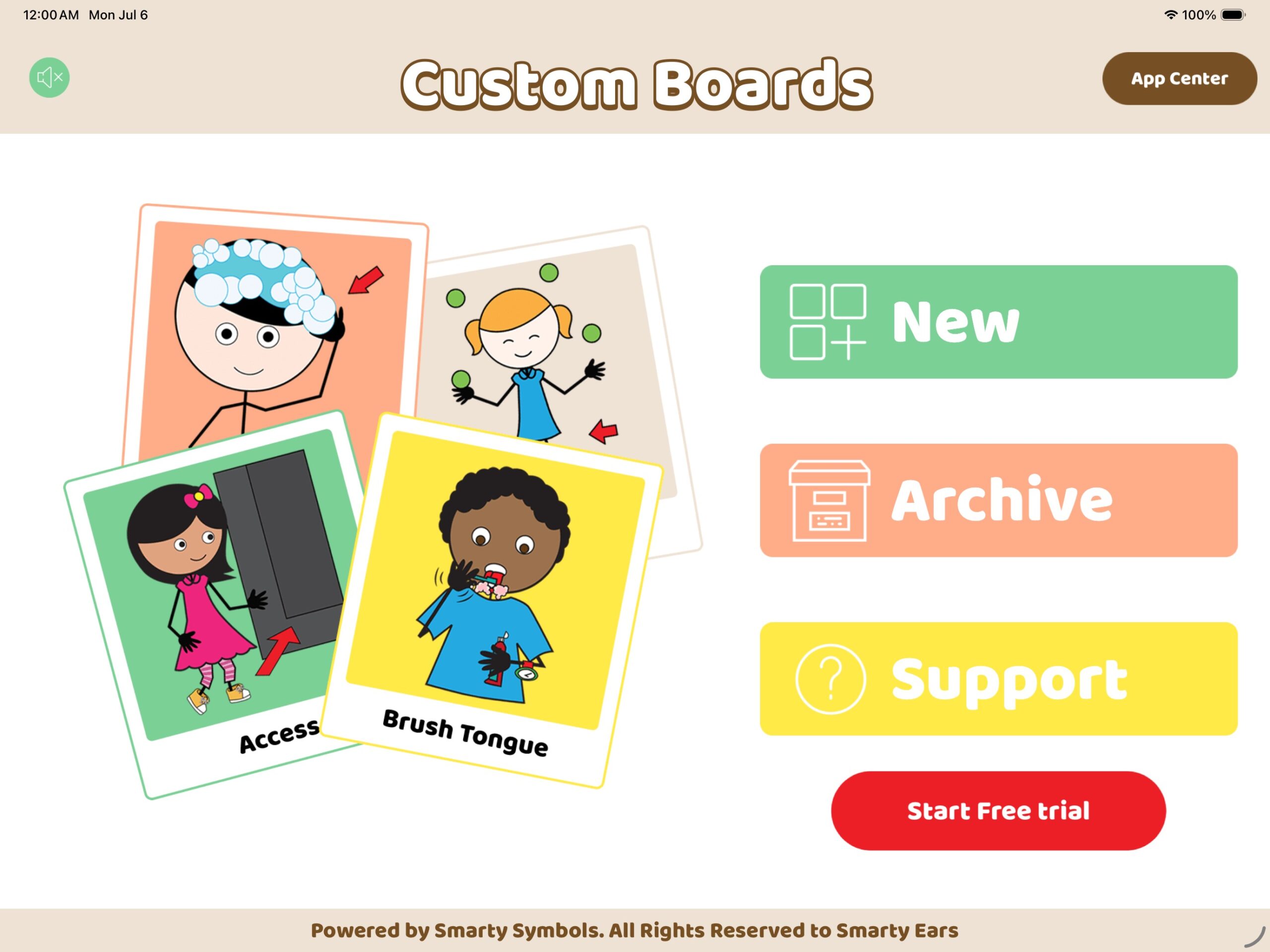
Custom Boards Elite App Interface displaying the New, Archive, and Support menu on iPad
Custom Boards Categories Section

Endless Possibilities, Six Core Categories

Whether you are building an interactive game, a weekly schedule, or an alternative communication board, we have a meticulously designed template ready for you.

Activities & Games

Engage students with interactive learning materials designed for fun and retention.

  • Bingo Boards
  • Board Games & Dominoes
  • Sorting & Matching Activities
Devices & Switches

Create perfectly sized overlays for the most popular AAC devices and switches.

  • Go Talk 4+, 9+, & 20+
  • Big Mac & Step by Step
  • AMDI 32 Communication Boards
Signs & Labels

Organize your classroom or therapy room with beautiful, clear visual labels.

  • Flashcards & Speech Bubbles
  • Traffic Signs & Directionals
  • Custom Fancy Labels
Grids & Boards

Build standard AAC communication boards with highly flexible grid dimensions.

  • Simple 1x2 & 2x3 Grids
  • Complex 5x6 & 16-Grid Boards
  • Long & Wide Formatting
Schedules & Calendars

Provide structure and ease transitions with visual timelines and schedules.

  • First-Then & Before-After Boards
  • Hourly, Weekly, & Monthly Schedules
  • Step-by-Step Task Sequencing
Work sheets

Generate printable materials for fine motor skills, tracing, and comprehension.

  • Interactive Books
  • Greeting Cards
  • Categorization & Geometry
Custom Boards - Feature Block (Tap to Create)
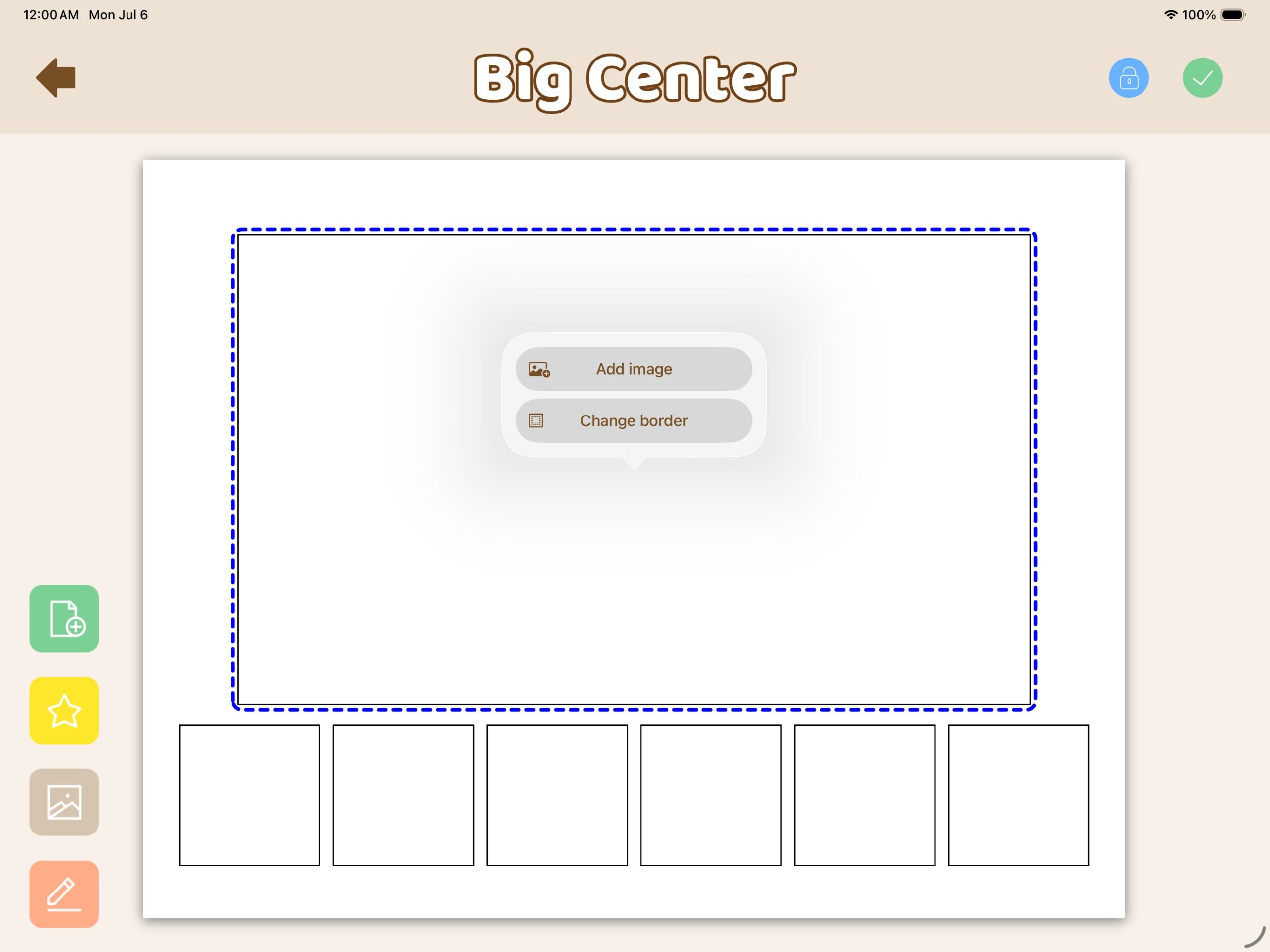
Custom Boards template showing the tap to add image popup menu

Select, Tap, and Create

Once you have selected the perfect template for your student, bringing it to life takes only seconds. Custom Boards is built from the ground up for the iPad, offering an intuitive, touch-first editing experience without any cluttered menus.

Simply tap on any empty placeholder cell on your canvas. A clean, quick-action menu will immediately appear, allowing you to add an image or customize the cell's borders instantly. It is the fastest way to build professional visual supports.

Custom Boards - Feature Block 1 Expanded

Built-in Smarty Symbols Library

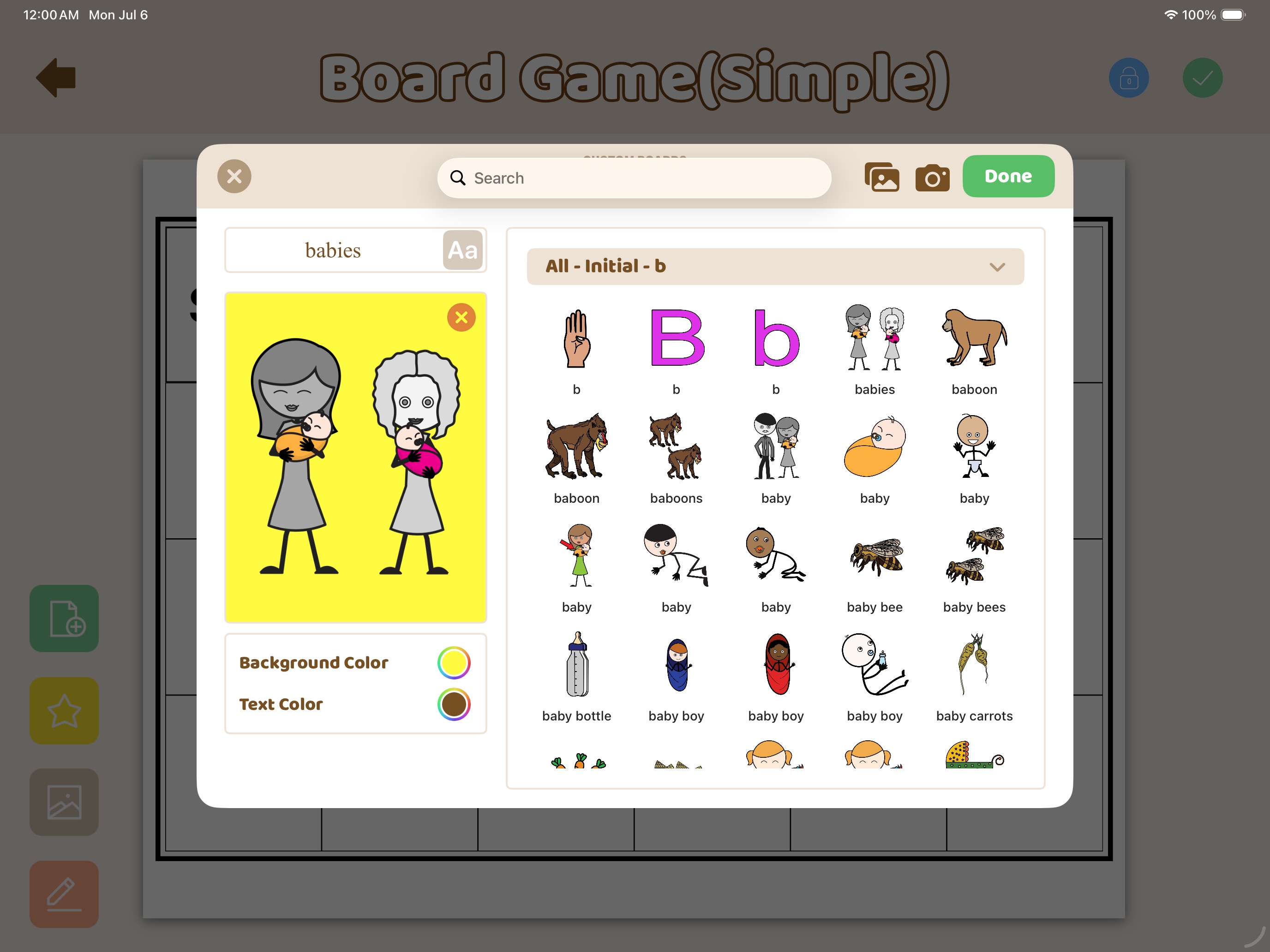
Say goodbye to scouring the internet for the right images. Custom Boards is fully integrated with a massive library of over 30,000 Smarty Symbols. Simply tap a placeholder, search for any word or concept, and instantly drop in high-quality, inclusive illustrations.

Looking for a specific articulation target? Filter symbols by initial, medial, or final sounds in seconds to streamline your therapy prep.

Learn more about Smarty Symbols images →
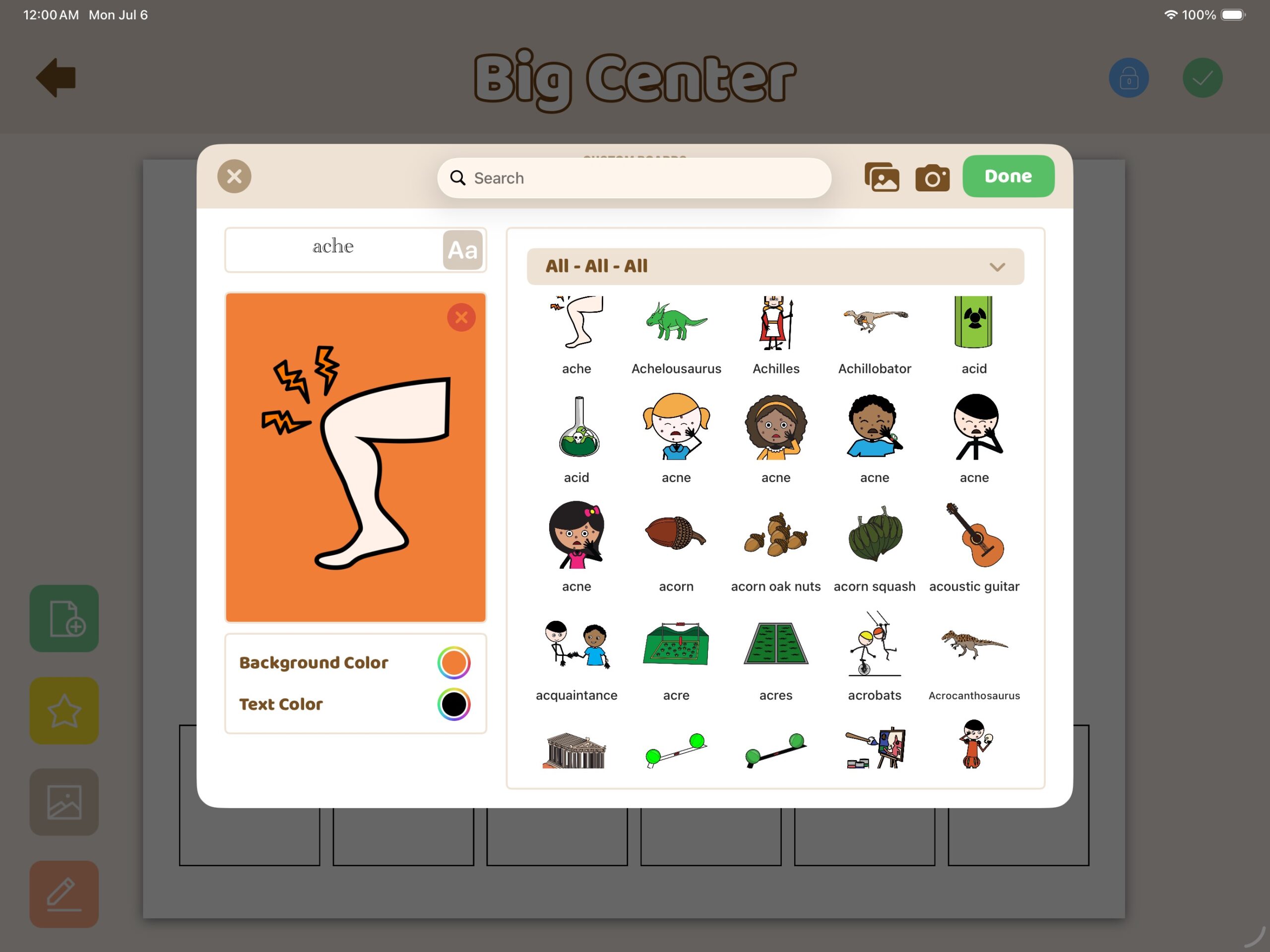
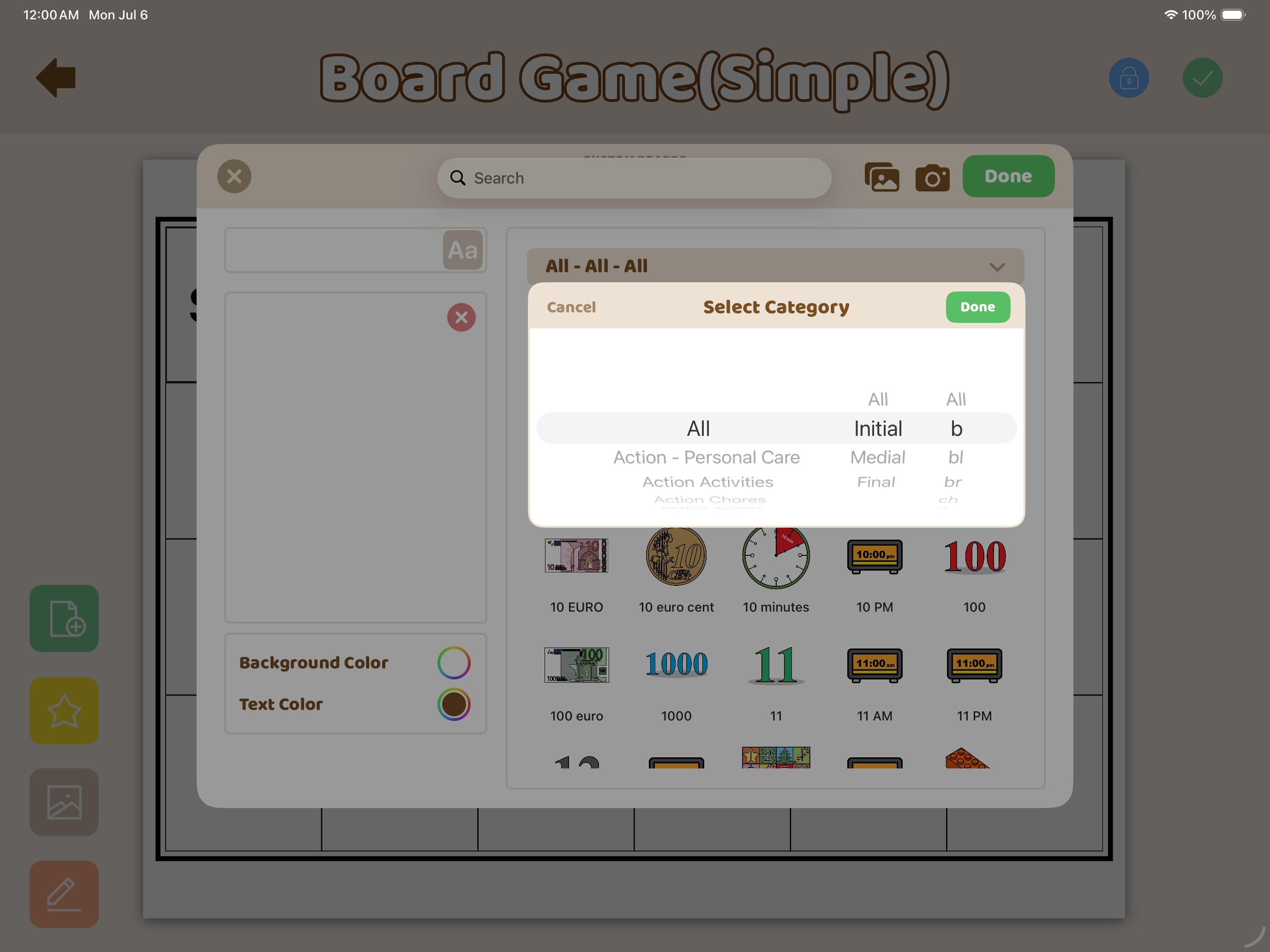
Smarty Symbols Search Interface inside Custom Boards on iPad
Custom Boards - Feature Block 2 (Sound Search Stacked)
Custom Boards articulation sound position dropdown menu
Custom Boards sound search displaying images starting with the letter B

Pinpoint Articulation Targets Instantly

Don't waste time scrolling through thousands of images to find the perfect articulation words. Custom Boards features a powerful phonetic search engine tailored specifically for speech-language pathologists and special educators.

Filter the entire Smarty Symbols library by sound position—Initial, Medial, or Final—and select specific letters or blends to instantly populate your board games, bingo cards, and worksheets with targeted vocabulary.

Custom Boards - Feature Block 3 (Effortless Creation)

Effortless Visual Support Creation

Building effective visual supports shouldn't require hours of dragging, dropping, resizing, and formatting. Custom Boards Elite streamlines the entire process, allowing you to create professional, ready-to-use materials in just a few taps.

Explore a vast collection of built-in templates engineered to take the guesswork out of design. Whether you need a quick "First-Then" behavioral board (shown here), a multi-page communication grid, or a classroom label, simply select your layout, tap to insert a Smarty Symbol, and you are ready to print or use directly on your iPad.
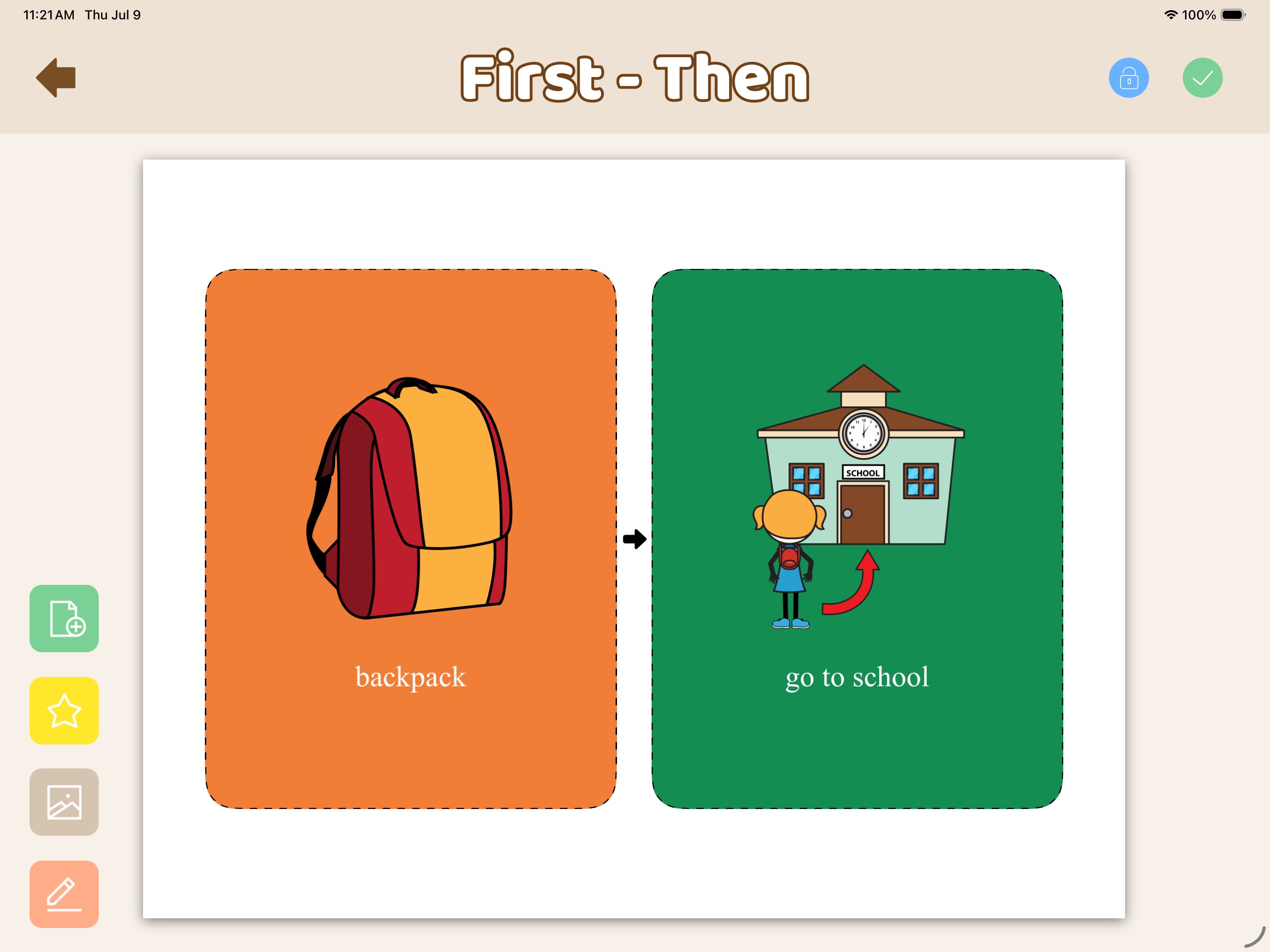
First-Then visual schedule board showcasing how easy it is to use templates
Custom Boards - Feature Block 4 (Activities & Games)
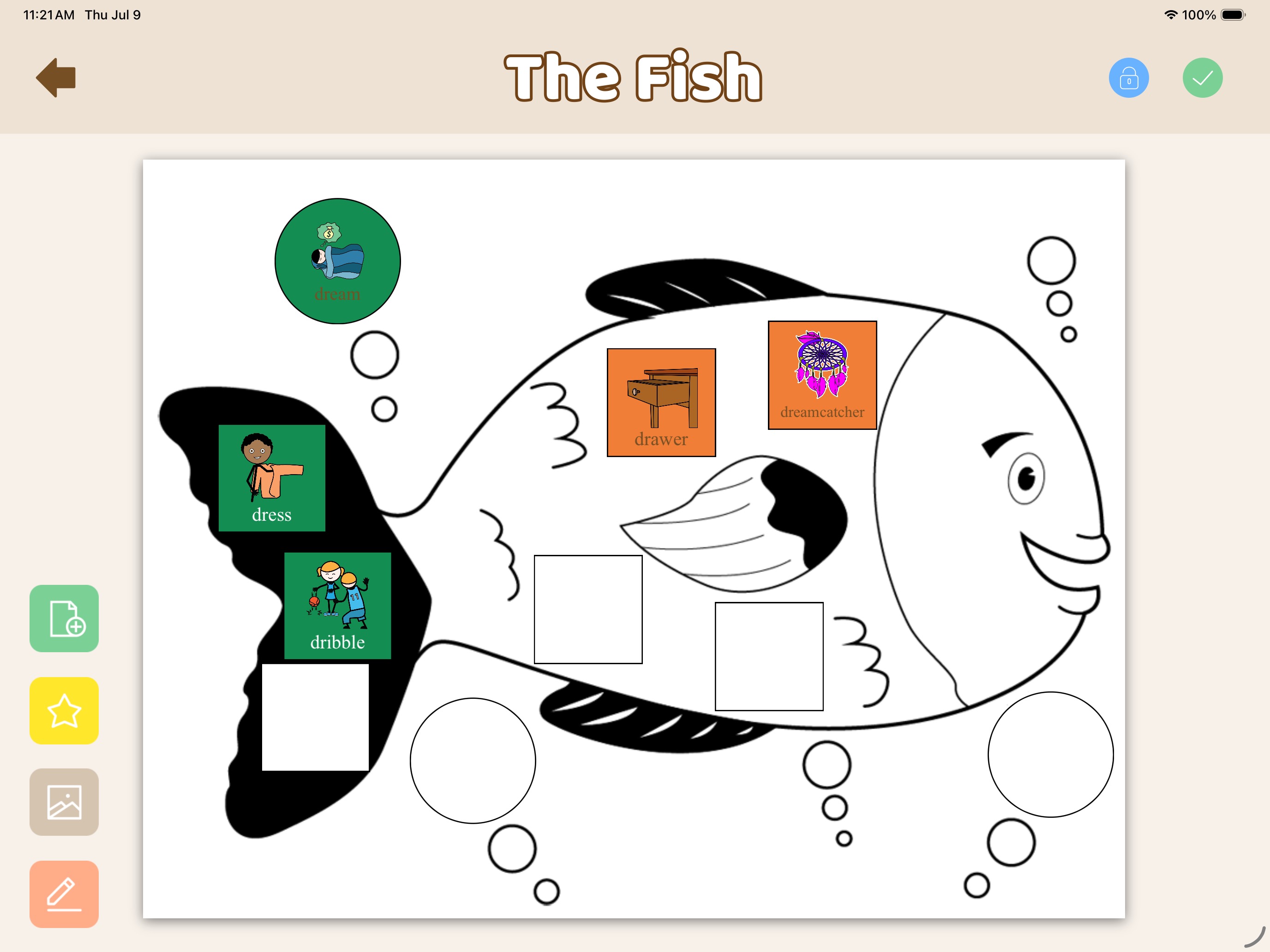
The Fish themed interactive worksheet populated with articulation symbols

Engaging Activities & Games

Move far beyond basic communication grids. Custom Boards Elite includes a rich library of interactive templates designed to keep students motivated and focused during therapy sessions or classroom centers.

Easily populate themed worksheets, interactive board games, and custom bingo cards with your specific articulation targets or vocabulary words. Just tap the empty slots on templates like "The Fish" to instantly insert custom symbols, adjust cell colors, and create materials your students will love.

Custom Boards - Testimonial Block Updated

"Wonderful app with limitless opportunities. I can create games, homework and visuals in a matter of minutes. I don’t know what I would do without this app."

— GradSLP (Version 1.3)
Custom Boards - Feature Block 5 (My Archive)

Organize & Save Your Caseload

Never lose a carefully crafted visual schedule, bingo game, or communication board again. Custom Boards Elite features a powerful built-in Archive where all your creations are automatically saved and accessible anytime.

Keep your therapy materials meticulously organized by creating custom folders for individual students or specific clinical goals—you can even customize the folder icons using Smarty Symbols! With a dedicated search bar and sorting tools, finding, duplicating, or editing past materials for a new session takes only seconds.
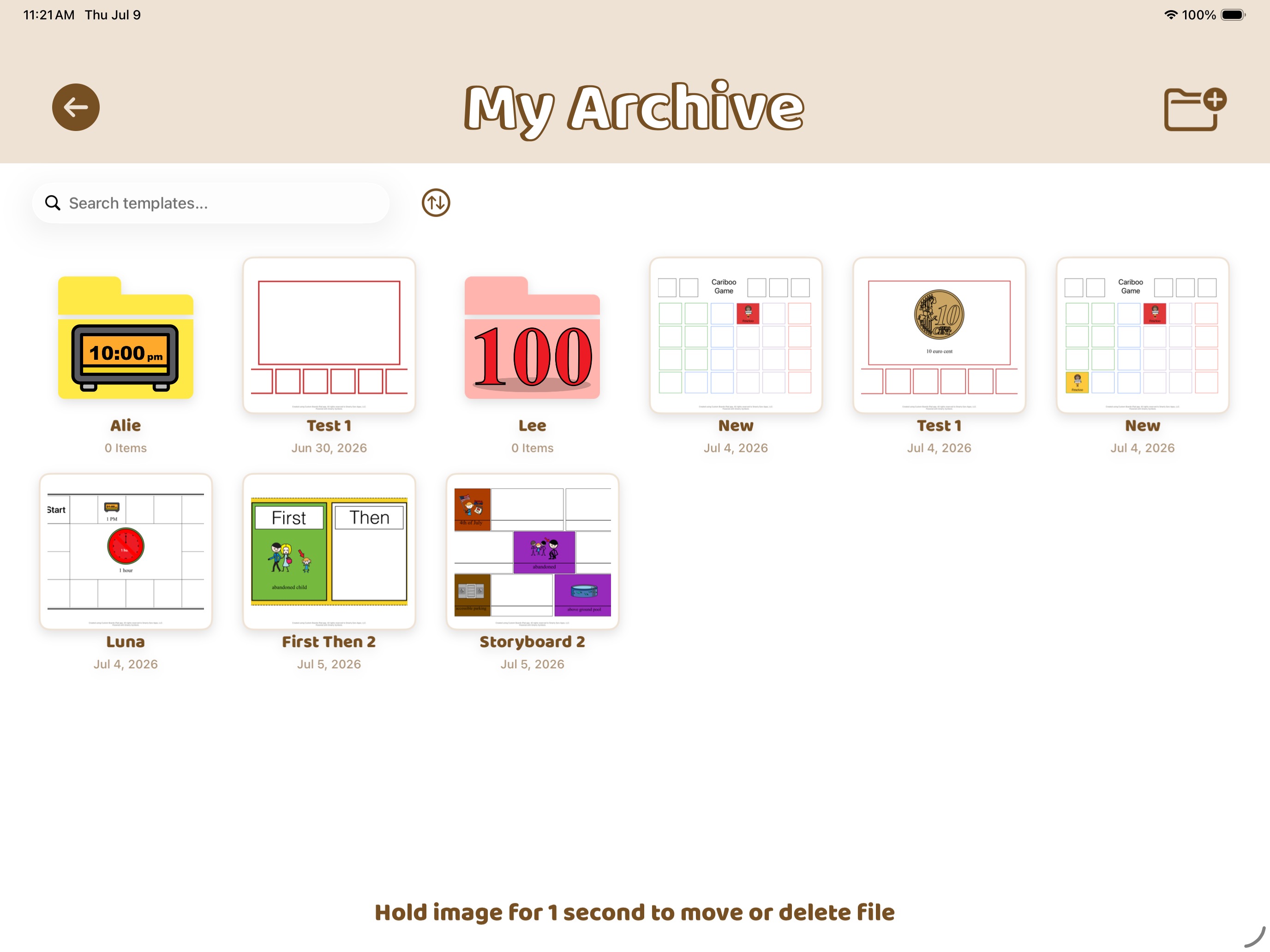
My Archive screen in Custom Boards showing saved files and custom student folders
Custom Boards - Feature Block (Custom Photos)

Personalize with Your Own Photos

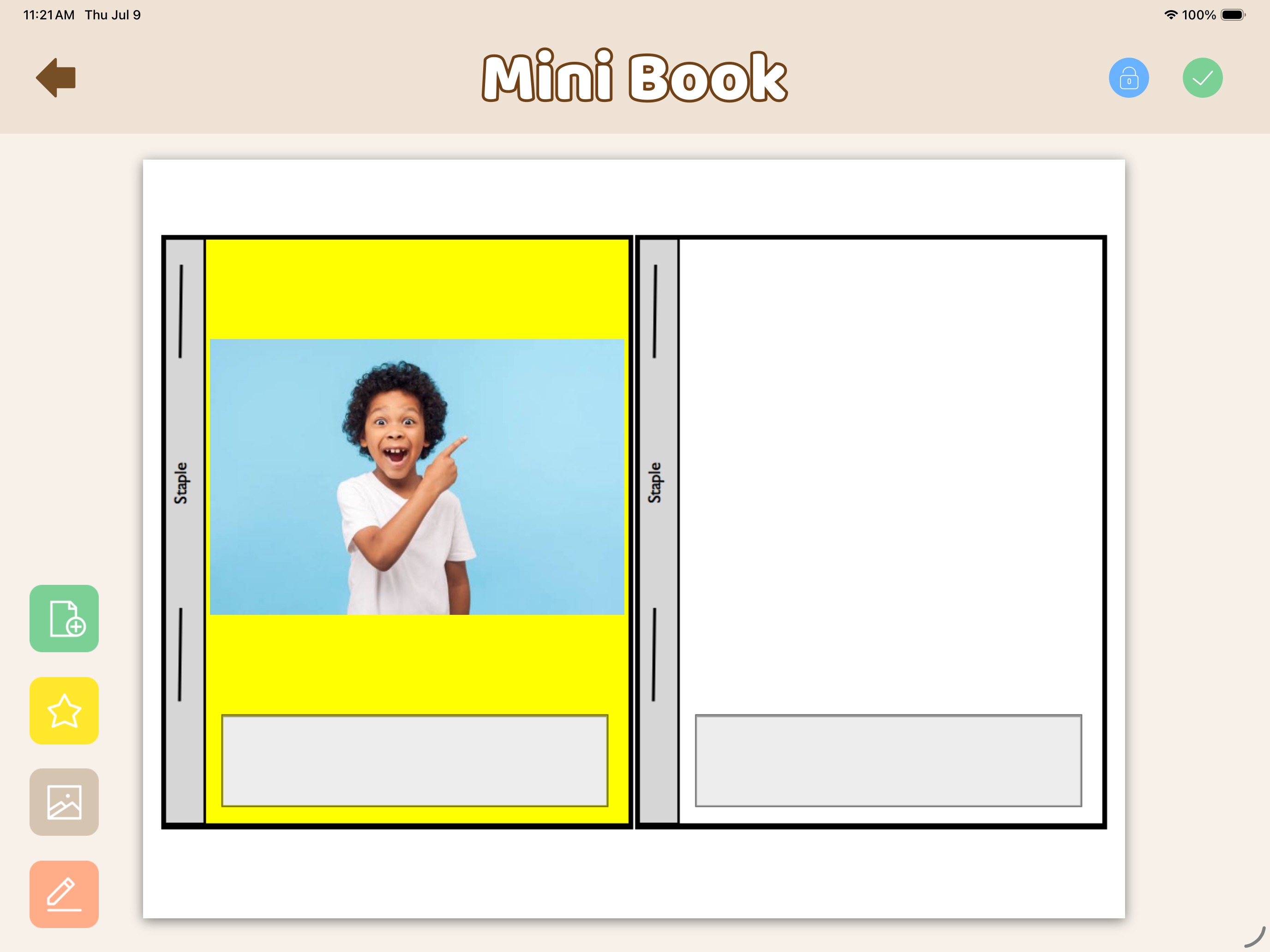
While our library of 30,000+ Smarty Symbols is incredibly comprehensive, sometimes nothing beats a real photograph. Custom Boards makes it seamless to bypass the symbols and import custom images straight from your iPad’s camera roll.

Highly personal visual supports—like inserting a student's actual face into a "Mini Book" or showing real photos of their classroom in a daily schedule—are proven to increase engagement and comprehension. Just tap the camera icon to select, crop, and drop your own photos directly into any template.
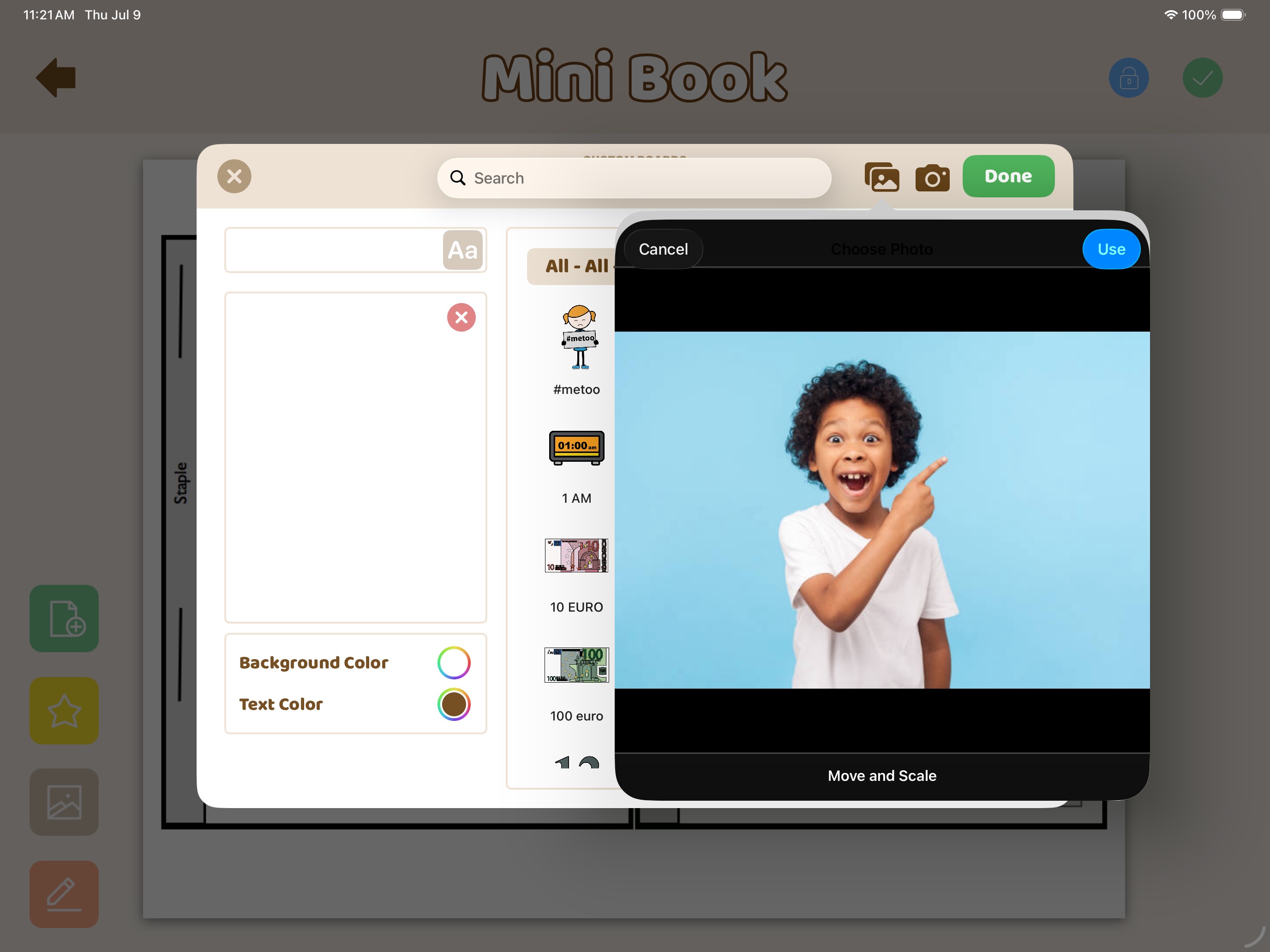
Custom Boards editor popup showing a custom uploaded photo of a child
Mini Book template populated with a real custom photograph
Custom Boards - Video Tutorial Block

See Custom Boards in Action

Watch a quick walkthrough to see just how effortlessly you can design, customize, and print your visual supports.

Custom Boards - Evidence Based Section

Designed for Evidence-Based Practice

A research study by Wilkinson, Carlin, & Jagaroo (2006) found that children are faster and more accurate in learning symbols when those symbols have unique internal colors.

That is why Custom Boards empowers you to change background colors on each individual cell, allowing for highly personalized, effective learning environments.

"The use of visual supports and symbols as receptive and expressive components of an AAC system has been established as an evidence-based practice for individuals with Autism Syndrome."

— Mirenda & Iacono (2009)

"Wendt (2009) found that the use of graphic symbols for requesting has the most extensive evidence base for people with ASD."

Custom Boards - Who Is It For
Custom Boards Elite App Icon

Built for the Champions of Communication

Whether you are running a busy clinic, structuring a classroom, or supporting a loved one at home, Custom Boards Elite is engineered to save you time and maximize your impact.

Speech-Language Pathologists

Create targeted articulation games, phonetic worksheets, and highly customized AAC overlays in the brief minutes between your therapy sessions.

Special Education Teachers

Build an inclusive, predictable classroom environment with visual schedules, center labels, and behavioral supports that empower your students.

Rehab & Medical Professionals

Essential for rehab nurses, occupational therapists, and neurologists needing immediate, custom visual communication tools for patient recovery and care.

Parents & Caregivers

Bring the therapy home. Easily create daily routines, "First-Then" boards, and visual rules to reduce anxiety and ease transitions for your child.

Custom Boards - CTA Block

Ready to Transform Your Prep Time?

Join thousands of speech-language pathologists, special educators, and parents who are already saving hours every week. Create your first professional visual support in seconds.

Download on the App Store
Exclusively available for iPad

What are speech pathologists saying?

This keeps getting better and better- I really love the ability to add images anywhere, and the new lower price is wonderful as it is accessible to more people. It has so handy finding words for articulation practice, for example. I find myself using this a lot. I got it on sale, so it has been a bargain. I’m glad the dev has listened to user input on improvements.

iTunes Review

As an SLP, I really like using this app for my students who need visual supports. I love that you can search within the bank for pictures and edit them as needed. The quick creation of a game board is also super fun and the kids really enjoy taking them home to practice. I love the differences in verb tenses as well and I like having the ability to change the background colors and things too.”

iTunes Review

“I have been a fan of this app for quite some time (as you will see in the examples below). Not only can you create your own materials from thousands of images and over 100 templates, but now you can SHARE your masterpieces between other owners of this app (their newest update). Although this app is a bit on the pricier Reviews: side, it’s well worth the cost! Consider it one-stop shopping for everything you need to quickly conjure up an unlimited number of games and activities.”

Cooking up Good Speech
“Overall, I LOVE, LOVE, LOVE this app! There are so many things to do, and so many ways to use it! I’m sure that without trying too hard, I could find some way to use this app for each and every kiddo on my caseload.”

Let's Talk

Incredible, comprehensive, amazing, dynamic – these are just some of the descriptive words that came to mind the first time I opened, Custom Boards – Premium by Smarty Ears! I can’t believe that I have gone this long without checking it out! Don’t make the same mistake I made, take a look for yourself at what you can do with this treasure. This has quickly become my top, must have application. Whether you work in a school setting or clinic, see clients individually or in classroom settings, you will want to get this app.

Teachers with Apps