FeaturedSmarty Ears Online: 90+ activities in your browser, with progress reports for every student. Try it free for 14 days. Learn more →
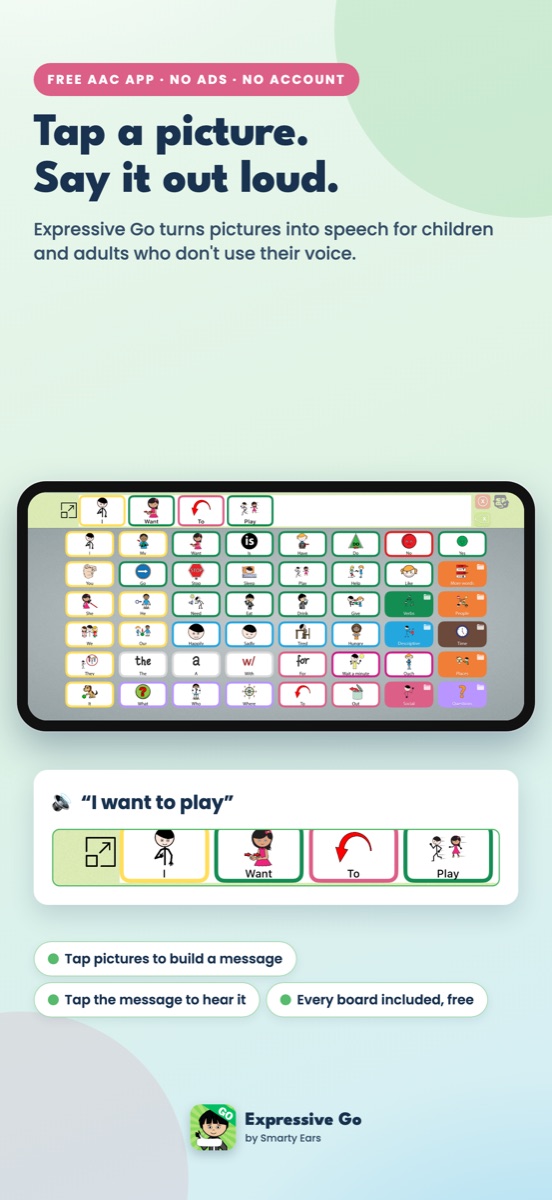
Tap pictures to build a message, and Expressive Go speaks it in full, correct sentences. It changes verbs, tenses, plurals and articles as the message is built, with no extra taps.
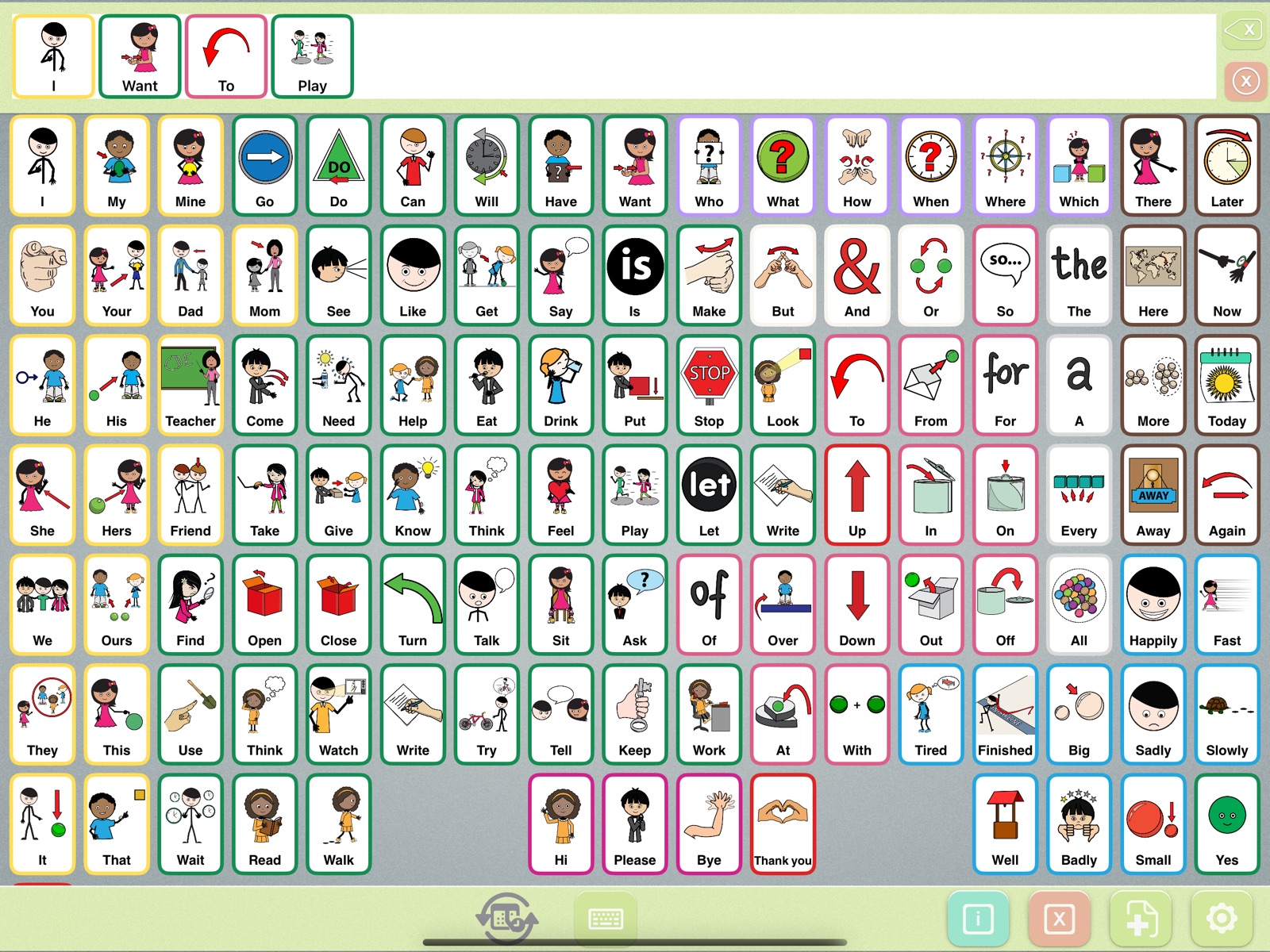
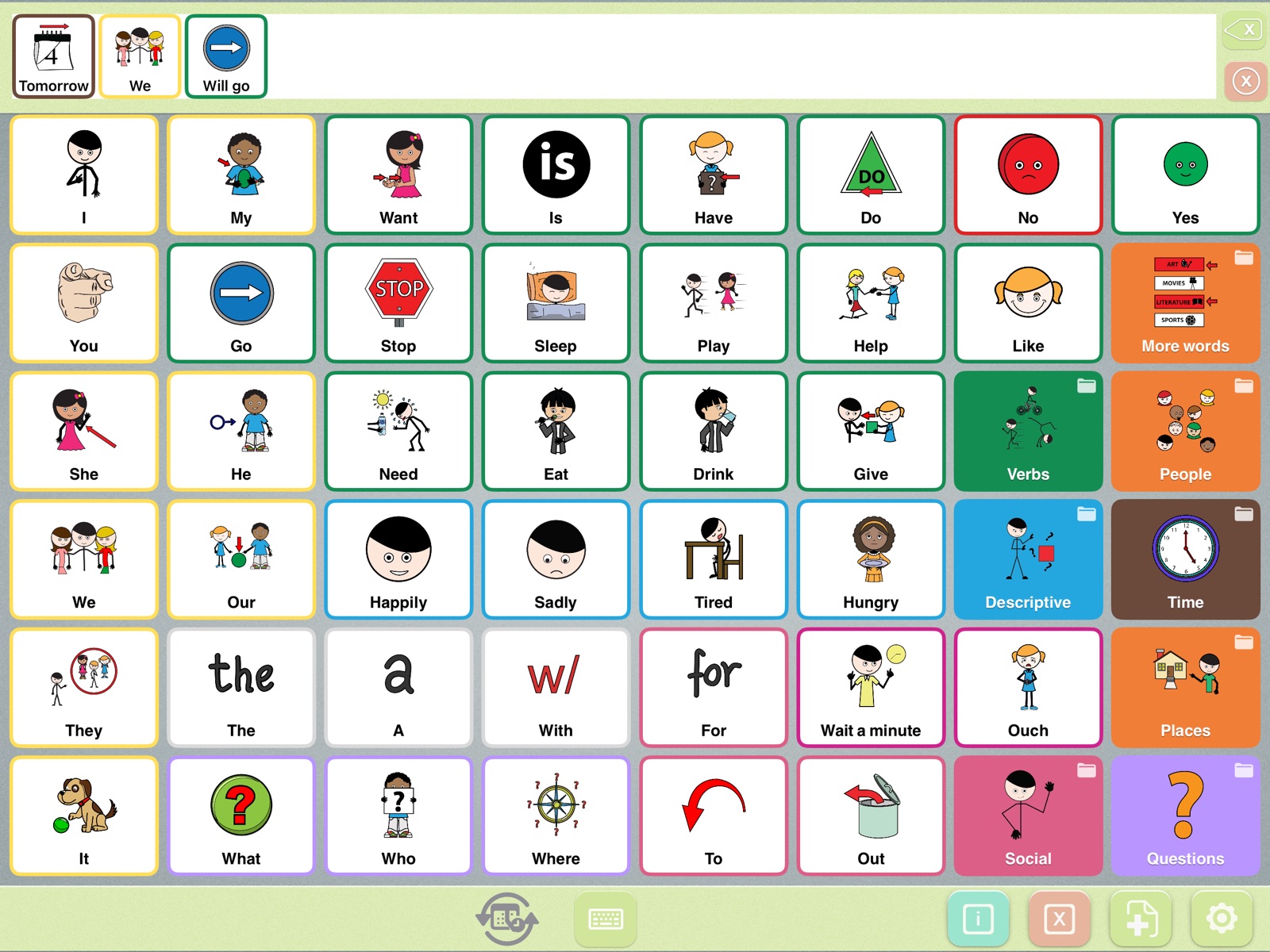
A simplified demo of the Expressive Go language engine. Tap a person and an action, switch between past, now, future and “has,” or start with “yesterday” or “tomorrow.” Add a number and the next thing turns plural.
The voice in this demo comes from your browser. In the app, Expressive Go speaks with the voices on your iPad or iPhone.
People who use AAC deserve to sound like themselves, not like a list of words. Every tile has a part of speech from its Fitzgerald Key color. The engine reads that color and the words already in the message, then picks the right form. The change shows on the symbol in the message and is spoken out loud.
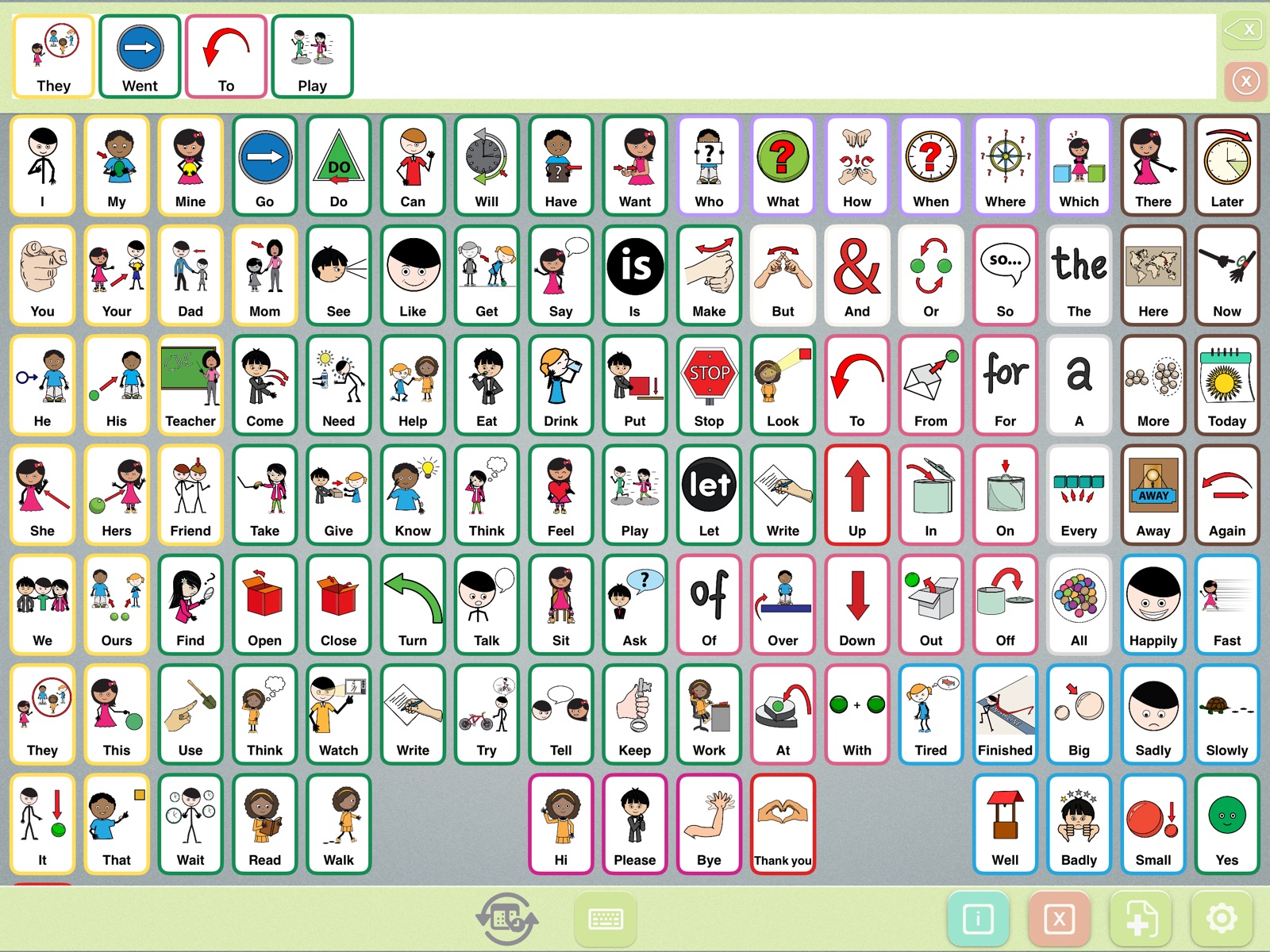
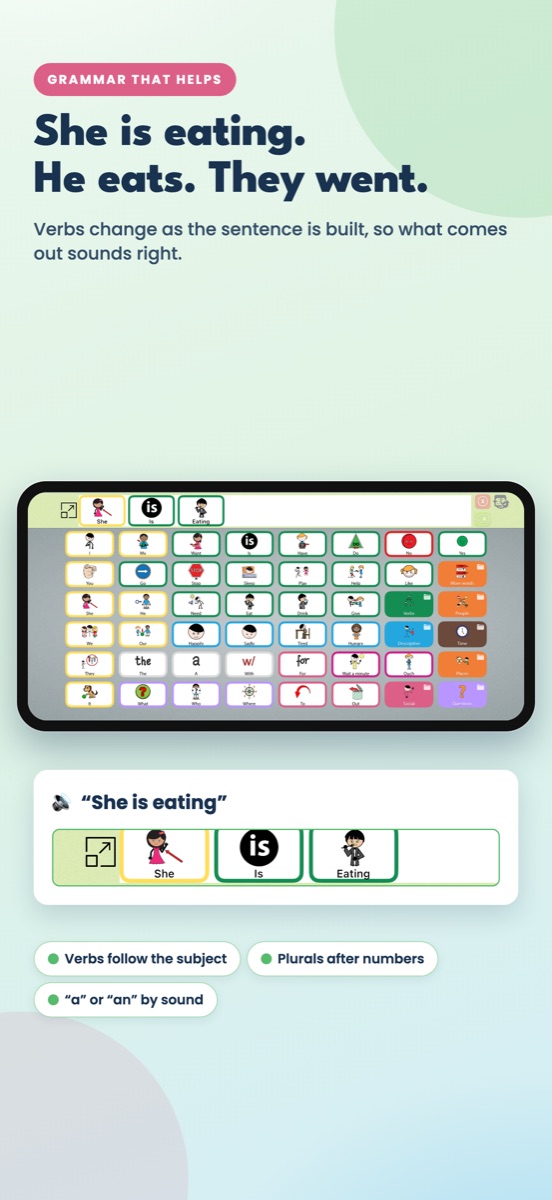
The verb agrees with the person doing it, including people words like “mom” and “teacher.”
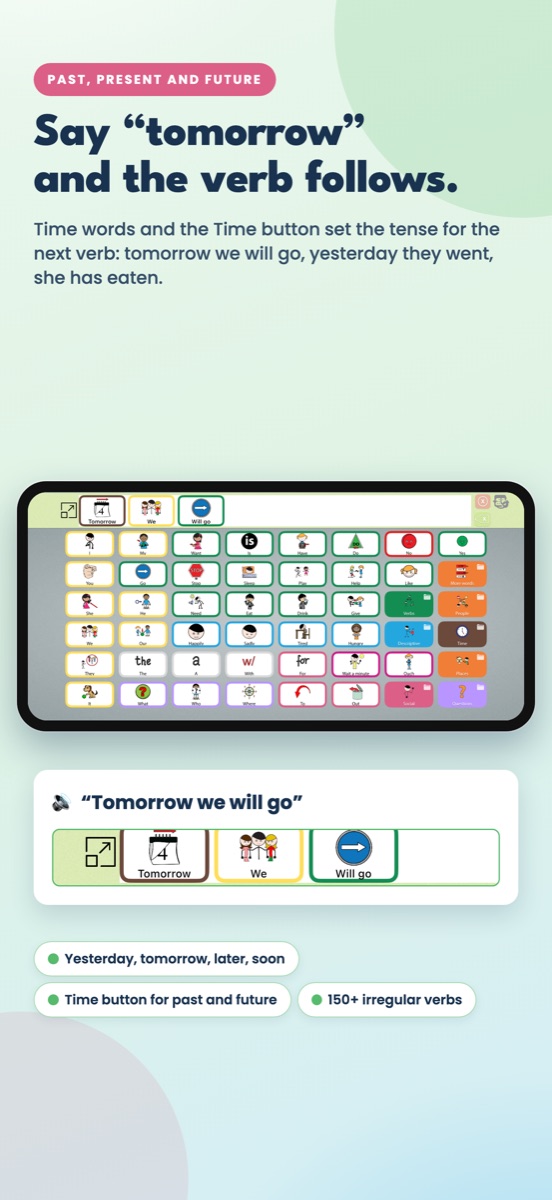
Tap a time word first and the next verb changes to match.
One button cycles past, future and perfect for the next verb, then goes back to present.
Past “be” follows the subject, and “has / have” take the right verb form.
Irregular verbs are stored, not guessed, with past and past participle.
Short verbs double the last letter; longer ones only when the stress says so.
More than 1,000 tiles are phrases. The verb changes, not the last word.
Numbers make the next thing plural, and “a / an” is chosen by sound.
After an action word, describing words turn into adverbs, but not after “feel,” “look” or “is.”
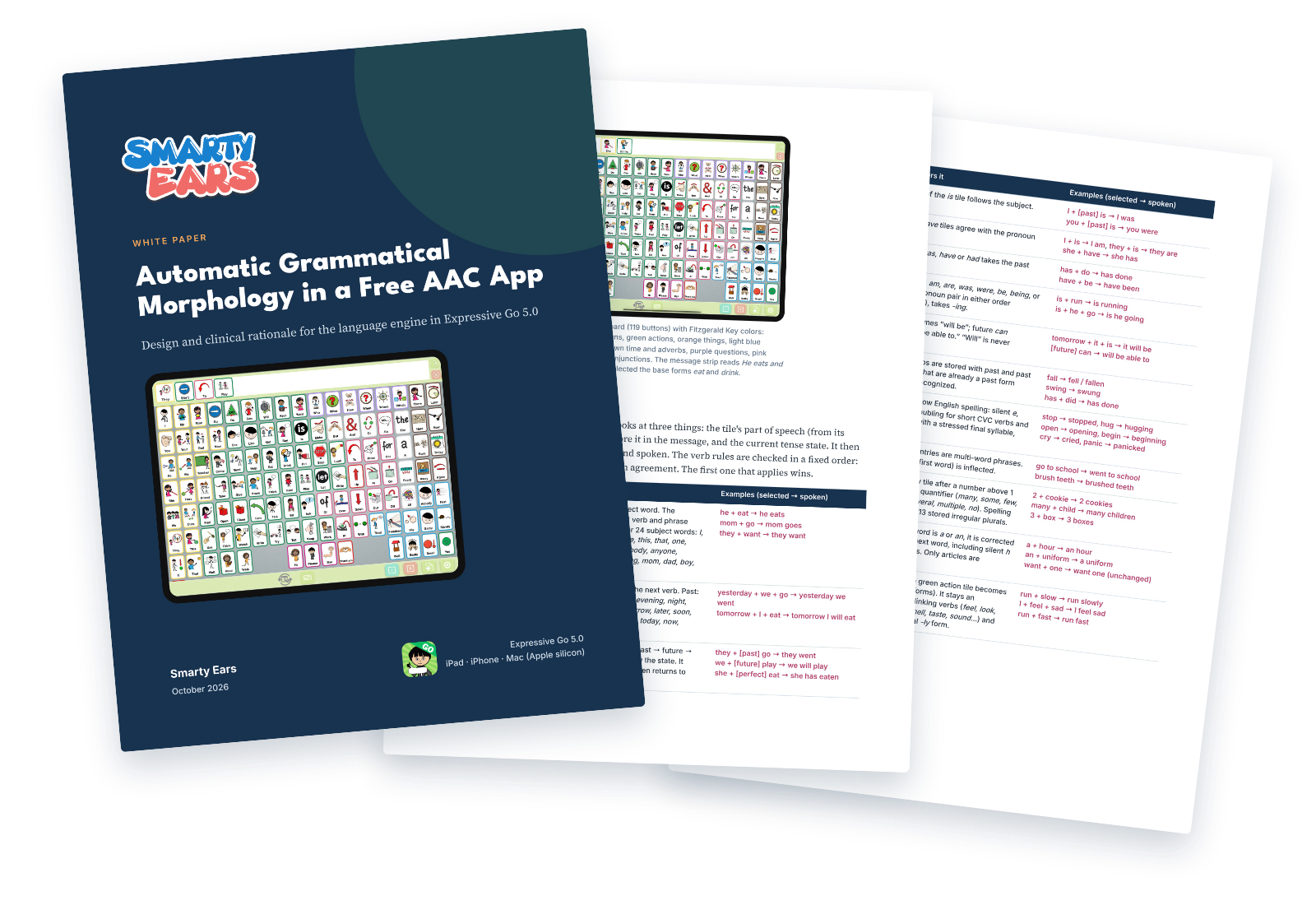
A professional paper for speech-language pathologists, AAC specialists and researchers. It explains how the Expressive Go grammar engine works, rule by rule, why it was designed this way, how it can support aided language modeling and tense in therapy, and where its limits are.
Cite as: Smarty Ears. (2026). Automatic grammatical morphology in a free AAC app: Design and clinical rationale for the language engine in Expressive Go 5.0 [White paper].
Grammatical morphemes are often missing from aided messages. Expressive Go makes them visible and audible on every turn, without extra selections.
When you model on the learner's board, the app speaks the correct form and shows it under the symbol. Point to the change and contrast pairs across a session.
I eat → she eats
Tense is chosen by the user, not guessed. Tapping “yesterday” or “tomorrow”, or using the Time button, changes the next verb. It's a natural fit for retelling events and personal stories.
Yesterday we went to the park.
For many users, the goal is to be understood quickly by teachers, peers and people in the community. Correct sentences are easier for unfamiliar listeners to follow.
The girl has eaten.
Smarter grammar, a new Settings page, backup and restore, and a board picker with real previews.
Yesterday and tomorrow change the next verb, and the purple Time button makes “has eaten.”
“fell”, “swung”, “has done”, “you were”, with correct “-ing” and “-ed” spelling.
One full screen with a board preview and a plain-language explanation for every option.
Save every board and setting to Files or iCloud Drive, and restore on another iPad.
Hear each word as it’s tapped, or build quietly and speak the whole message.
A second tap within a moment is ignored, for fingers that bounce.
Real previews of all 11 boards, with button counts, when the app first opens.
A map of the 650+ communities with a Smarty Symbols board, inside the app.
Grammar support like automatic verb tenses is usually found in AAC apps that cost $250 or more. Expressive Go includes it for free, along with 26,000+ symbols from Smarty Symbols and 11 boards, so every family, classroom and therapy room can start today.
No subscription. No ads. No account. Just download it and start talking.
Start with the board that fits today and move up when they’re ready. Each board keeps its own words and pictures.
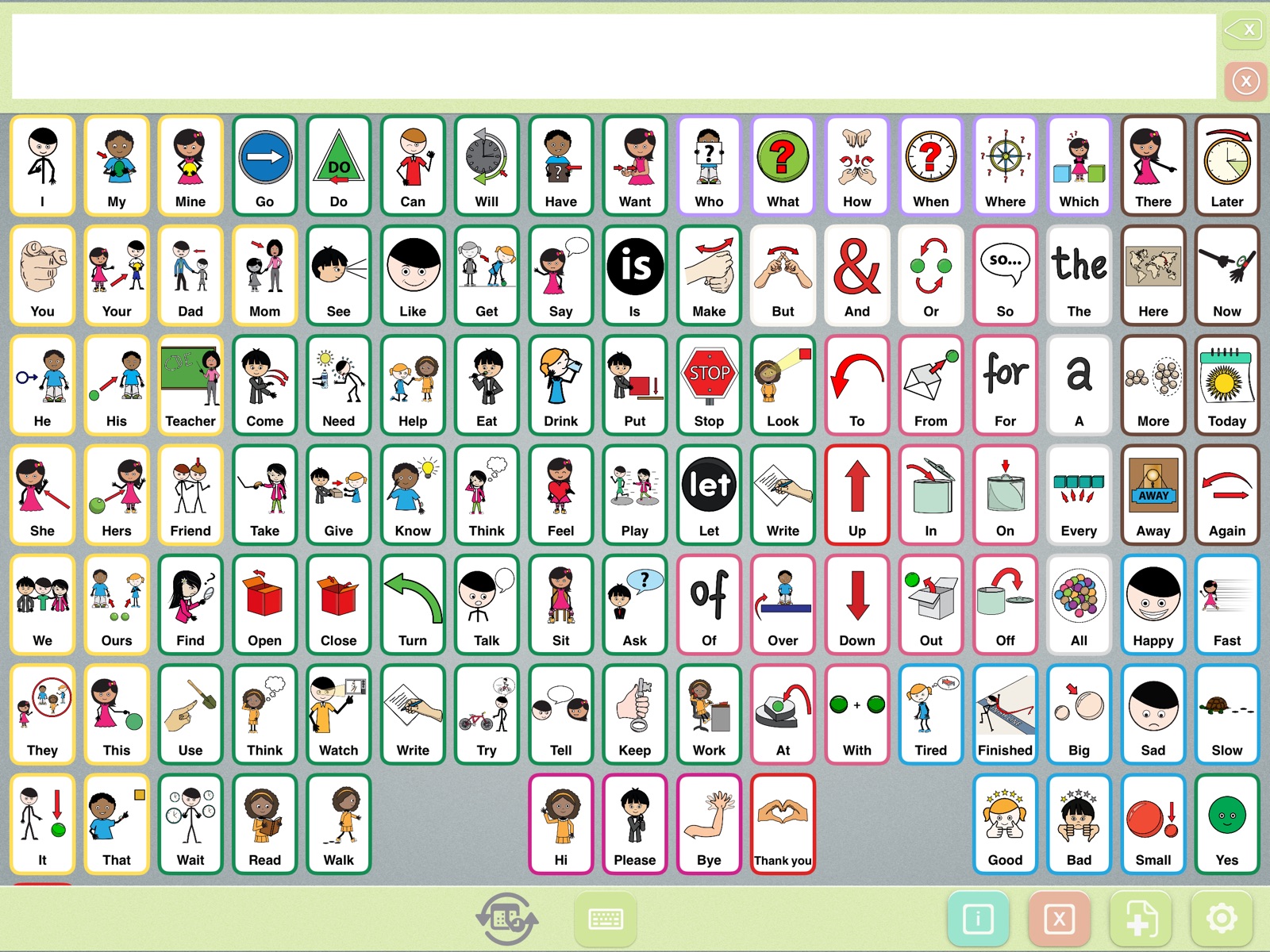
For home, school and therapy. Every board uses Fitzgerald Key colors: yellow for people, green for actions, orange for things, blue for describing words.
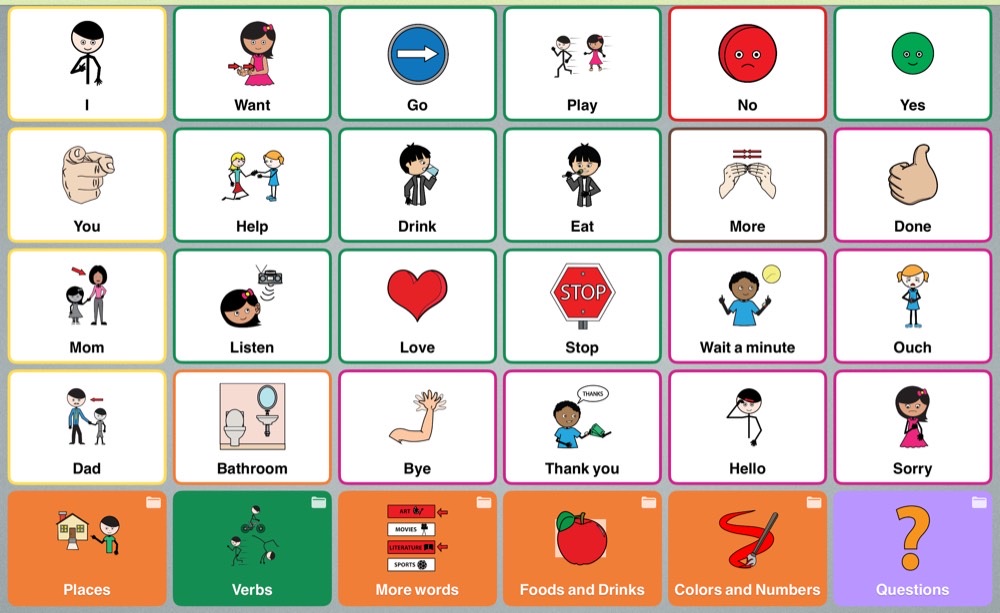 30 buttonsStarter CommunicatorBig buttons and first words. A great place to start.
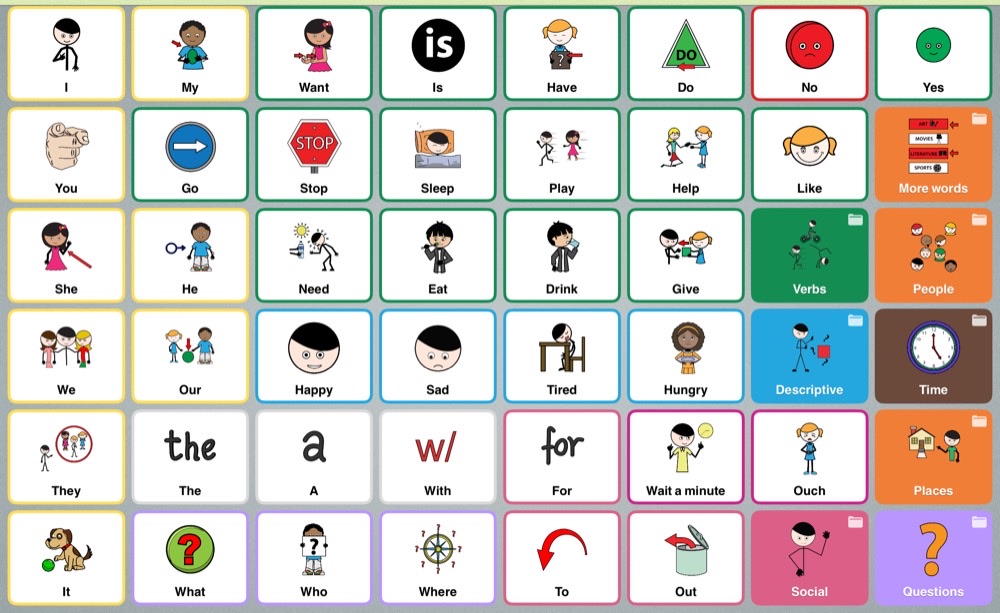 48 buttonsGrowing CommunicatorMore words, with buttons that are still easy to reach.
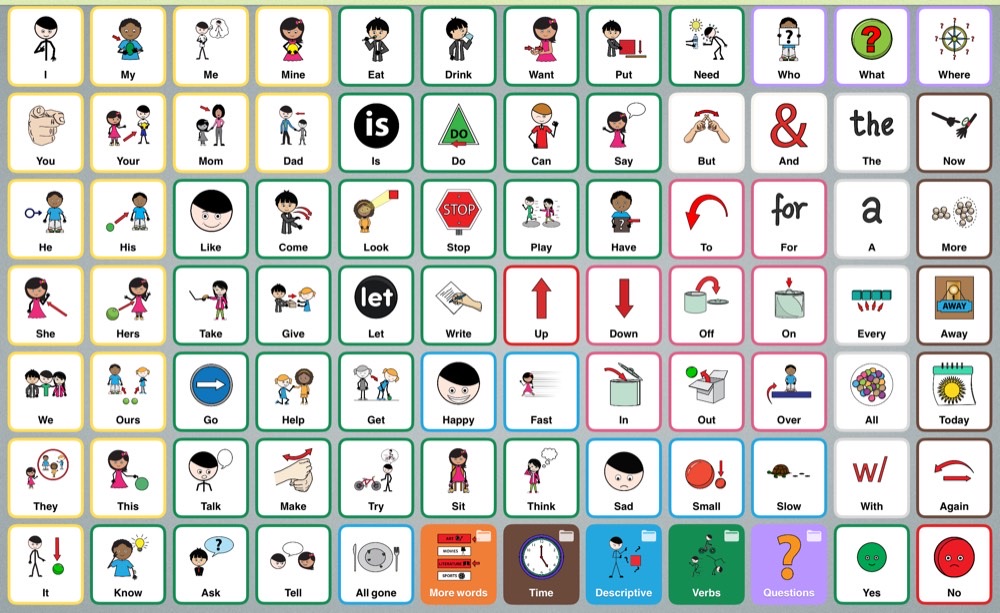 84 buttonsAdvanced CommunicatorLots of words on one screen for confident communicators.
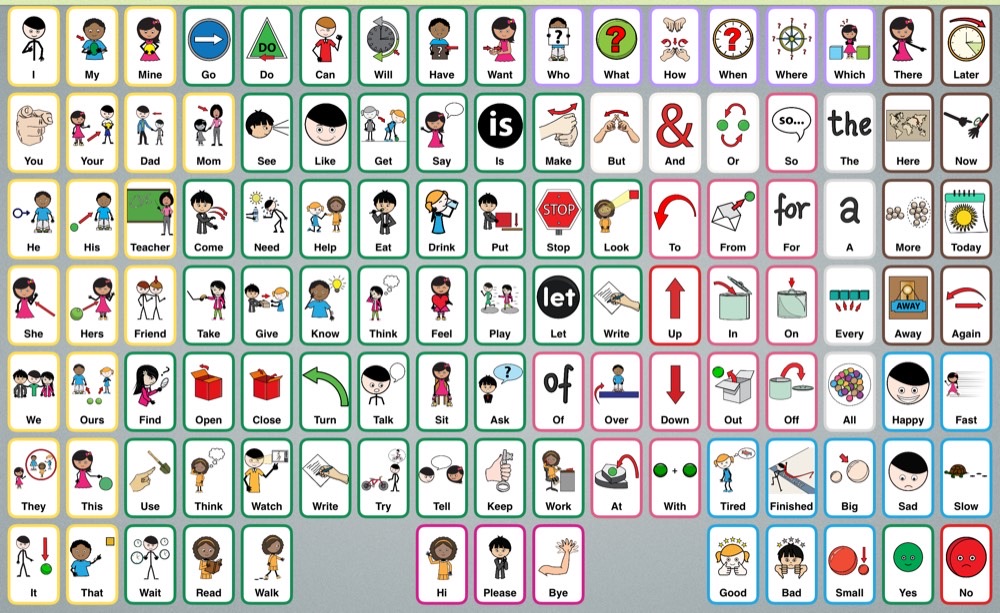 119 buttonsCore BoardThe most-used words for building any sentence, 7 rows × 17 columns.
Vocabulary for recess, the park, the library, the water park, the zoo and the doctor's office. Each one matches a communication board made by our partner Smarty Symbols and installed in the community.
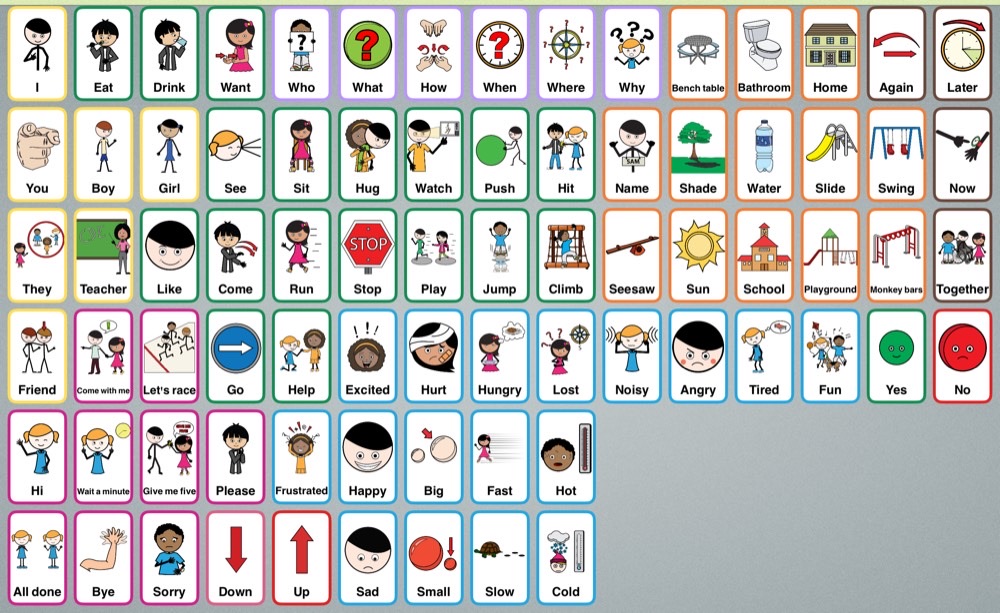 ReplicaSchool PlaygroundRecess at school: playing, taking turns and sharing feelings.
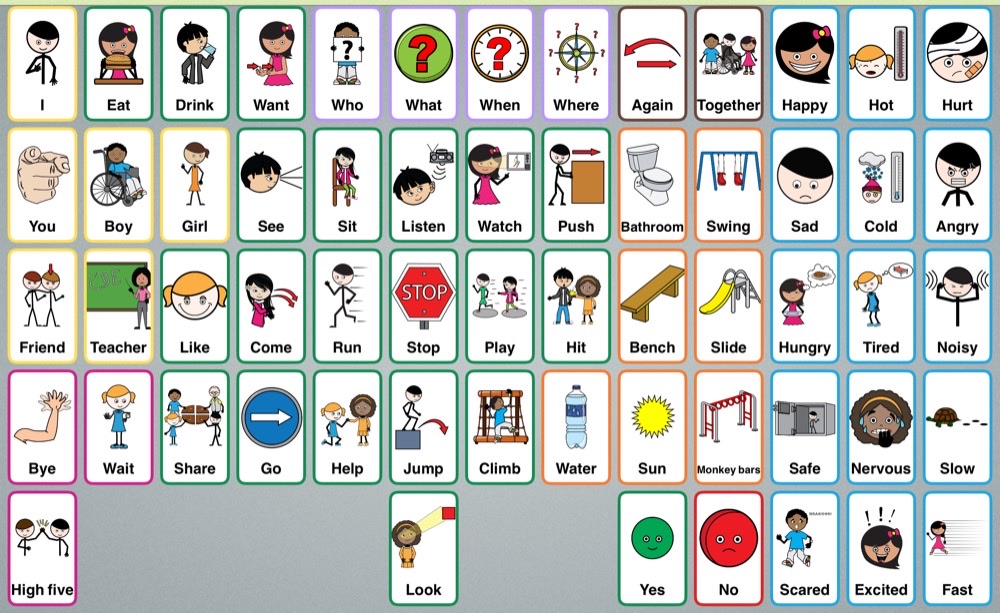 ReplicaSimplified School PlaygroundThe Pre-K playground board, with fewer and bigger buttons.
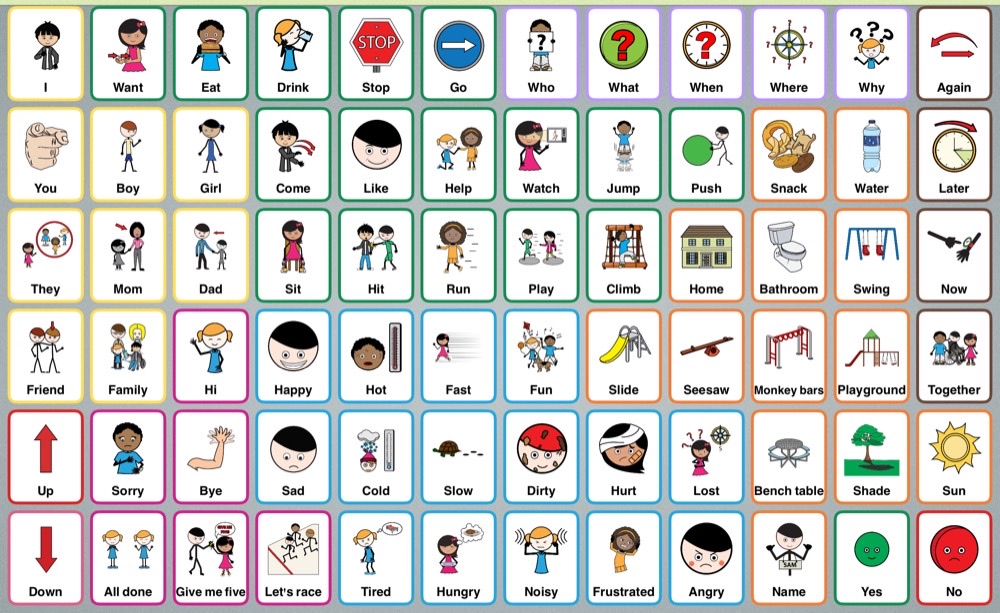 ReplicaCity PlaygroundParks and playgrounds around town.
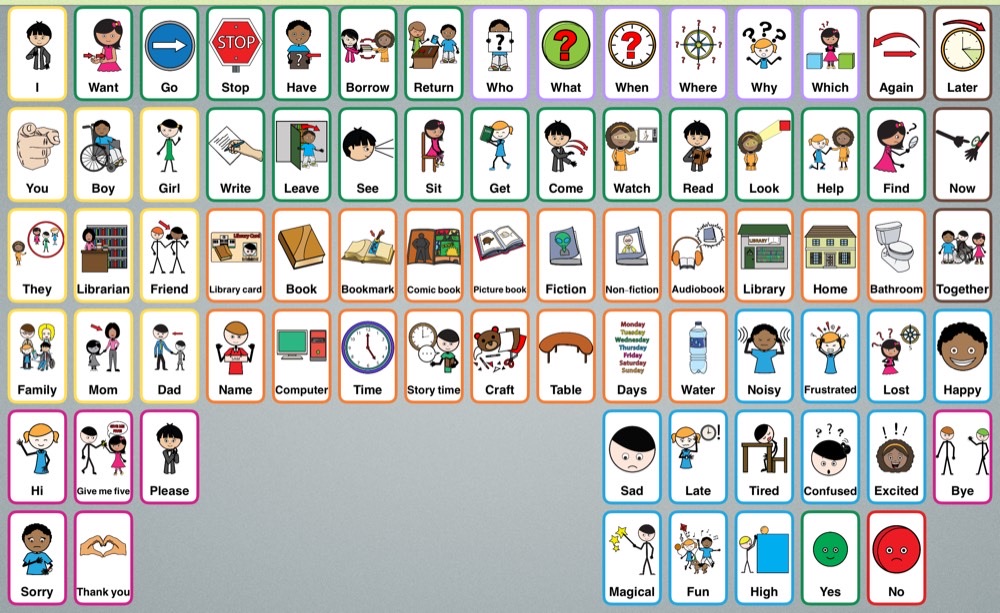 ReplicaLibraryBooks, story time and library visits.
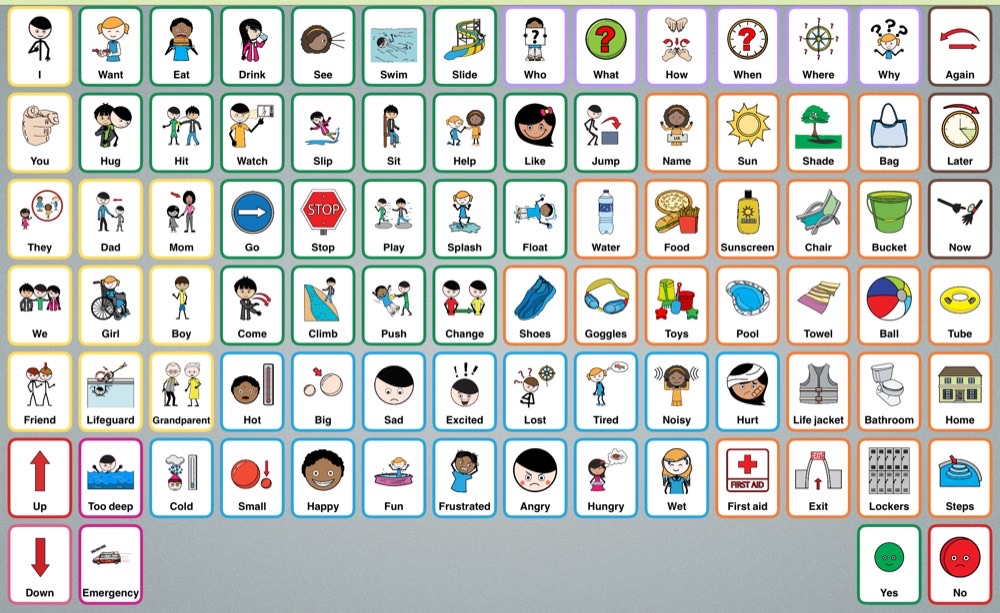 ReplicaWater ParkSplash pads, pools and water parks.
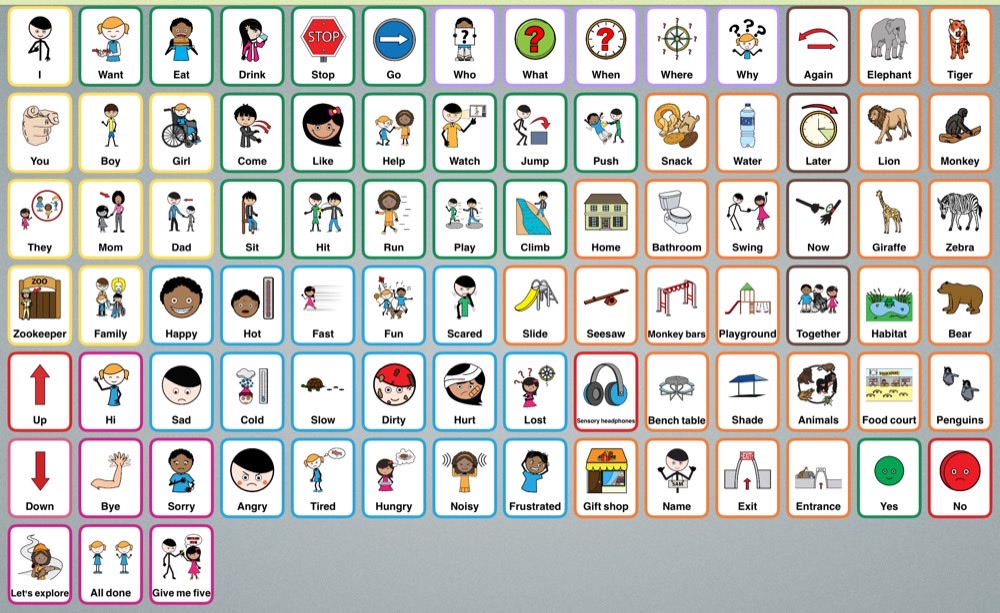 ReplicaZooAnimals, snacks and a day at the zoo.
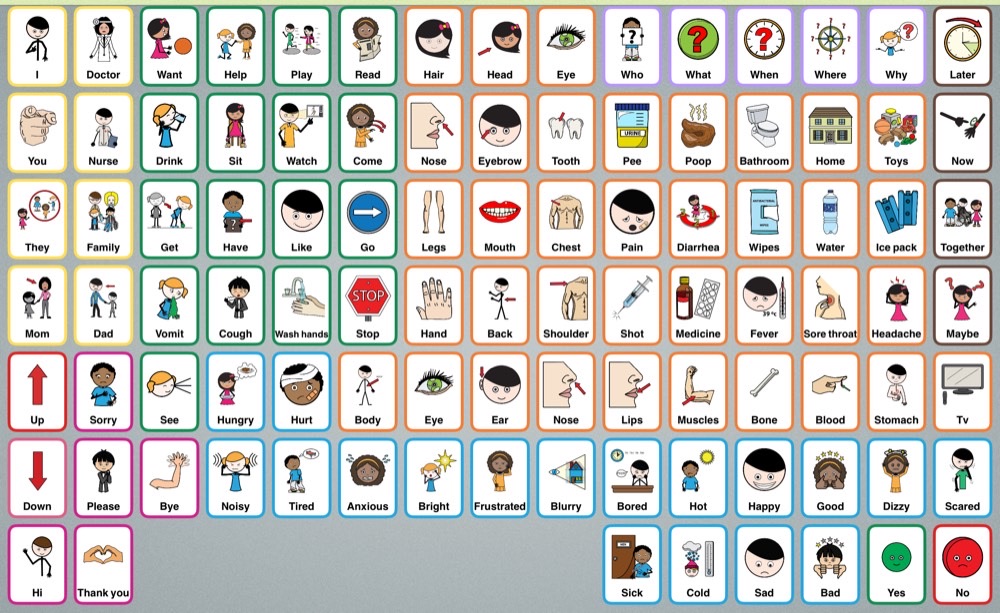 ReplicaPediatrician RoomWaiting rooms and doctor visits, with a pain scale.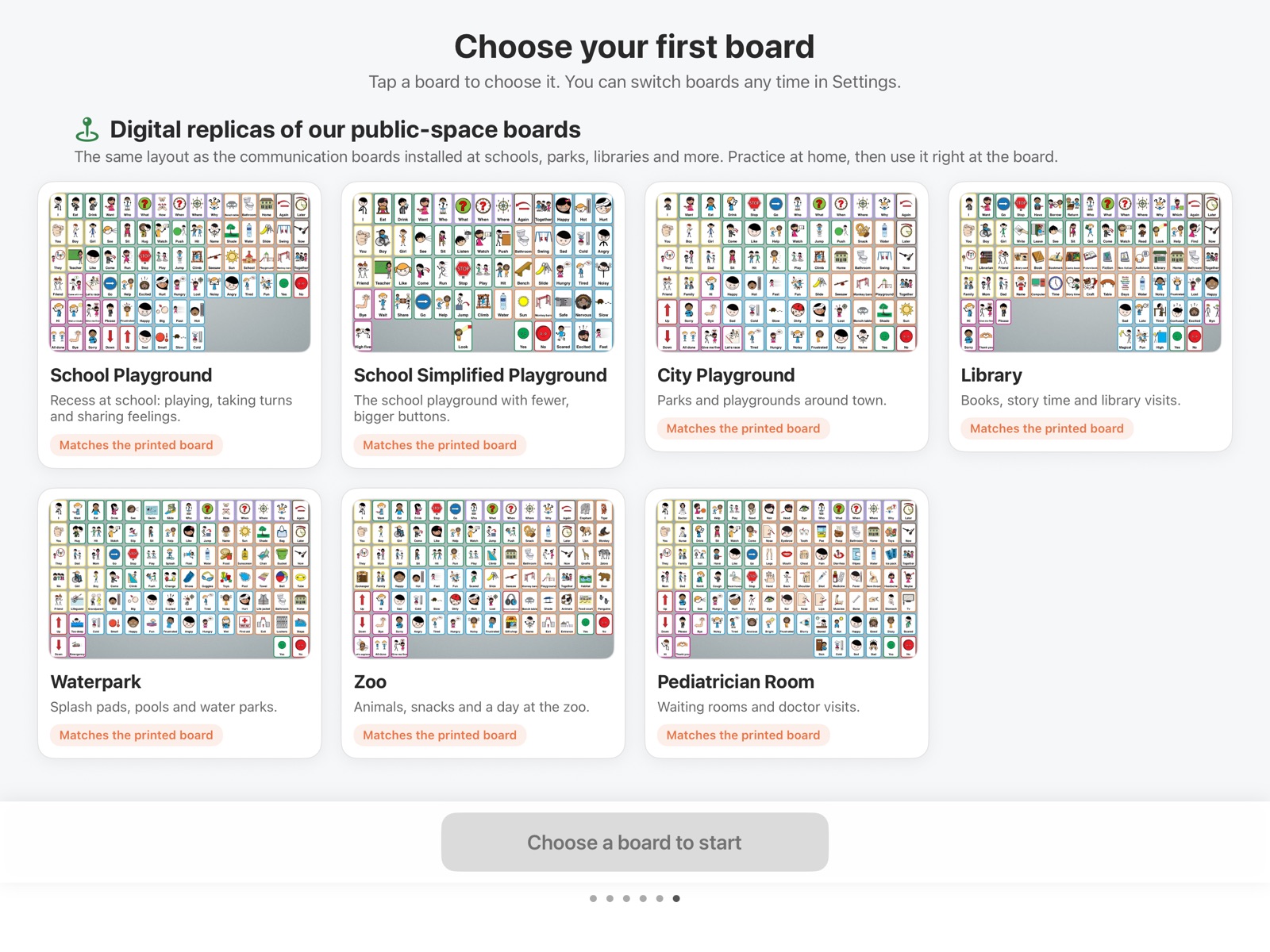
The first time Expressive Go opens, every board is shown with a real preview, a short description and its button count, so families and therapists can pick with confidence. Switch boards any time in Settings.
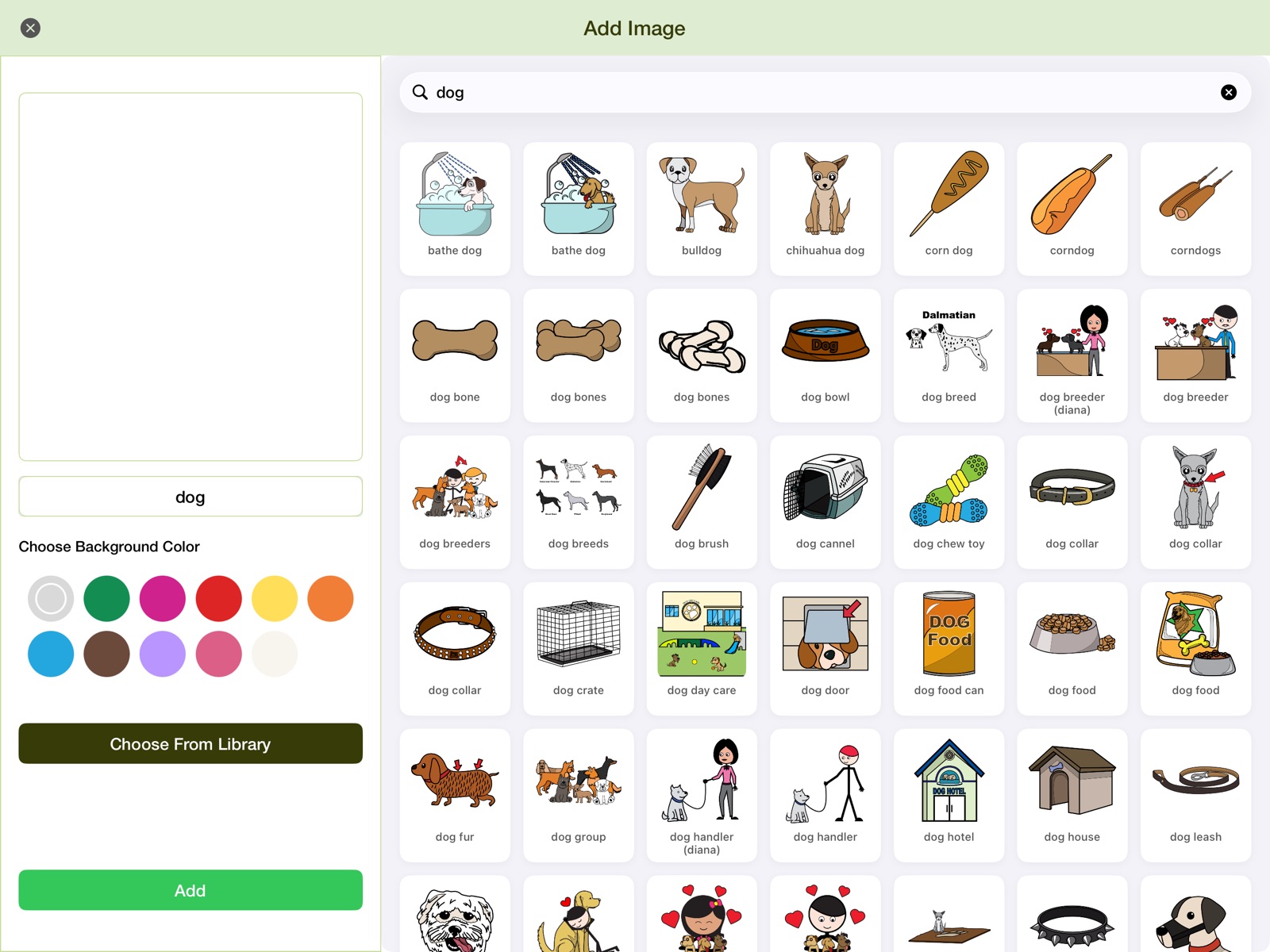
Expressive Go includes more than 26,000 symbols from Smarty Symbols, our symbol partner: modern, diverse symbols with many skin tones, families of every kind and people with disabilities. Many words come in several characters, so users can pick the one that looks like them.
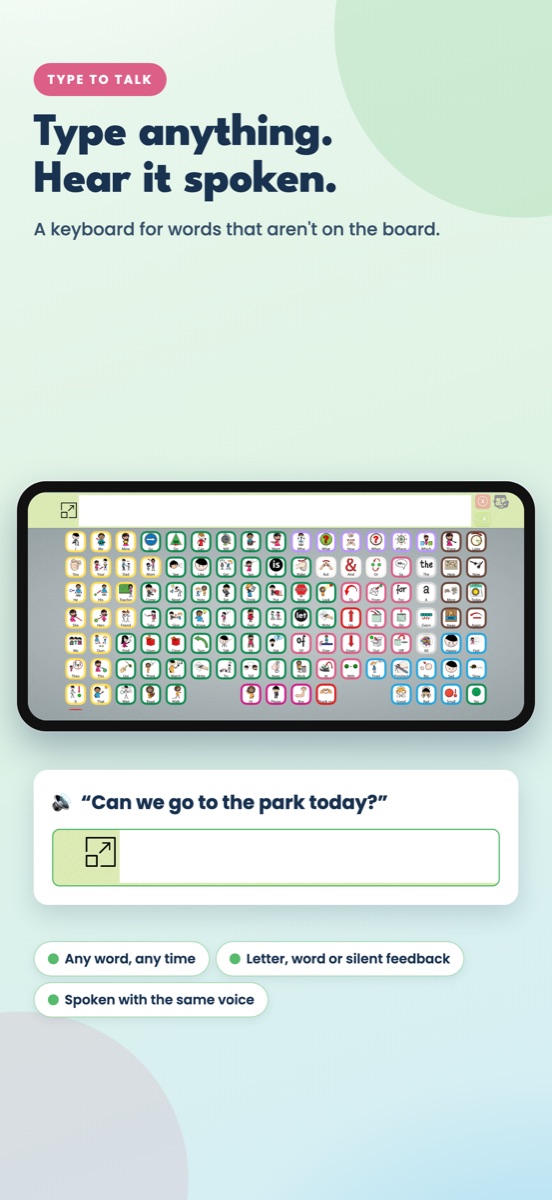
When a word isn’t on the board, open the keyboard and type it. Expressive Go speaks it with the same voice.
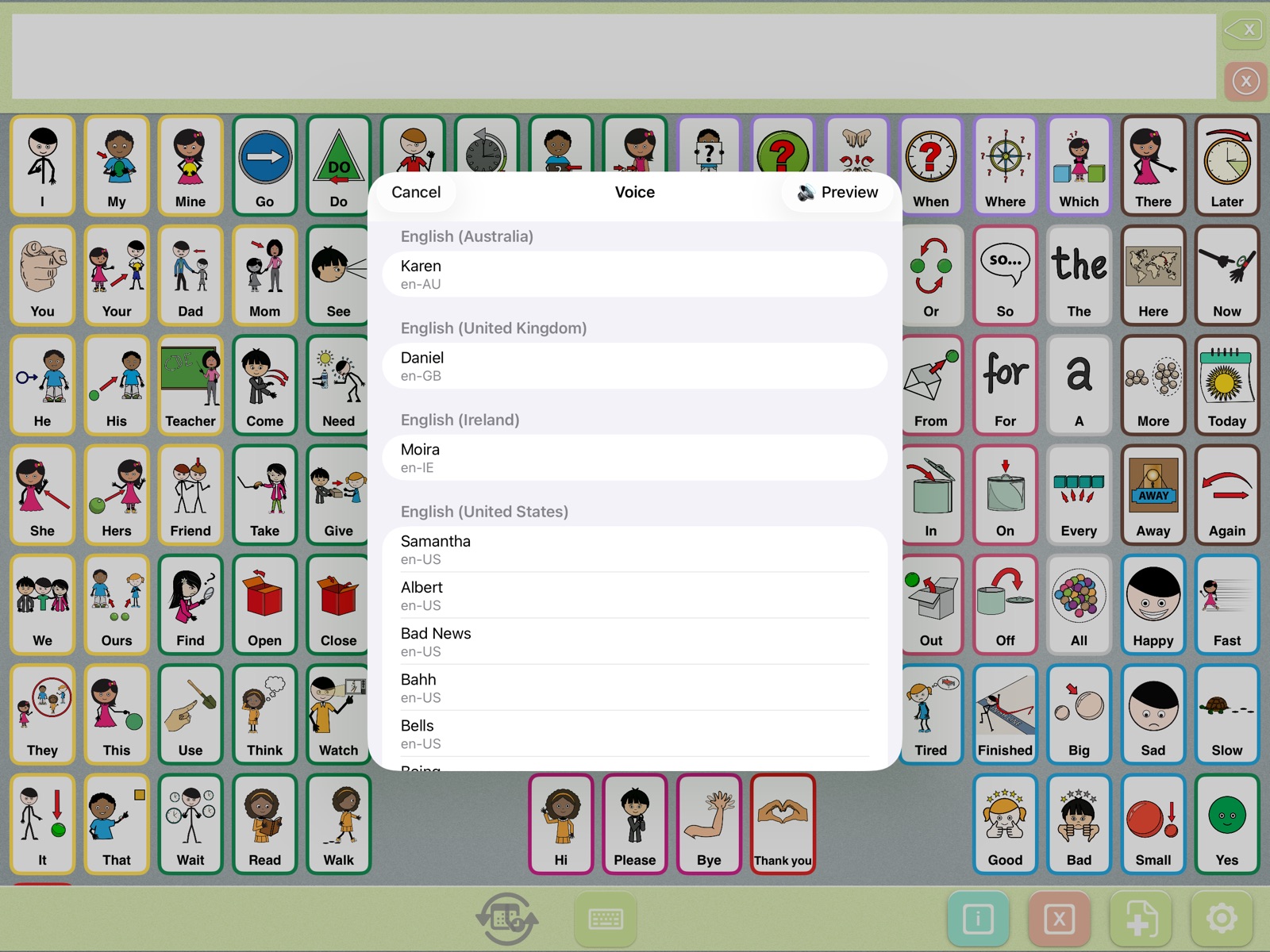
Pick from the voices on your iPad or iPhone, preview them, and set the speed with a slider from slow (tortoise) to fast (hare). Your choice is used every time the app speaks.
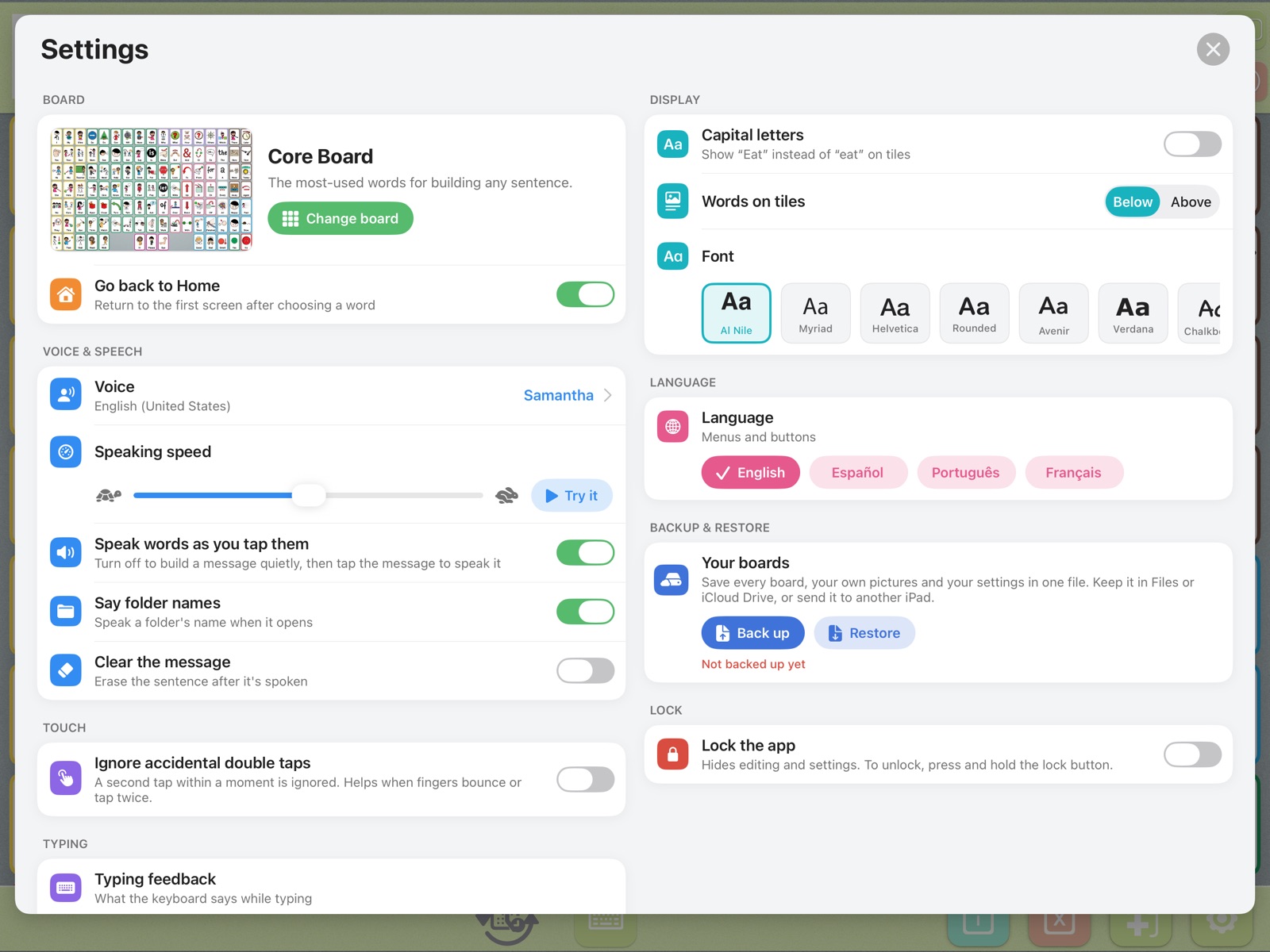
Settings were redesigned as one full-screen page, with a preview of the current board and a short explanation under every option.
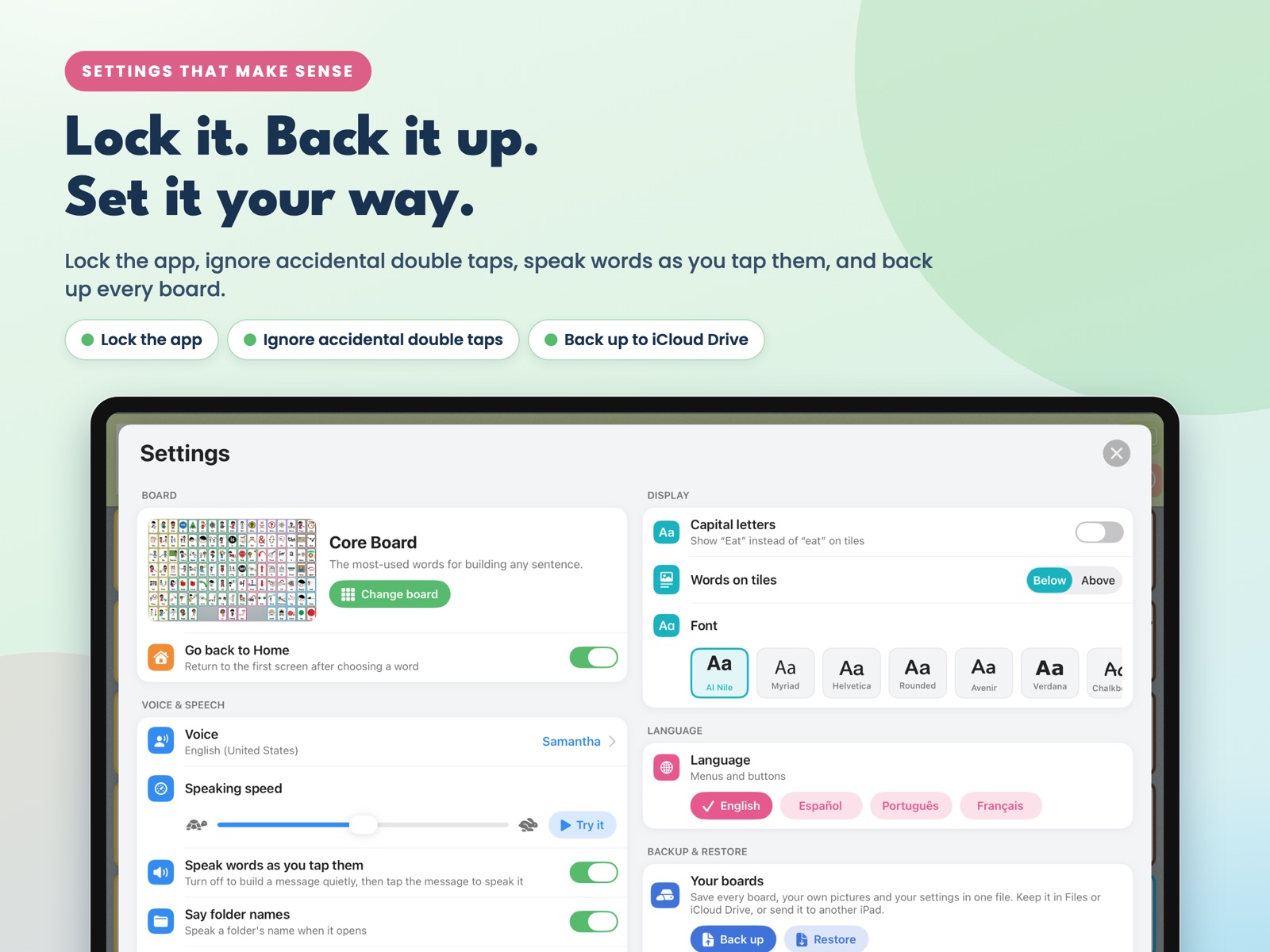
Customizing a board takes hours. Now it’s safe: one tap saves every board, every custom picture and folder, and every setting into a single file.
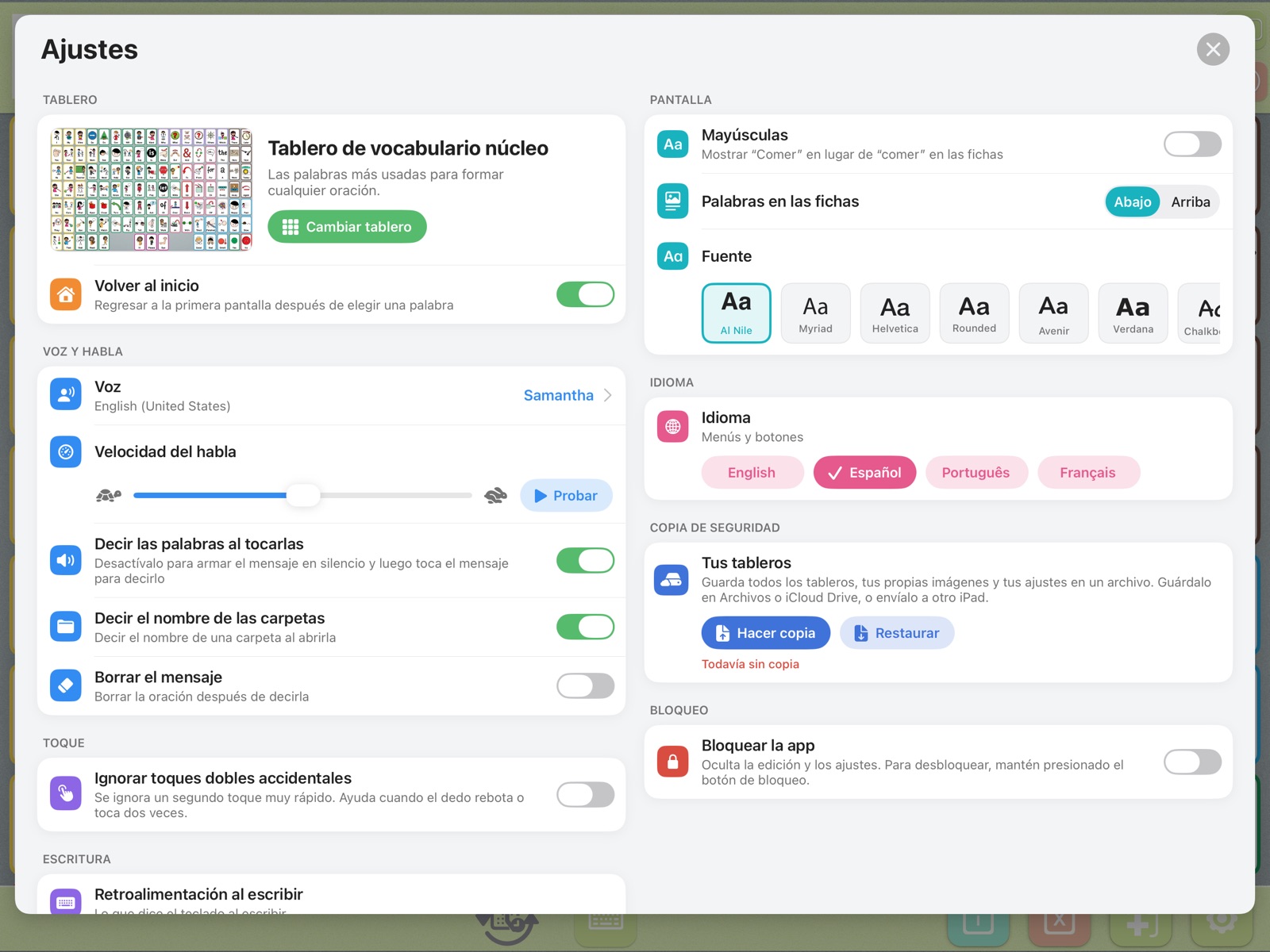
Menus, settings and the Info area are available in four languages, and can be switched inside the app.
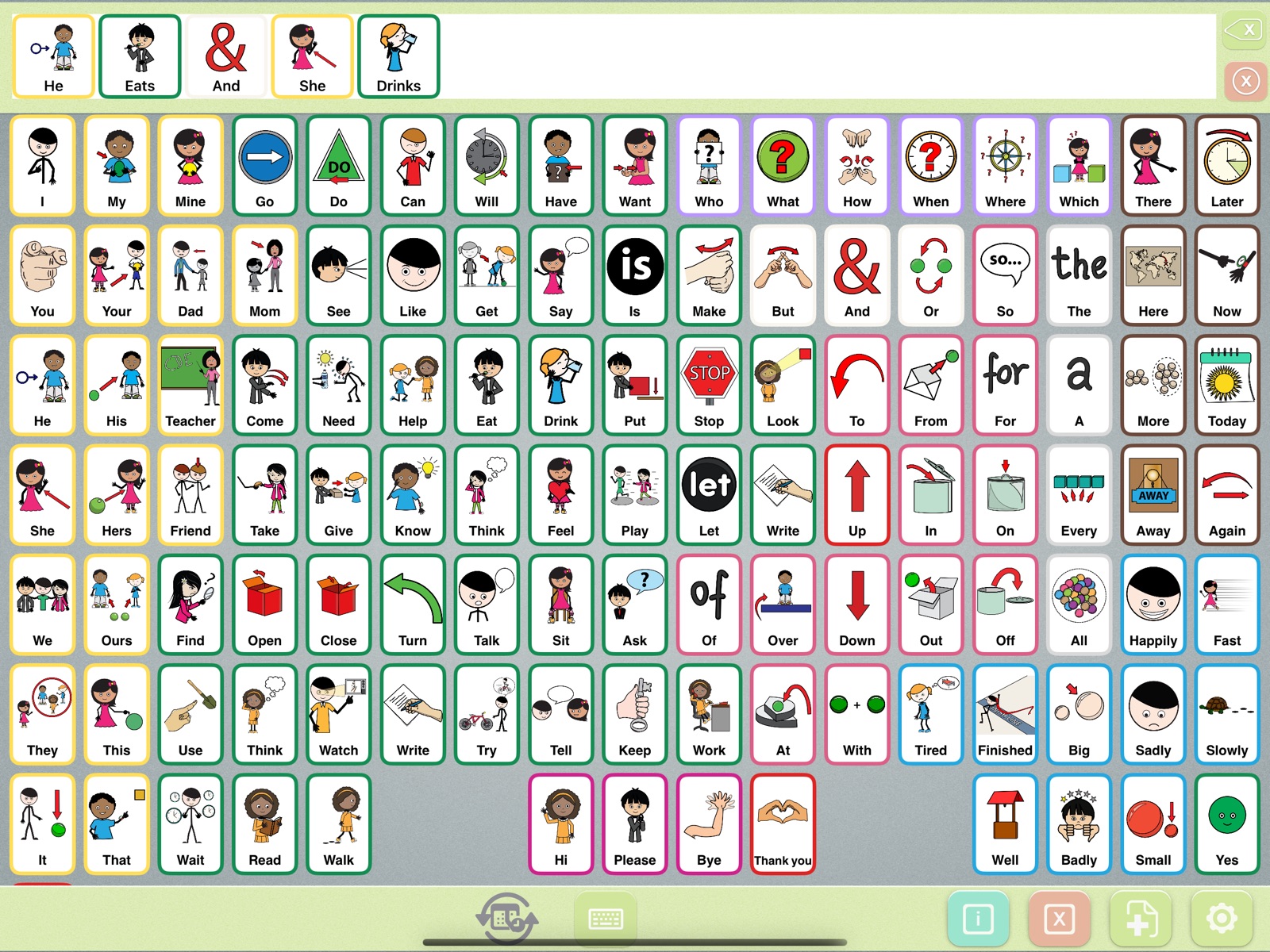
Tap the message strip to say the whole message again. Press and hold it to show the message large, in high-contrast text and pictures, to a communication partner across the room.
Expressive Go works on iPhone too, turned sideways, so the boards travel to the store, the park and the doctor’s office.
All Voices, Any Place is a partnership between Smarty Ears, which makes Expressive Go, and Smarty Symbols, which makes the communication boards installed in more than 650 schools, parks, libraries and zoos, and the symbols used in the app. Each board has a QR code that opens Expressive Go, and the app has a digital replica with the same words in the same places, so children can practice at home and use the board at recess.
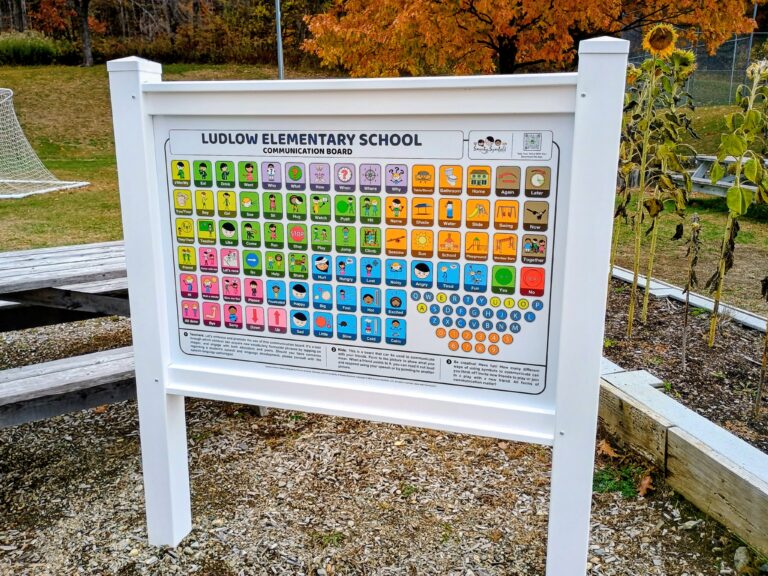 The board by Smarty Symbols, at Ludlow Elementary School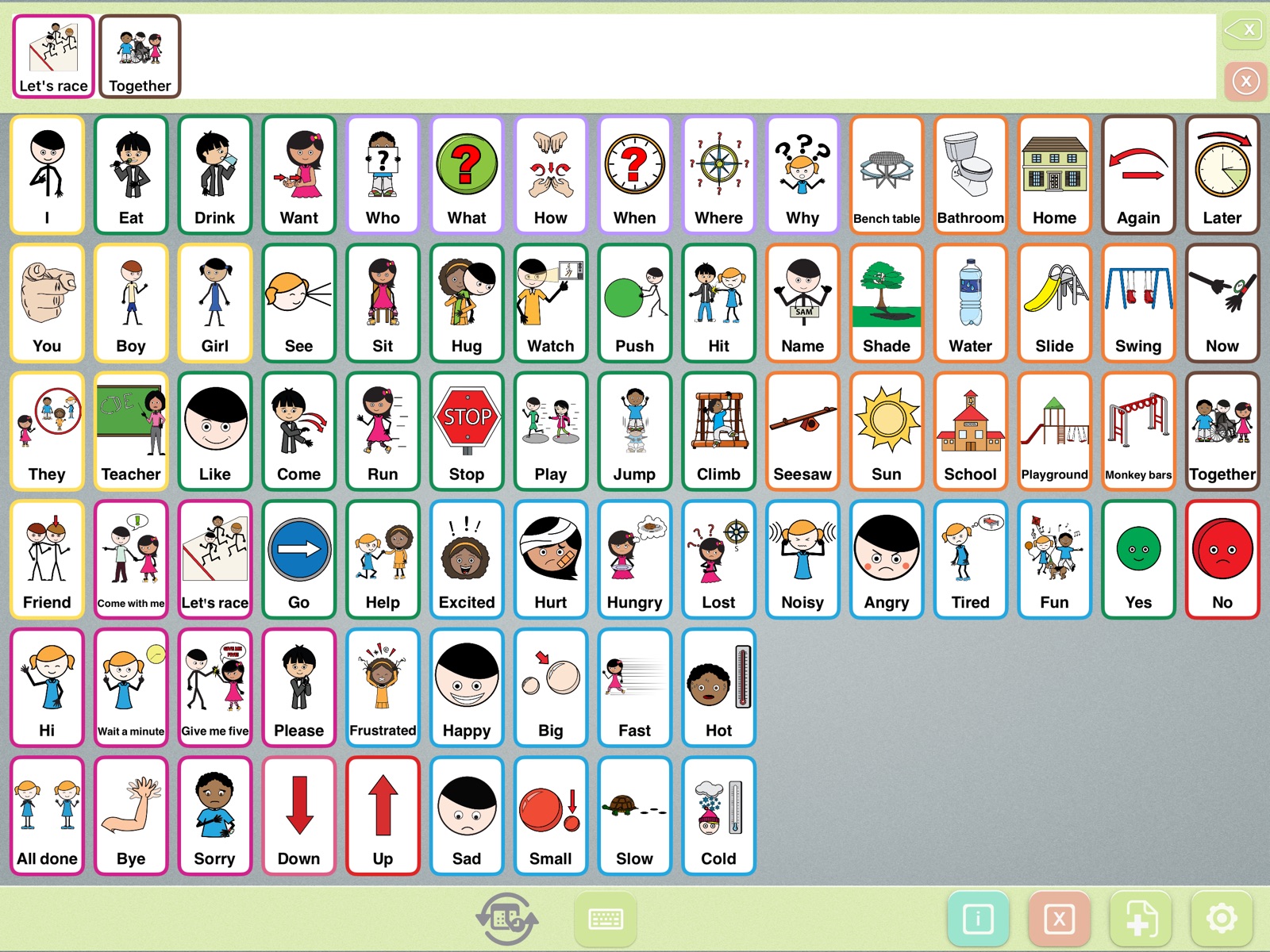
No analytics, no tracking and no account. Boards, photos and messages stay on the device.
Nothing to buy and nothing to tap by mistake. Every feature is free.
Links, the Info area and backup / restore ask an adult a quick question first.
Hide editing and settings so boards stay exactly how you set them up.
 AAC users
Children and adults who are non-speaking or minimally speaking, including people with autism, Down syndrome, apraxia or cerebral palsy.
 Families
A free first AAC app to try at home, with no cost and no commitment, and backups so nothing is lost.
 Speech-language pathologists
Model grammar, tense and core words in therapy, and send families home with the same app and the same board.
 Teachers
Give every student a voice in class, at recess and on field trips, with the same board as the school playground.
Get Expressive Go on the App Store for iPad or iPhone (iOS 15.6 or later), or a Mac with Apple silicon.
Pick one of the 11 boards from the previews: an everyday communicator or the board from your playground, library or zoo.
Add family photos, favorite foods and places, choose a voice and speed, then back it up.
Download an enhanced voice in your device’s Settings › Accessibility › Spoken Content › Voices, then pick it in Expressive Go.
Turn “Speak words as you tap them” off to build a message quietly, then tap the message to say it all at once.
Hide words you don’t need yet, turn on Lock, and use Guided Access on the iPad to stay in the app.
Yes. Every board, every tool and every setting is free. There are no ads, no subscriptions, no in-app purchases and no account to create.
AAC stands for augmentative and alternative communication: tools that support or replace speech. An AAC app like Expressive Go lets a person tap pictures or type words, and the device speaks the message out loud.
Expressive Go knows the part of speech of each tile from its Fitzgerald Key color. As the message is built, it changes verbs to match the subject (“she eats”), the time (“yesterday we went”, “tomorrow we will go”) and the Time button (past, future or perfect, like “she has eaten”). It makes nouns plural after numbers, picks “a” or “an” by sound, and turns describing words into adverbs after action words (“run slowly”). It covers 150+ irregular verbs and nearly 2,000 action words and phrases.
Smarter tenses with time words and the perfect tense, 150+ irregular verbs and correct spelling, a redesigned full-screen Settings page, backup and restore, “speak words as you tap them”, “ignore accidental double taps”, a new board picker with previews of all 11 boards, 280+ new pictures, a map of communication boards near you, and many fixes (for example, your chosen voice and speed are always used, and editing a picture no longer deletes it).
Four everyday communicators (Starter with 30 buttons, Growing with 48, Advanced with 84, and Core with 119) and seven digital replicas of Smarty Symbols communication boards: School Playground, Simplified School Playground, City Playground, Library, Water Park, Zoo and Pediatrician Room.
Yes. In Settings › Backup & restore, tap Back up to save every board, custom picture, folder and setting in one file. Keep it in Files or iCloud Drive, or send it by AirDrop or email. Tap Restore to bring it back on the same iPad or a new one.
iPad and iPhone with iOS or iPadOS 15.6 or later, and Mac computers with Apple silicon that run iPad apps.
Menus and settings are in English, Spanish, Portuguese and French. Voices are available in English, Spanish and Portuguese. The automatic grammar works in English.
No. Expressive Go has no account, no analytics, no ads and no tracking, and everything you make stays on your device. The App Store privacy label is “Data Not Collected.”
Check that the volume is up and the ring/silent switch is off, then choose a voice in Settings › Voice and speech. For a more natural voice, download an enhanced voice on your device in Settings › Accessibility › Spoken Content › Voices.
Turn on “Lock the app” in Settings. Editing and settings are hidden. To unlock, press and hold the lock button. You can also turn on “Ignore accidental double taps.”
Yes. The Smarty Ears white paper Automatic Grammatical Morphology in a Free AAC App describes every rule, the clinical rationale and the current limitations. It is a design description, not an outcome study, and Smarty Ears welcomes research collaboration.
Not in version 5.0. The grammar is always on. Every change shows on the symbol in the message strip, so it can be used as a model. For users working on picking each word ending themselves, the white paper discusses what to consider.
Expressive Go is developed, published and owned by Smarty Ears. Its symbols come from Smarty Symbols, and the communication boards in schools, parks and libraries are made by Smarty Symbols. The two companies partner on All Voices, Any Place: each board has a QR code that opens Expressive Go, and the app includes a digital replica of each board with the same words in the same places.
Download Expressive Go for free and start building full, correct sentences in minutes.