
First letters
Orthographic cue in the app
The first letters of the word, with a line for each letter still to come.
sh____
 iName ItSmarty Ears · for iPad
An iPad app for adults and older adults with aphasia, apraxia of speech or word-finding difficulty. Fifty everyday objects in five rooms of a home, with five kinds of cues for when the word won't come.
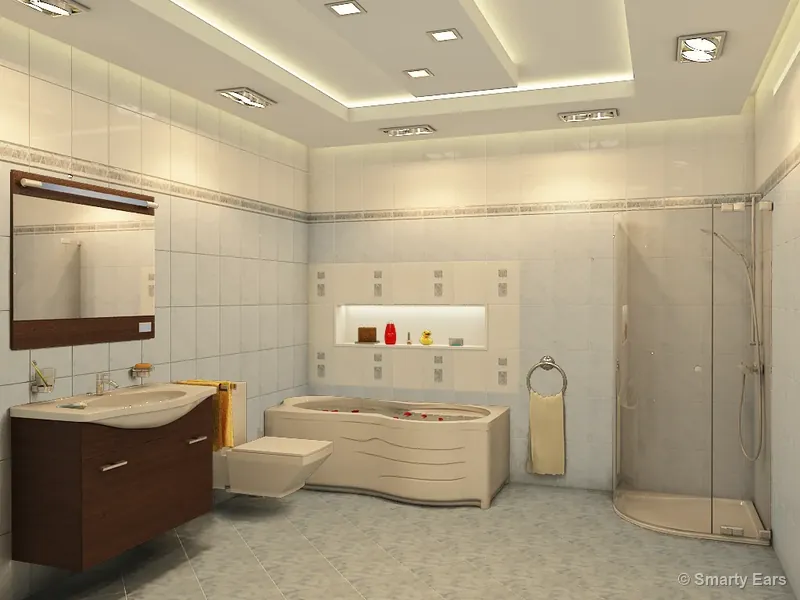

Three objects from the app's bathroom, with the app's own English recordings. Tap one and try to say its name. If the word doesn't come, try a cue, as many as you need. Then mark it, the way it's done in the app.

Real screens from the app.
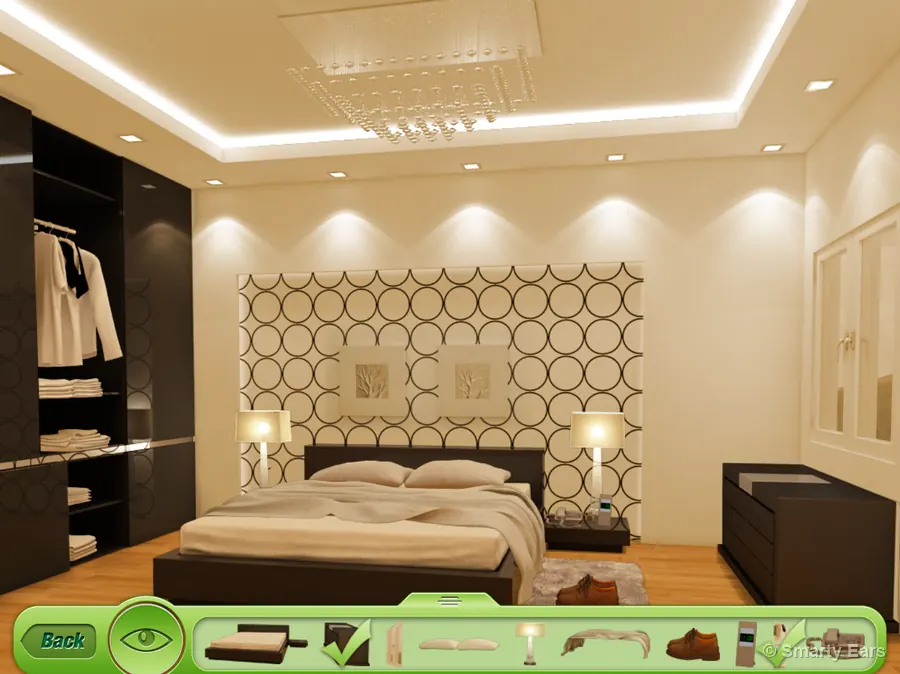
The room appears in full color with its ten objects. Tap one, or pick it from the tray along the bottom.
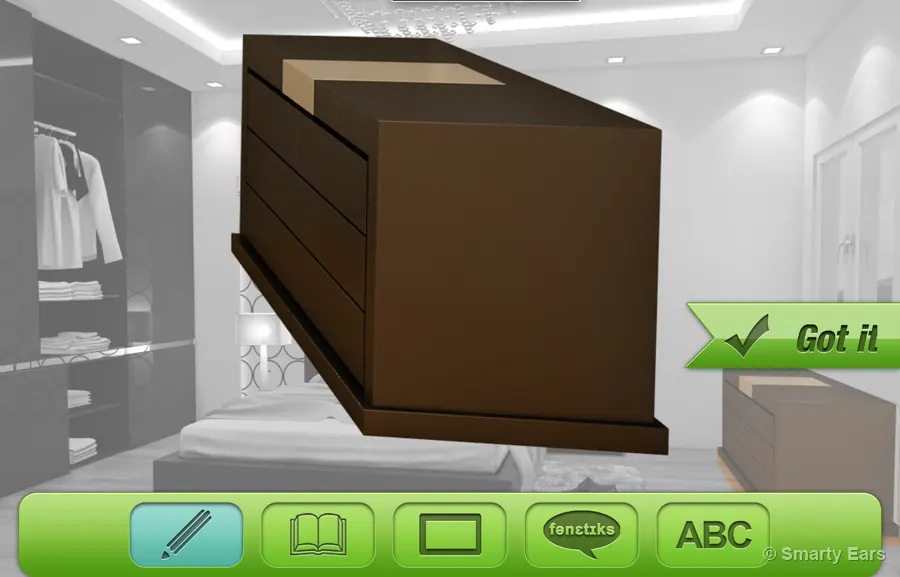
The room turns gray and the object comes forward, big and in color. The person tries to say its name.
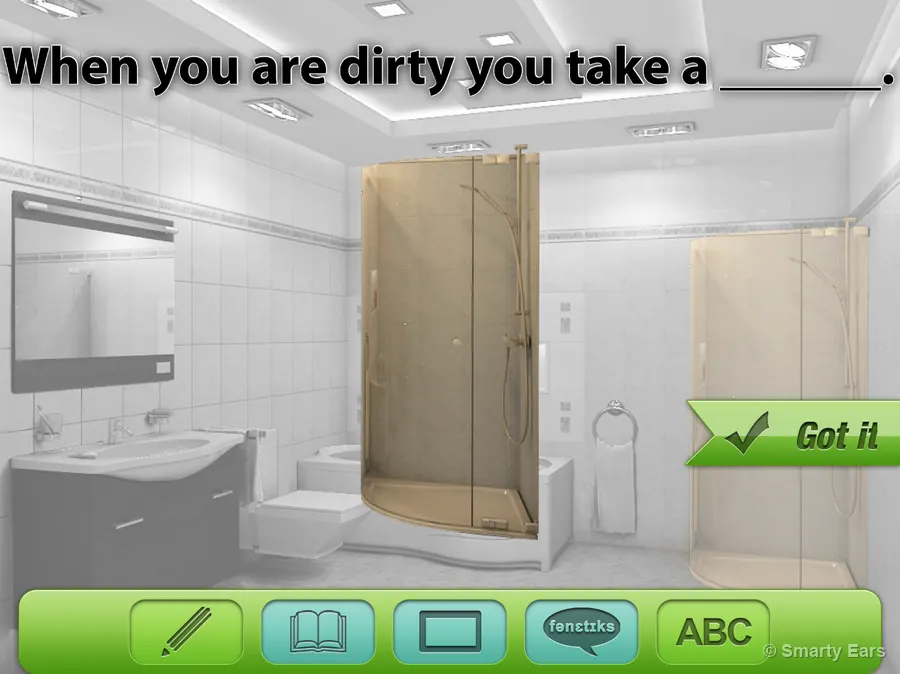
Five cue buttons sit along the bottom. Here, a sentence to finish, shown and read aloud. Use them in any order, as many as needed.
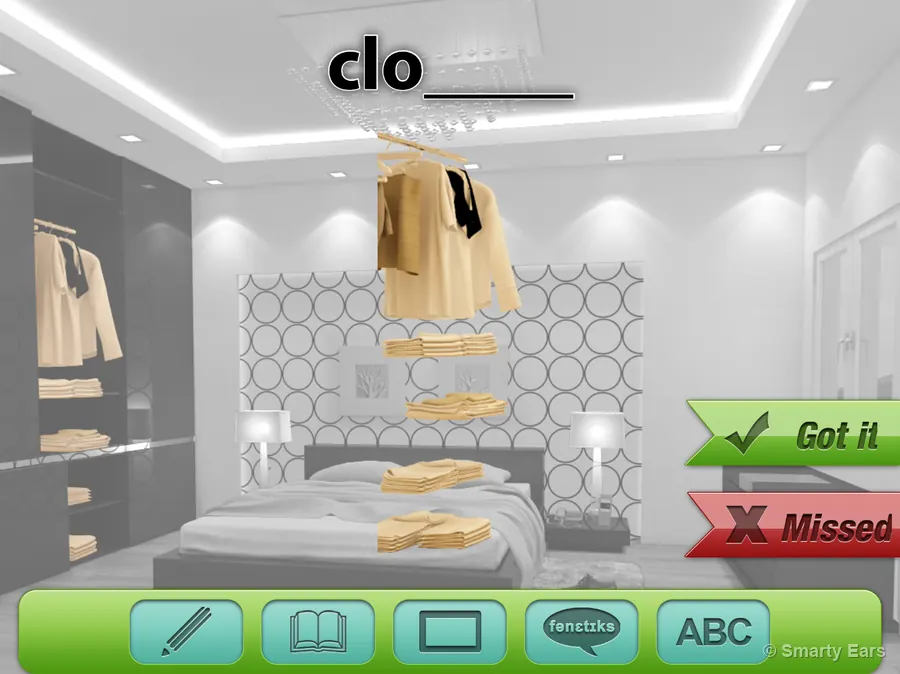
Tap Got it when the word comes. Missed appears once all five cues have been tried. Every answer goes into the person's results.
Every object has all five. Here they are for the shower, as the app shows them.
Orthographic cue in the app
The first letters of the word, with a line for each letter still to come.
Semantic cue in the app
A short description of what the object is or does, shown and read aloud.
Sentence frame cue in the app
An everyday sentence with the word left out, shown and read aloud, ready to finish.
Phonemic / visual cue in the app
The beginning sound of the word, spoken, to help start saying it.
Whole word cue in the app
The whole word, shown and spoken, to repeat.
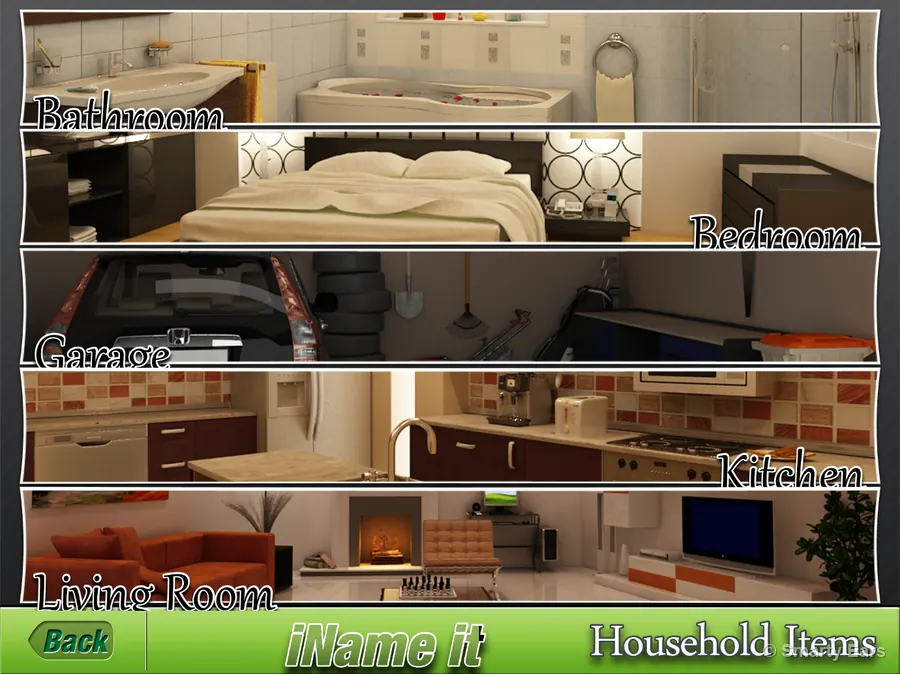
Each room of the home holds ten objects to name, shown in detailed 3D renderings so each one is seen where it belongs.
refrigerator, microwave, stove, sink, cupboards, dishwasher, coffee maker, glass, toaster, bread
television, bookshelf, sofa, chair, rug, computer, plant, coffee table, chess, fireplace
bed, dresser, window, pillow, lamp, blanket, shoes, clock, clothes, phone
shower, faucet, toilet, mirror, toothbrush, toothpaste, shampoo, soap, towel, bathtub
car, workbench, rake, shovel, golf clubs, saw, lawnmower, garbage can, tires, hose
Living with aphasia, apraxia of speech or word-finding difficulty, for example after a stroke or a traumatic brain injury.
Naming practice with cues you choose in the moment, and results for each person you see.
Practice at home between sessions, with the same rooms, words and cues.
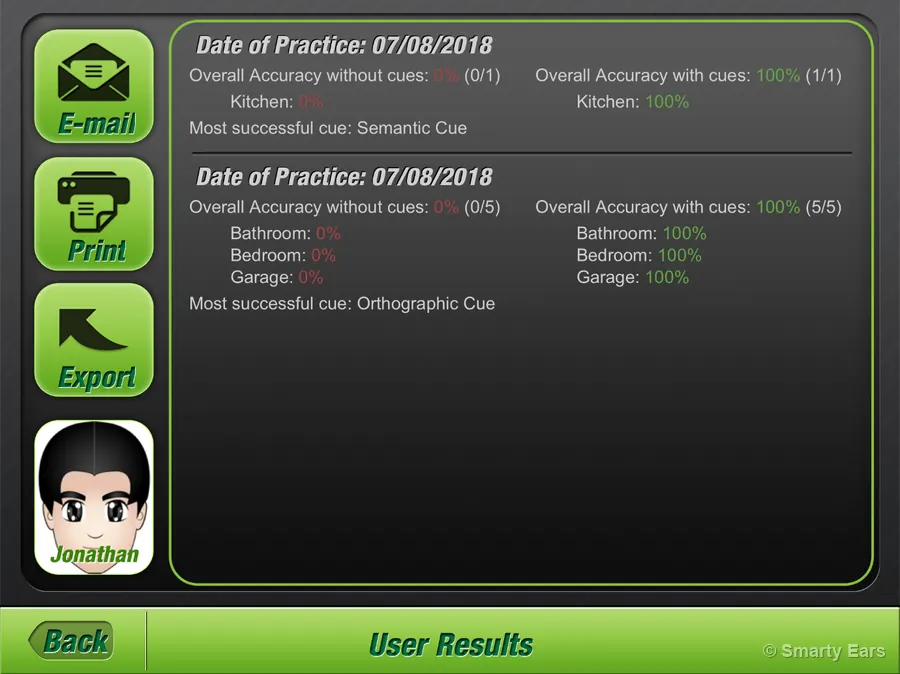
Every practice is saved to the person's own results.
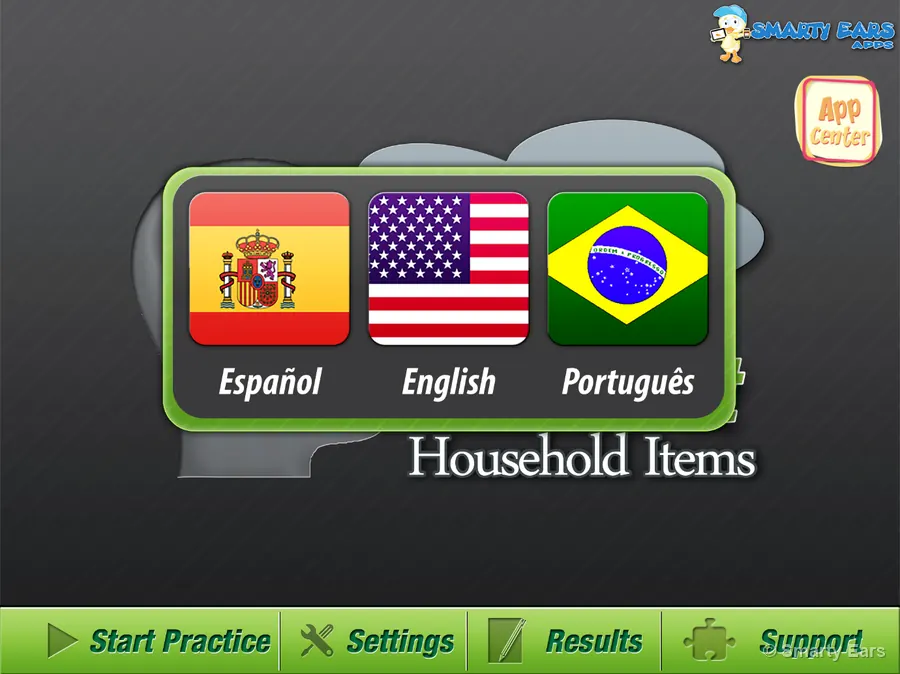
Choose the language on the first screen. The words, the written cues and the recordings change with it, so practice can happen in the language spoken at home.
| English | Español | Português |
|---|---|---|
| refrigerator | refrigerador | geladeira |
| stove | cocina | fogão |
| pillow | almohada | travesseiro |
| car | coche | carro |
The demo on this page is in English only.
The full iName It tutorial from Smarty Ears.
$19.99 on the App Store. Fifty everyday words in five rooms, five cues, results for each person, in English, Spanish and Portuguese. Requires iOS 14 or later.
Download on theApp Store · $19.99Working on a computer or Chromebook too? Smarty Ears Online brings speech and language activities, goals and progress reports to the browser.