FeaturedSmarty Ears Online: 90+ activities in your browser, with progress reports for every student. Try it free for 14 days. Learn more →
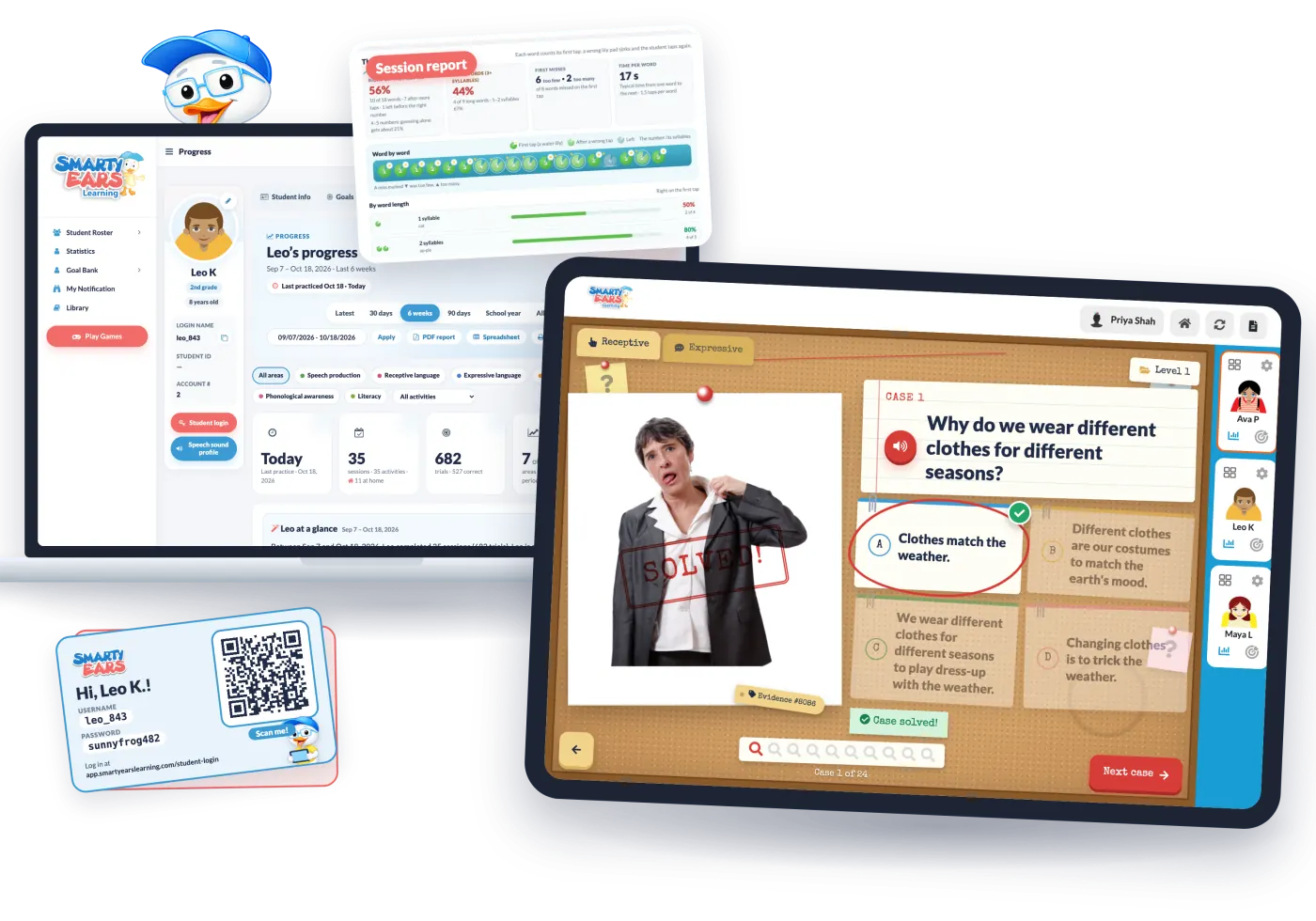
If you tried Smarty Ears Online a year or two ago, it’s worth another look. This year we rebuilt it around the three parts of an SLP’s week that take the longest: running the session, writing it up, and getting practice to happen between sessions.
Here’s what changed.
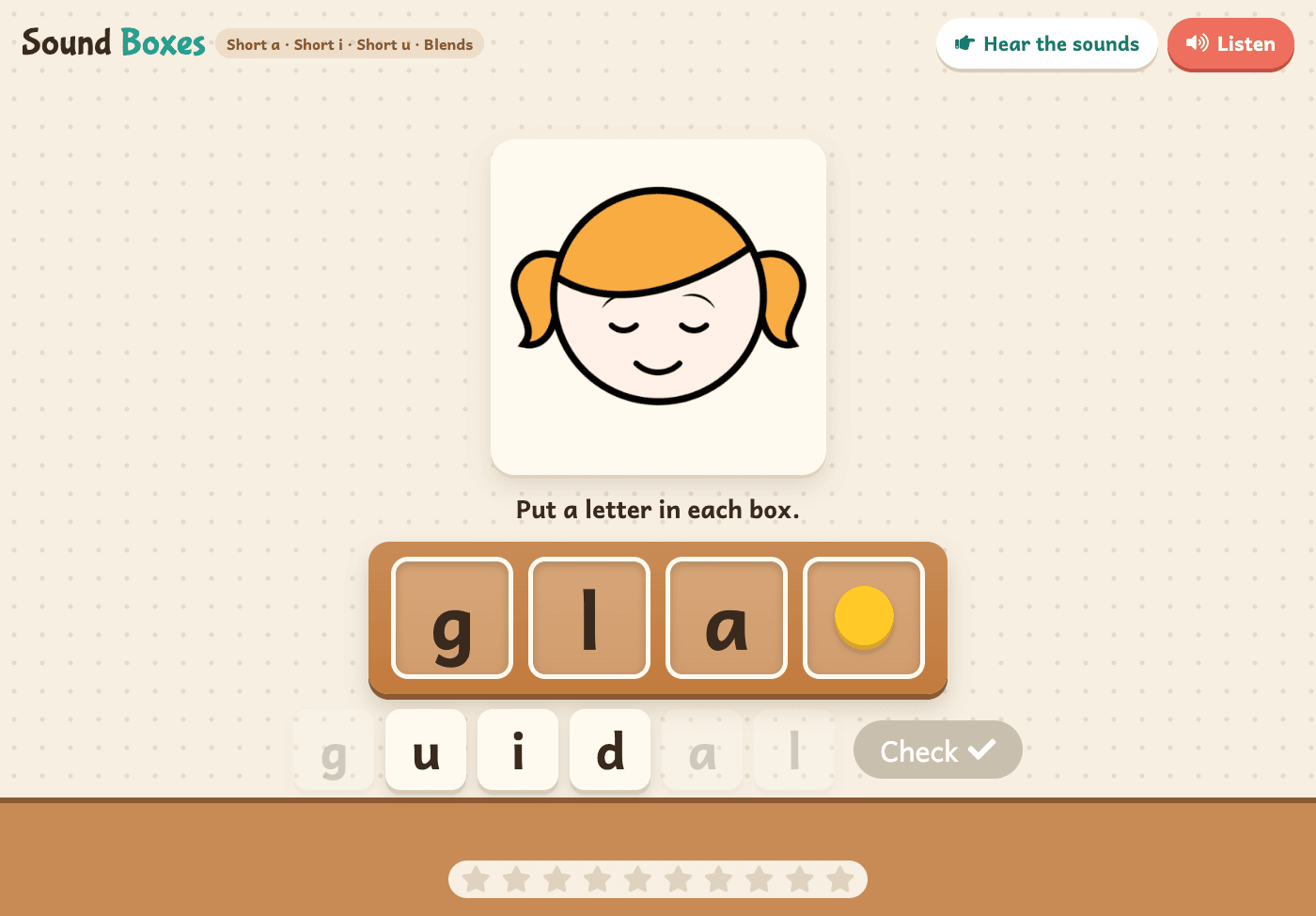
Smarty Ears Online now has more than 90 speech, language and literacy activities, and 37 of them also play in Spanish. Many of the classics got a completely new look this year: Articulation Basketball, Smarty Spell, Speech Tic-Tac-Toe and the articulation flashcards and stories, among others. A detective’s case board for “why” questions, a ski slope for he and she, a lily pond for syllables: each activity has its own setting, so students know where they are and what to do.
Finding the right one is quicker too. The activity picker filters by skill, area, language and grade, so you can go from “I need a past tense activity for a 3rd grader” to playing in a few seconds.
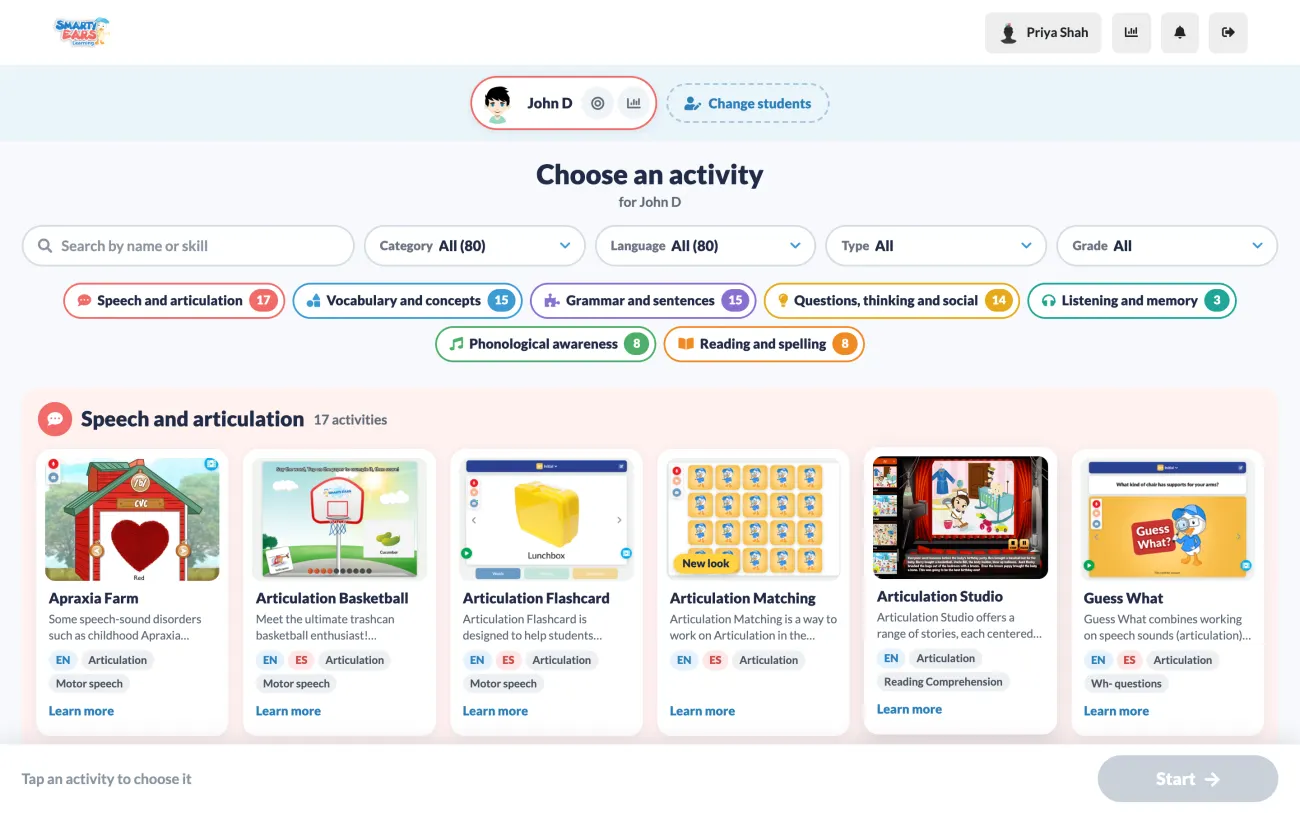
These 11 activities joined Smarty Ears Online in October, and each one has its own page where you can see it in action:
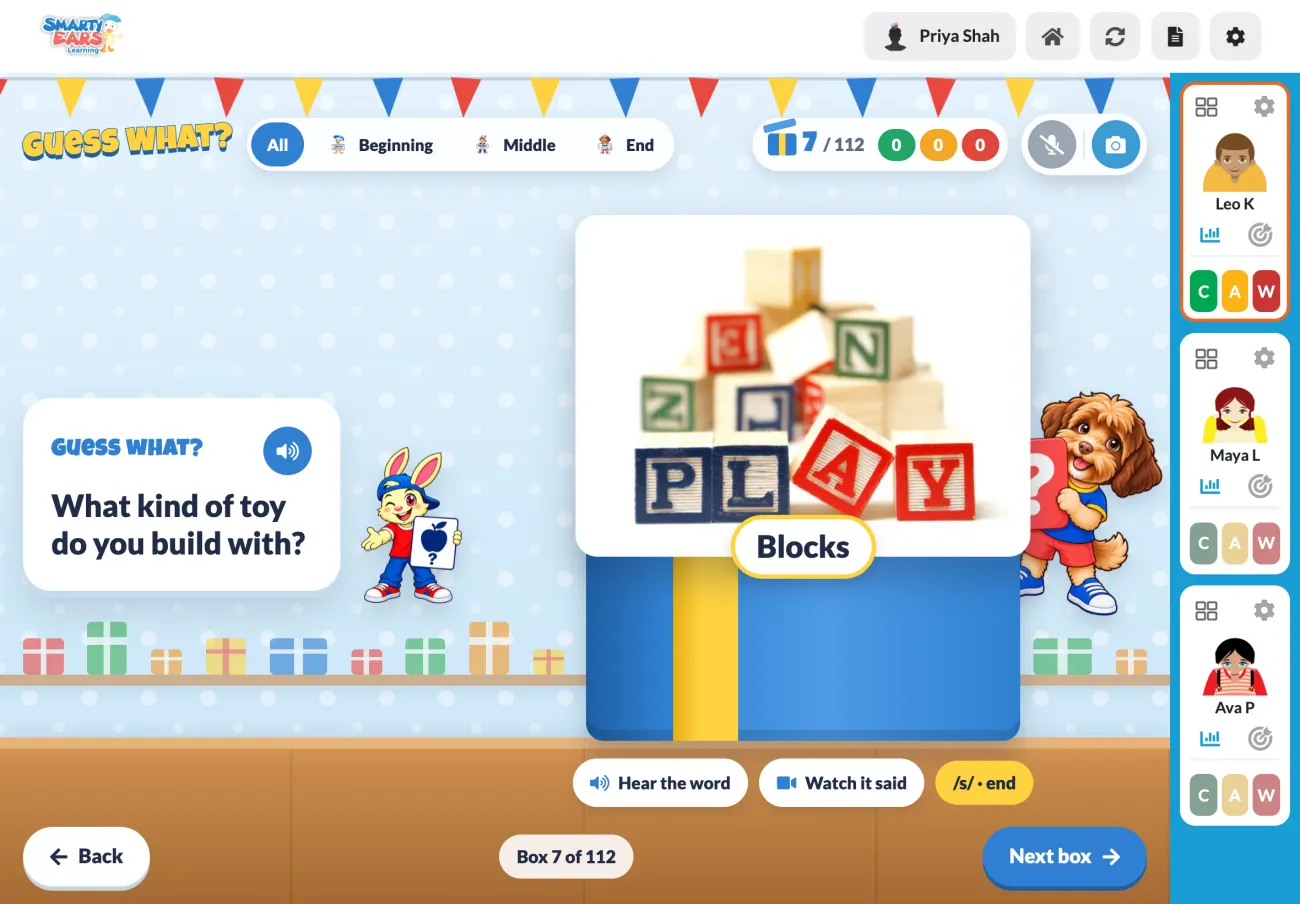
You can now run a session with up to four students at once, each with their own targets. The students sit down the side of the screen, and you score each try with one tap: correct (C), almost (A) or try again (W), on screen or with your keyboard. Video models, a mirror camera and a recorder are built into the speech activities, so you don’t need another tab open.
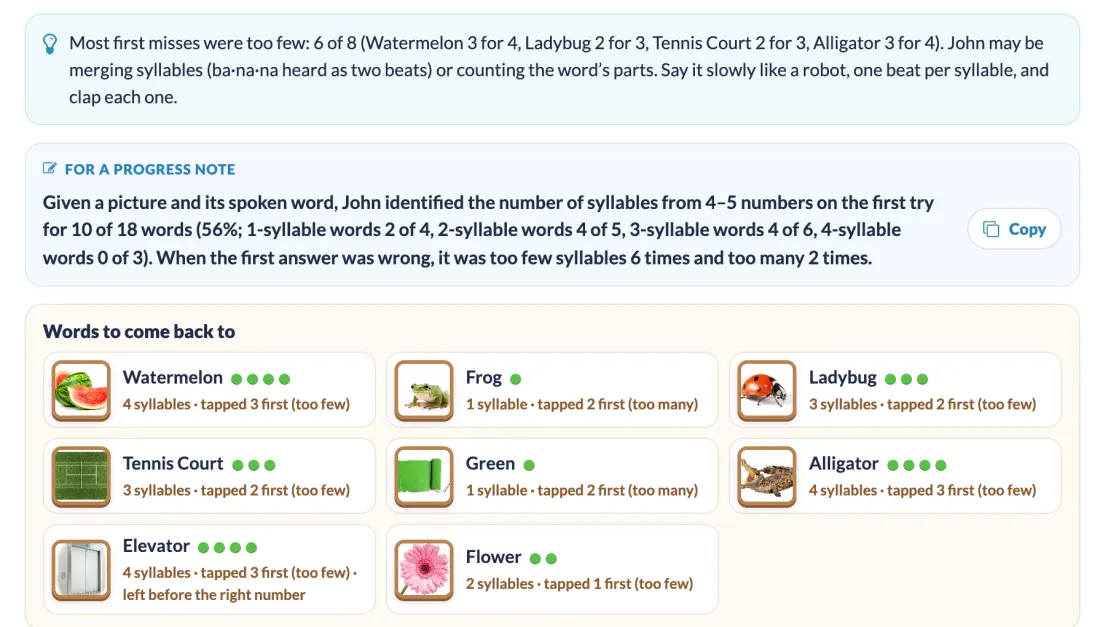
Every session ends with a report made for that activity. It includes a progress-note sentence you can copy straight into your notes, the words or items to come back to next time, and the standards at the student’s grade. Share it as a PDF or a spreadsheet, or copy it in one click.
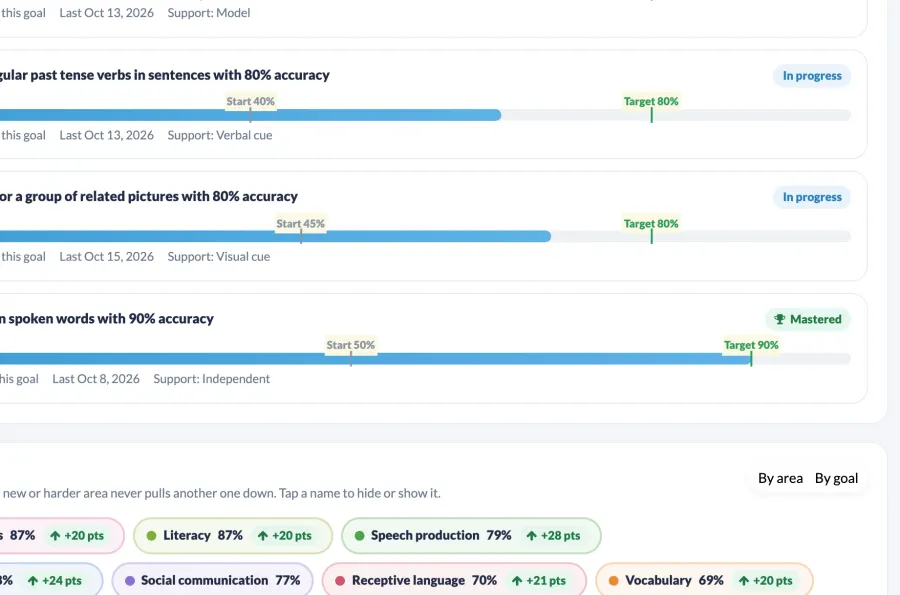
Goals keep track of themselves too. Pick from more than 1,200 ready-made goals or write your own, and each goal shows where the student started, where they are now and the target, with “In progress” or “Mastered” beside it. The progress page puts accuracy by area and by goal over the last 30 days, 6 weeks, 90 days or the school year, which is exactly what you need to bring to an IEP meeting.
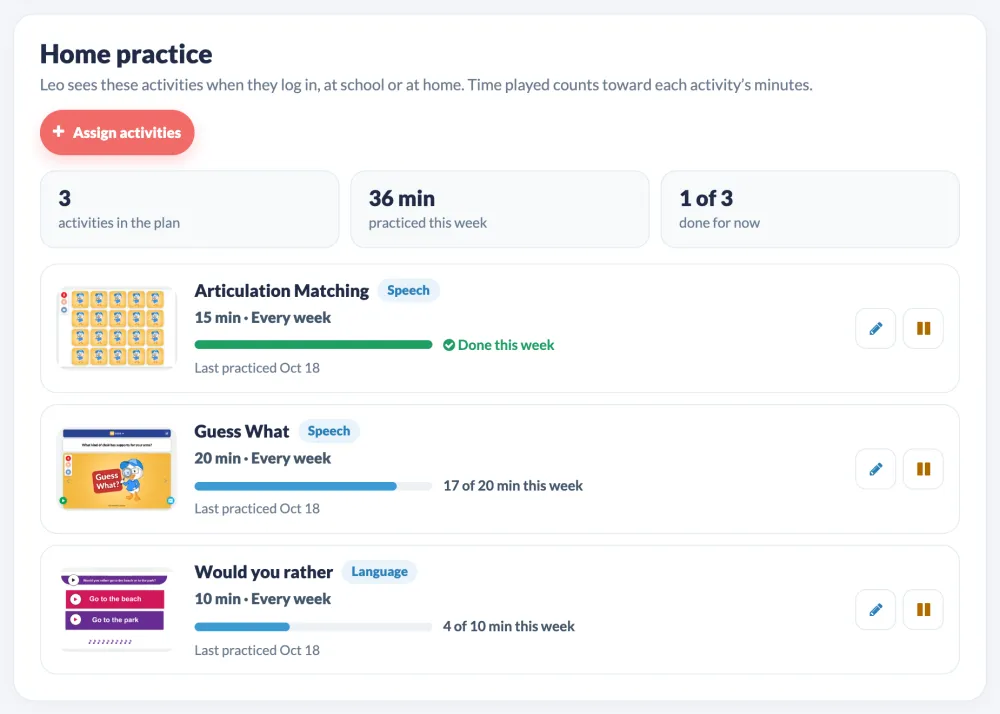
On Professional Plus and Enterprise Plus, each student can have their own login, with no email needed. Younger students can log in with a QR card. You choose which activities they practice, for how many minutes and how often, and the minutes they play at school or at home show up on their progress page.
Smarty Ears Online runs in your browser, best in Chrome or Safari on a computer, and you can share the tab in Zoom, Microsoft Teams or Google Meet for teletherapy.
I built Smarty Ears Online for the SLP I was on a busy Tuesday. If it’s been a while since you looked, I’d love for you to try the new one with your own students this week.
90+ speech, language and literacy activities, one-tap scoring for groups of up to four, and reports and goals that keep track of progress for you.
Basic Professional: 14 days free, then $29 a month. Cancel anytime. Go Fish in Speech Therapy: Turn a Classic Card Game into Phrase-Level Articulation Practice
 A New Era of Collaboration: How Smarty Ears Online Connects Teachers, Therapists, and Families
 Boosting Student Engagement and Progress Monitoring: The Power of Smarty Ears Online for Special Education