
First letters
Orthographic cue in the app
The first letters of the word, with a line for each letter still to come.
sh____
 iName ItSmarty Ears · for iPad & iPhone
An app for adults and older adults with aphasia, apraxia of speech or word-finding difficulty. Fifty everyday objects in five rooms of a home, five cues you choose in the moment, a therapy note in every report, and an easy way to send families home with the same practice.Word-finding practice after a stroke or brain injury, to do together at home or on your own. Name everyday objects in five rooms of a home, get gentle help when the word won’t come, and see progress in plain words that you can send to the speech therapist.

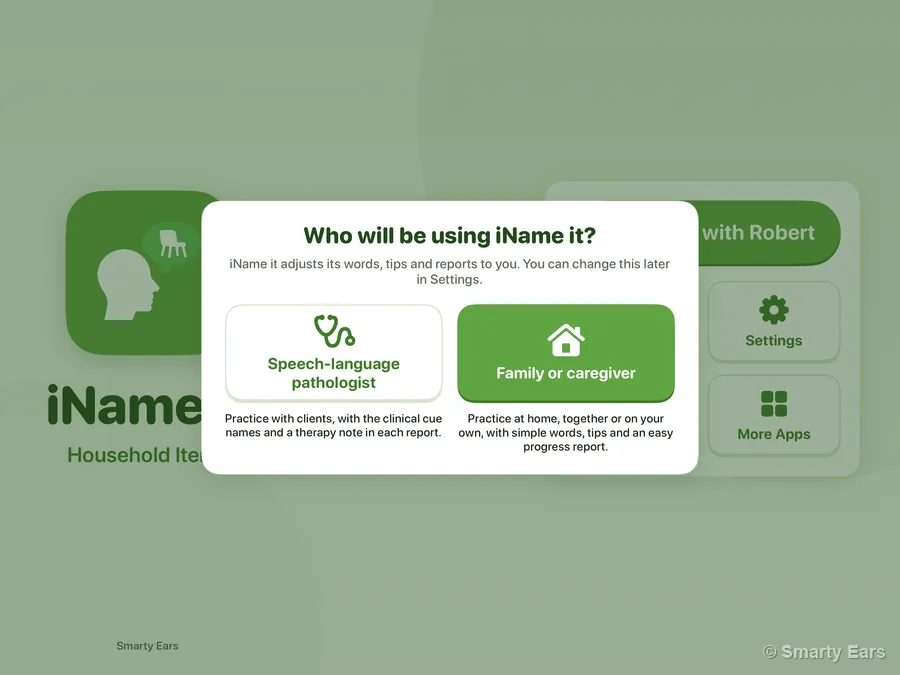
The app asks this the first time it opens, then fits its words, tips and reports to you. Pick one to see this page for you. You can change it any time, in the app’s Settings too.
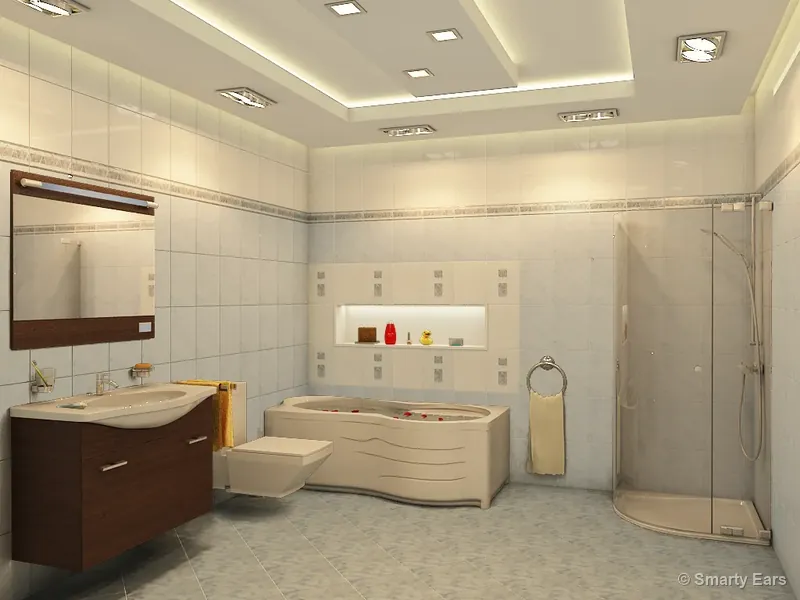
Three objects from the app's bathroom, with the app's own English recordings. Tap one and try to say its name. Named it? Tap Correct. If the word doesn't come, try a cue, as many as you need, then Got it, the way it's done in the app.Three objects from the app's bathroom, with the app's own English recordings. Try it the way you would at home: tap one and say its name. Named it? Tap Correct. If the word doesn't come, try a cue, one at a time, then Got it.

Sit side by side with the iPad or iPhone. iName It does the rest: the rooms, the objects, the recordings and the help when a word is hard to find. Real screens from the app, in its family mode.
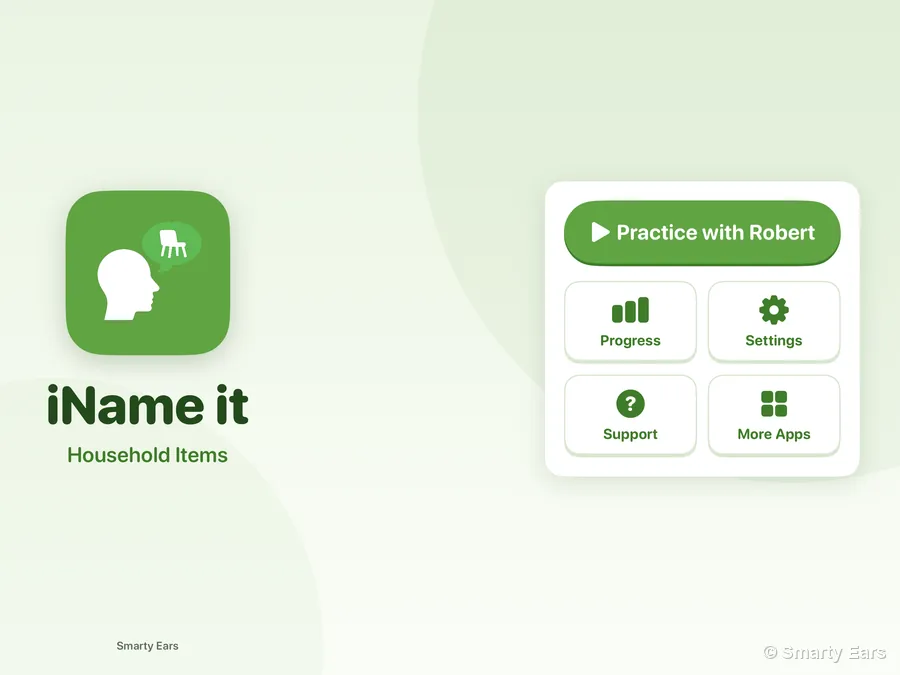
Add the person who practices once: a name, a photo or avatar and a language. With one person, the big button goes straight to the rooms. With more than one, pick who is practicing today.
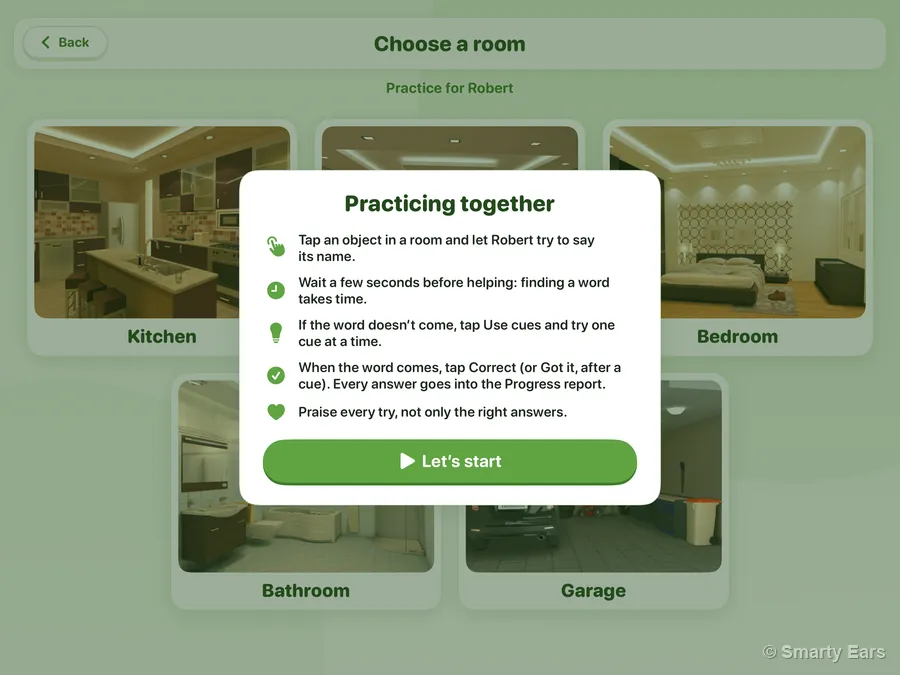
The first time, a short card shows how to practice together. Then tap an object in the room and let Robert try to say its name.
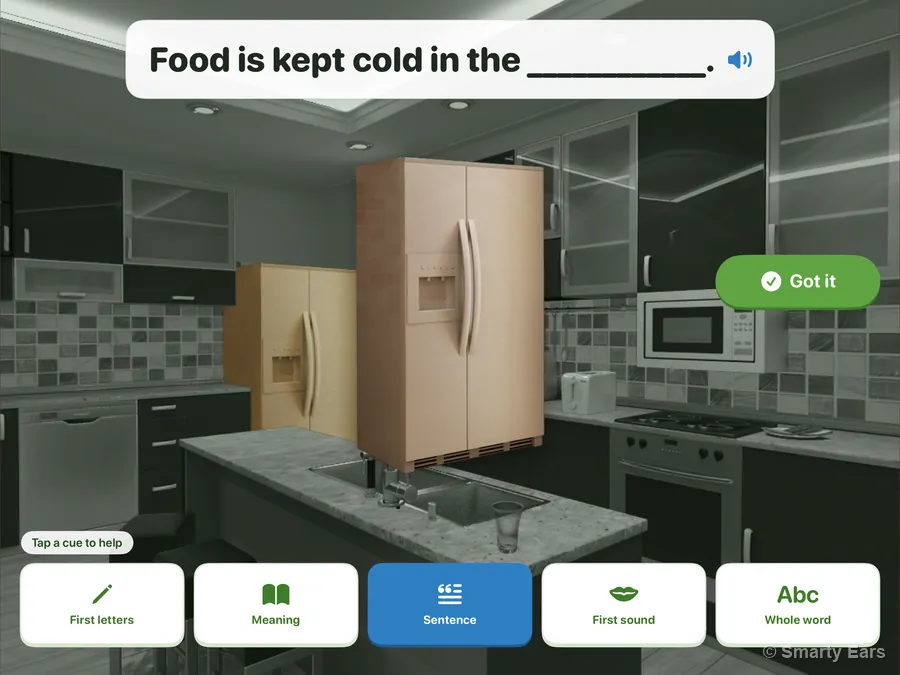
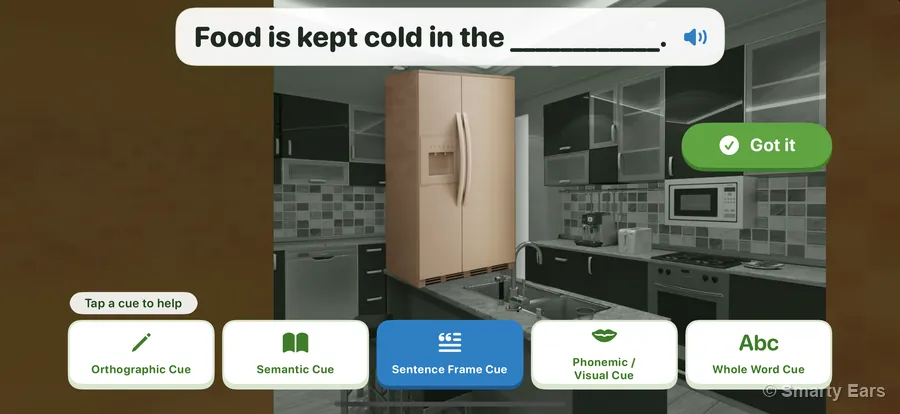
Tap Use cues and try one at a time: First letters, Meaning, Sentence, First sound or Whole word. Here, a sentence to finish. When the word comes, tap Got it.
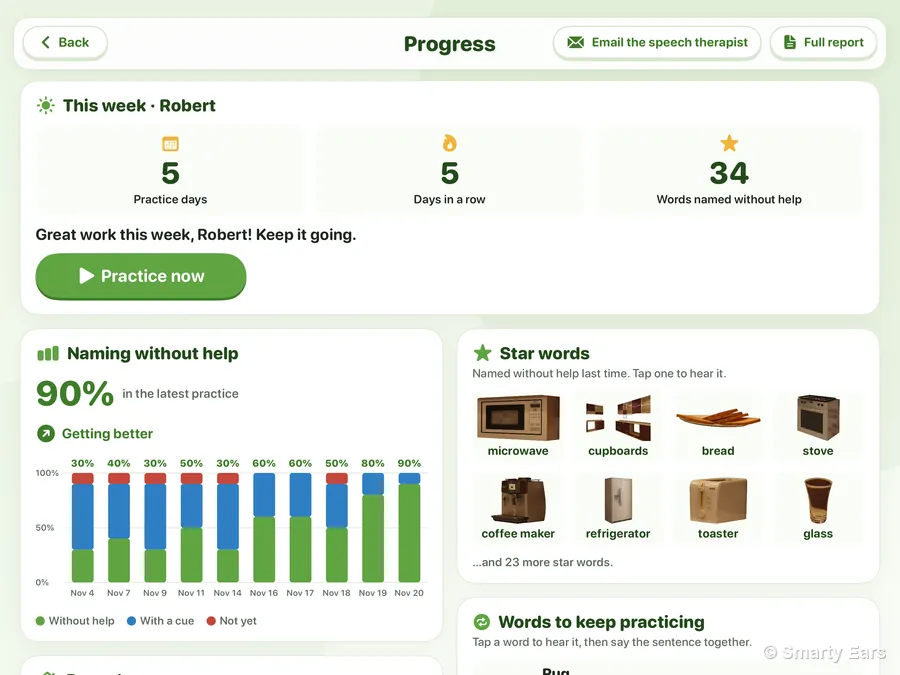
Every answer goes into Progress: the days you practiced, the words named without help, and how each room is going. Send it to the speech therapist with one tap.
Short clips recorded in the app with sample people and sample practice. They play without sound; use the video's controls to hear the app's own recordings.
Real screens from the app.
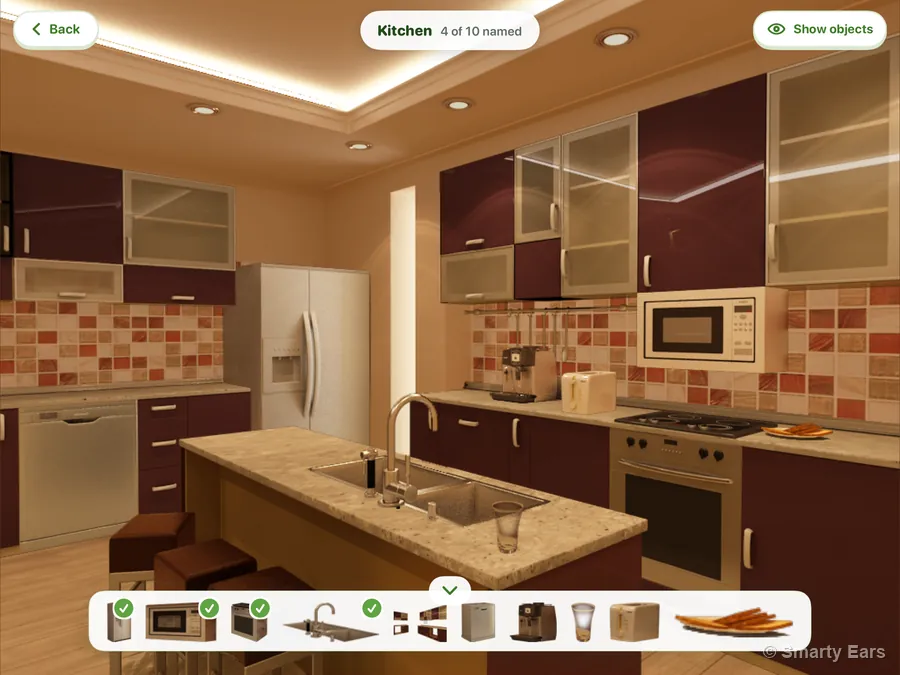
The room appears in full color. Tap an object in the room or in the tray, which ticks off each one named. Show objects greys everything else, so the ten objects stand out.
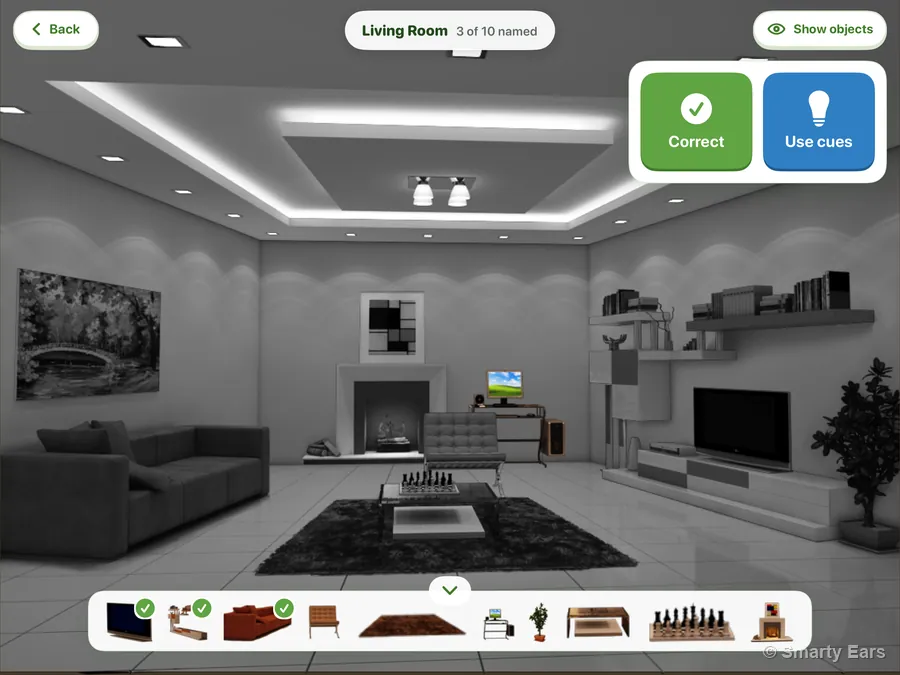
The rest of the room turns gray. Named it? Tap Correct. Need help? Tap Use cues.
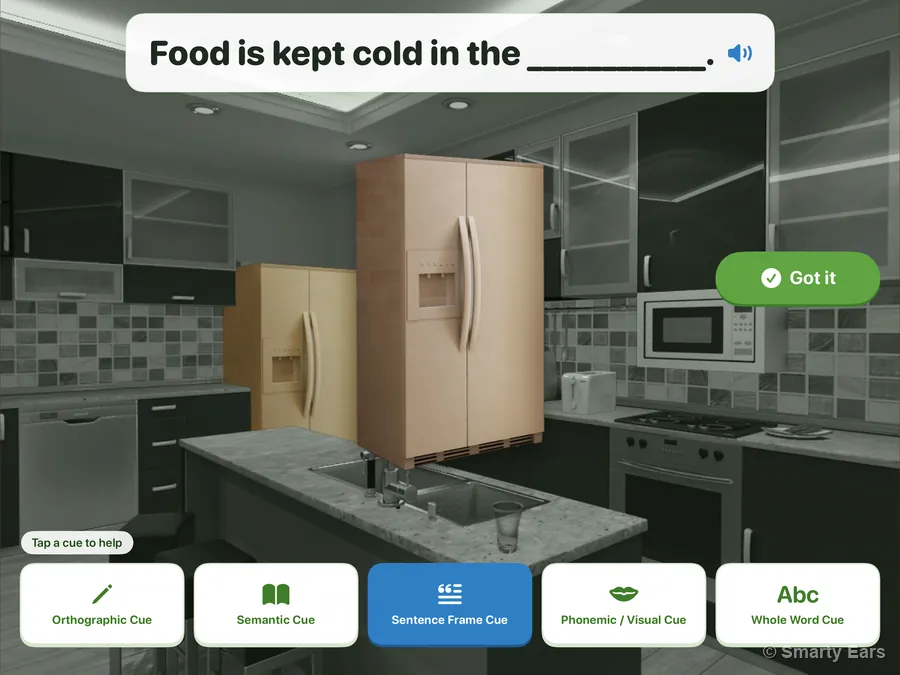
The five cues sit along the bottom, and the room stays visible behind them. Here, a sentence to finish, shown and read aloud. Tap Got it when the word comes.
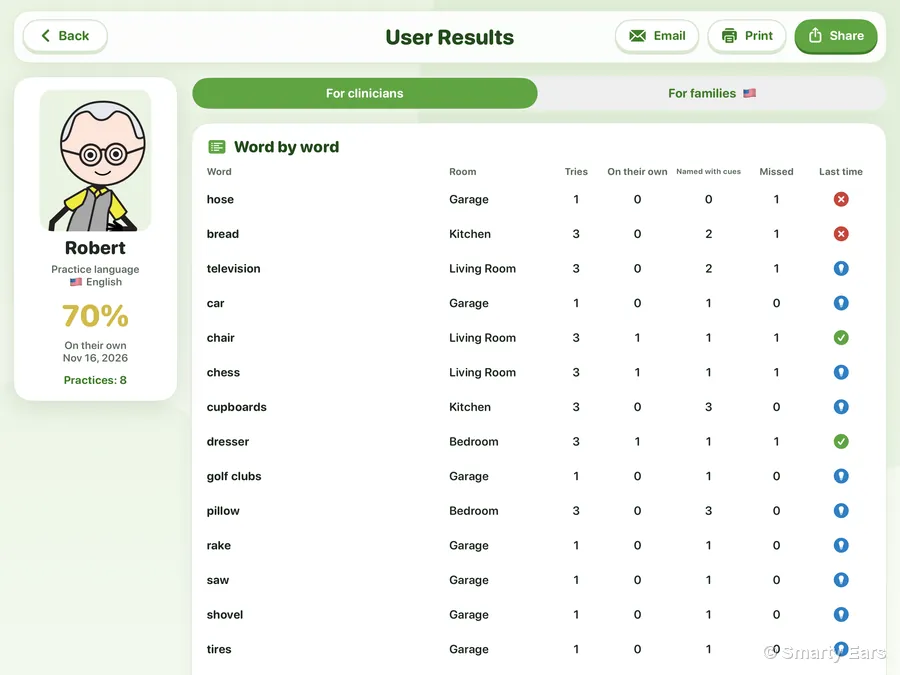
Missed comes up once all five cues have been tried. Each answer, and the cues tried, goes into the person’s report, word by word.
Every object has all five. Here they are for the shower, as the app shows them. You see the clinical names; families who choose Family or caregiver see the plain ones.Every object has all five kinds of help. Here they are for the shower, as the app shows them.
Orthographic cue in the app
The first letters of the word, with a line for each letter still to come.
Semantic cue in the app
A short description of what the object is or does, shown and read aloud.
Sentence frame cue in the app
An everyday sentence with the word left out, shown and read aloud, ready to finish.
Phonemic / visual cue in the app
The beginning sound of the word, spoken, to help start saying it.
Whole word cue in the app
The whole word, shown and spoken, to repeat.
The app shows the most important of these on a short card the first time you practice together.
Tap Progress on the home screen. Everything on it comes from your own practice, written for families.
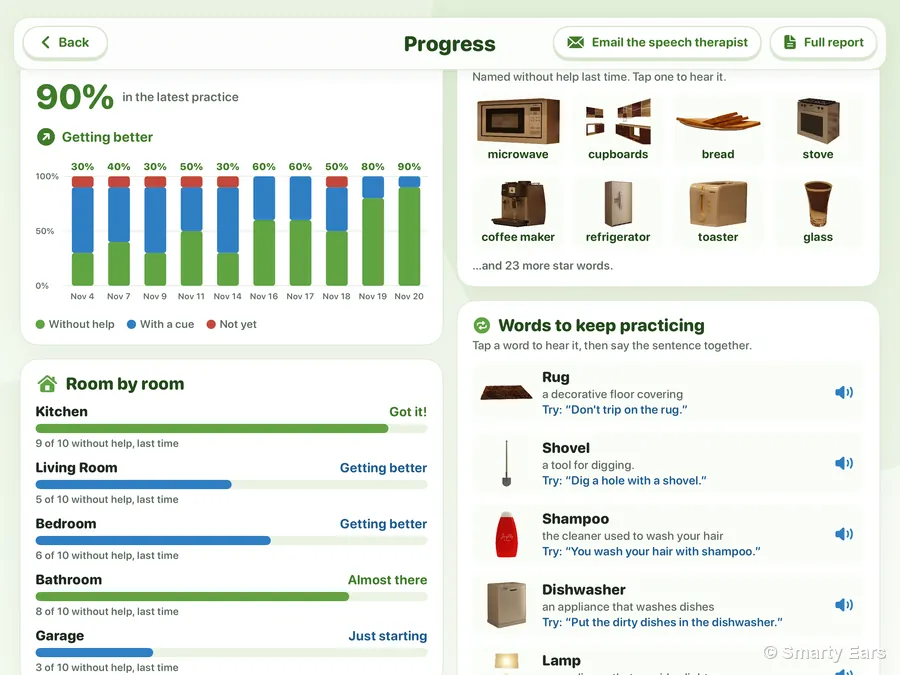
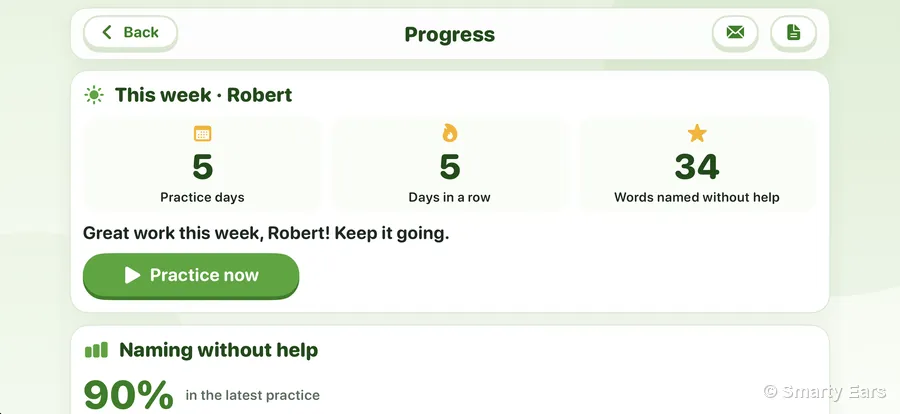
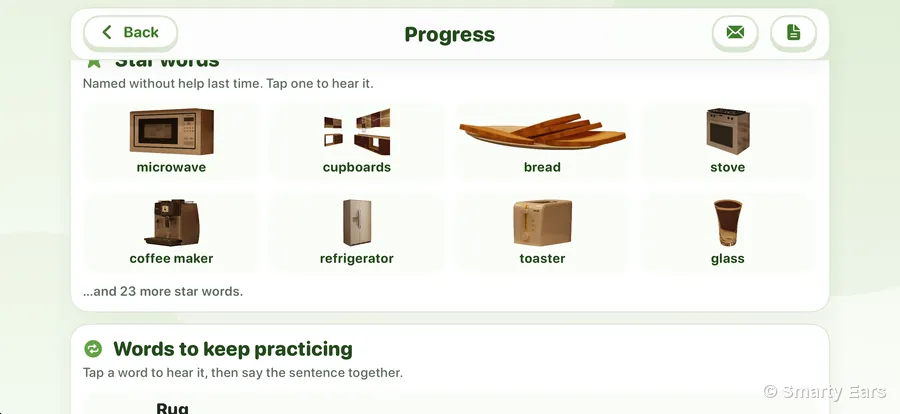
Progress is on iPhone too. More than one person practicing? A row of names at the top switches between them.
Every answer is saved to the person's own report. Switch between the part for the therapist and the part for the family, then email it, print it or share it as a PDF. Both parts go with it.
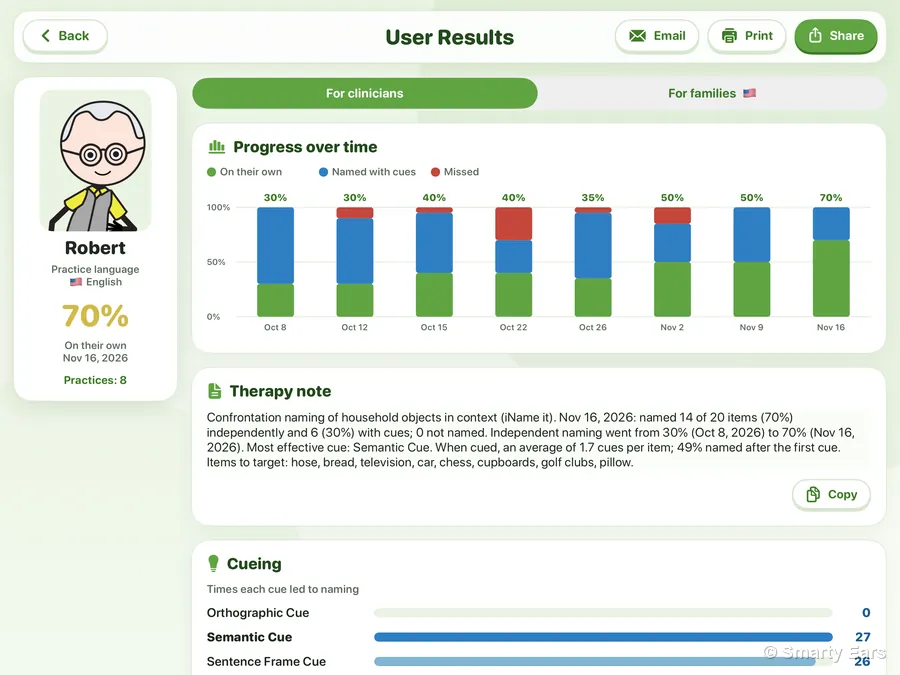
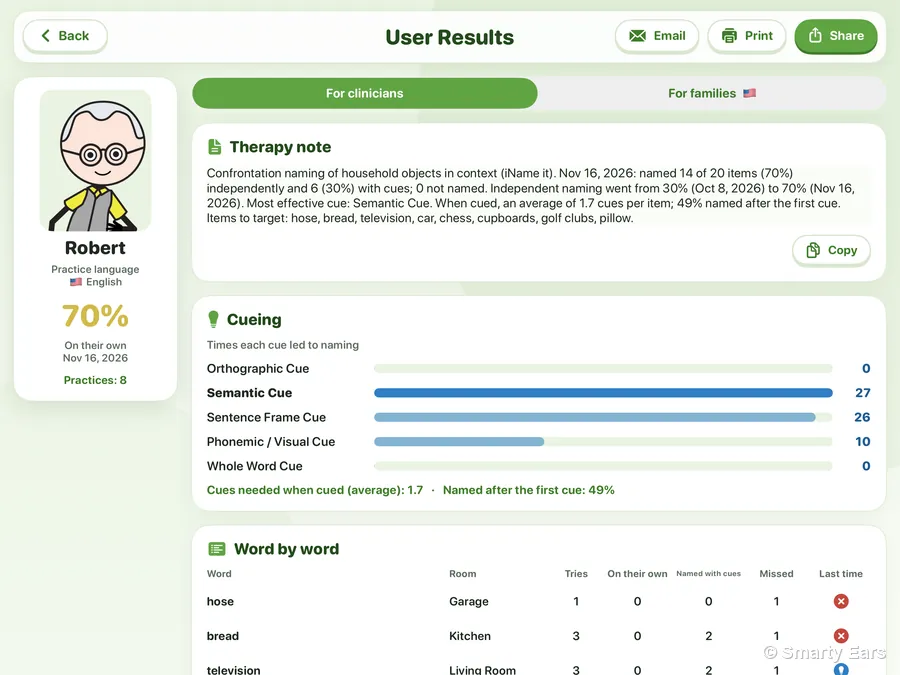
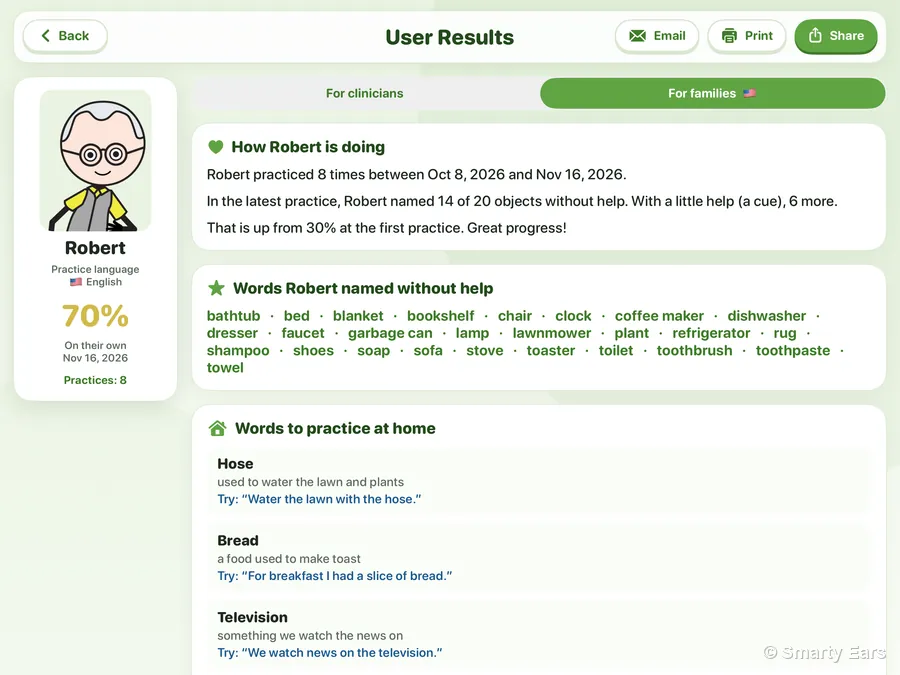
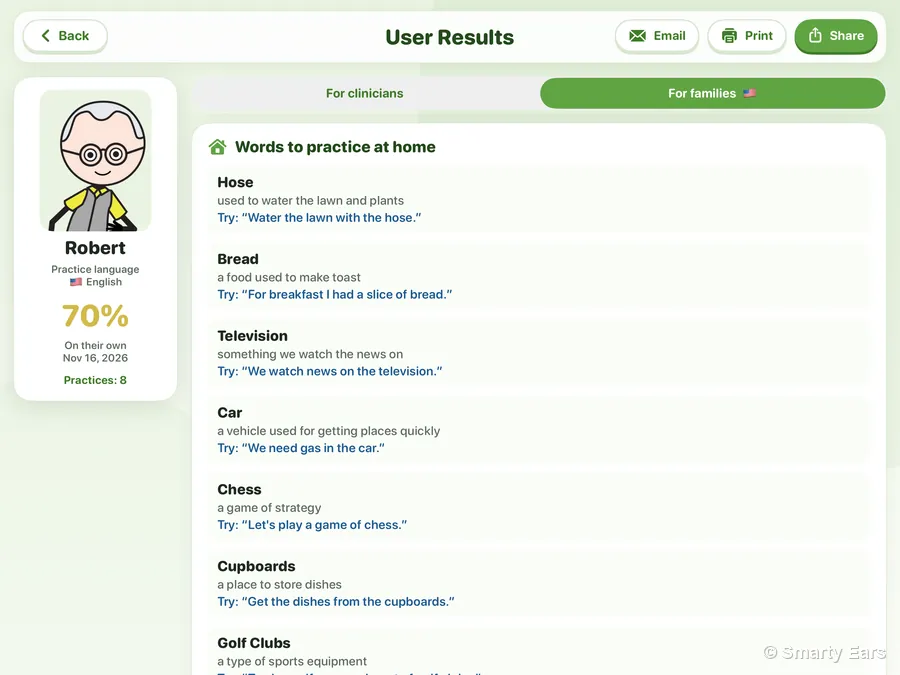
The family part is written in the person's practice language. Families using the app at home also get a simpler Progress page, and can email you a short summary of their week.
On the home screen, tap Recommend to a family. The family gets iName It on their own iPad or iPhone, practices the same rooms and cues between sessions, and can send you their progress.
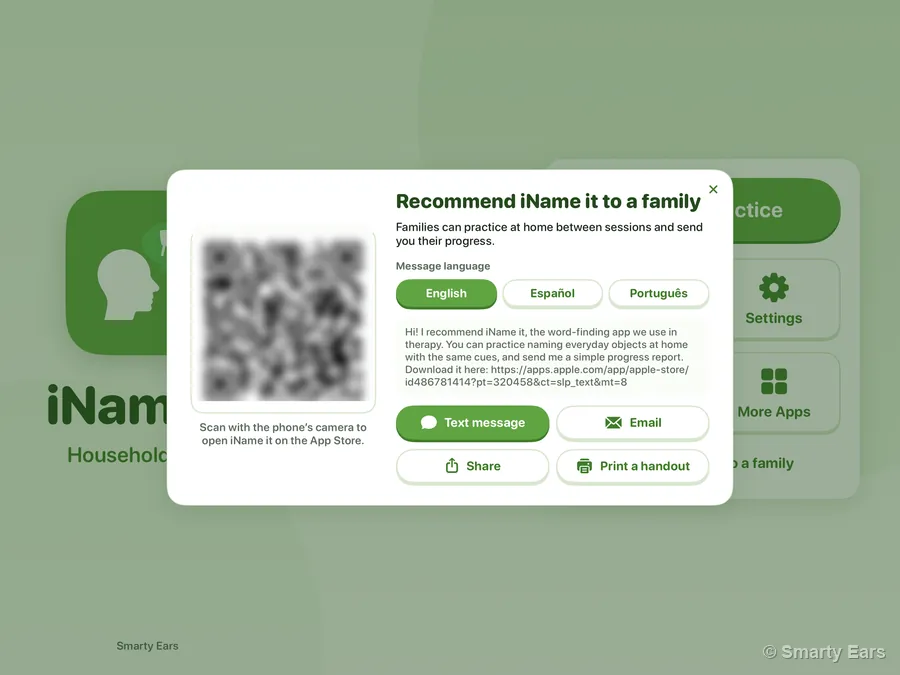
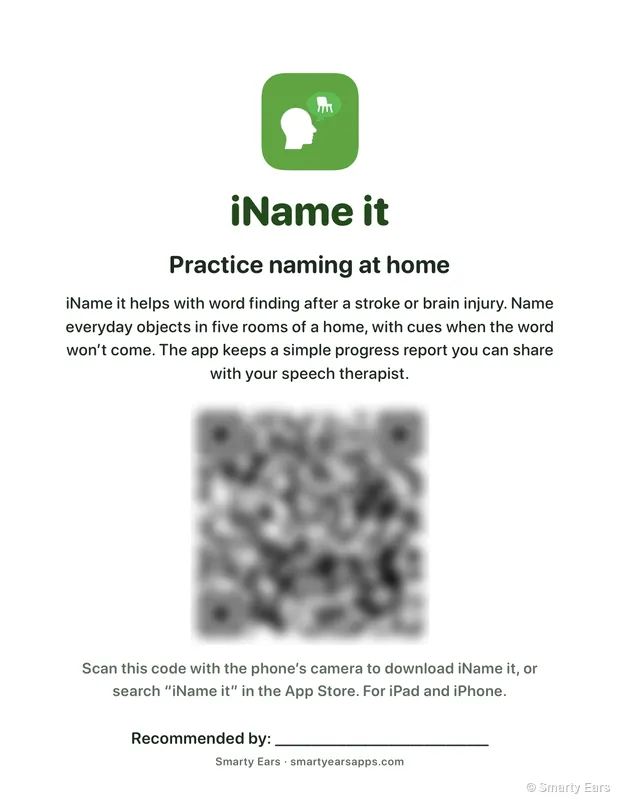
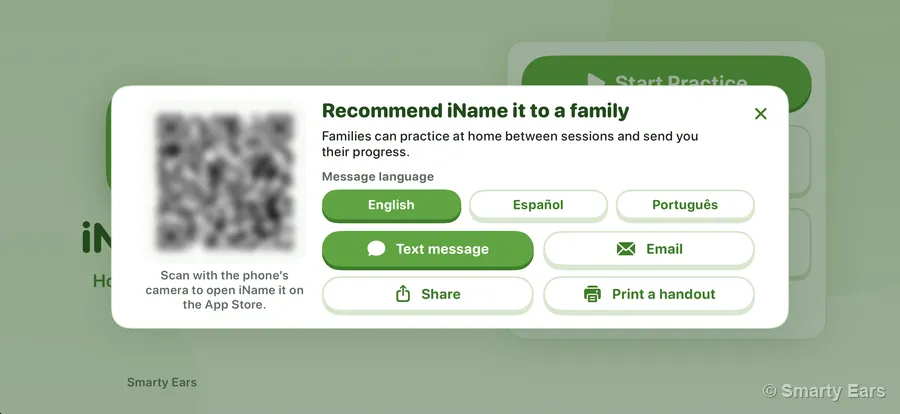
On iPhone too: show the QR code across the table, or text the link before the family leaves.
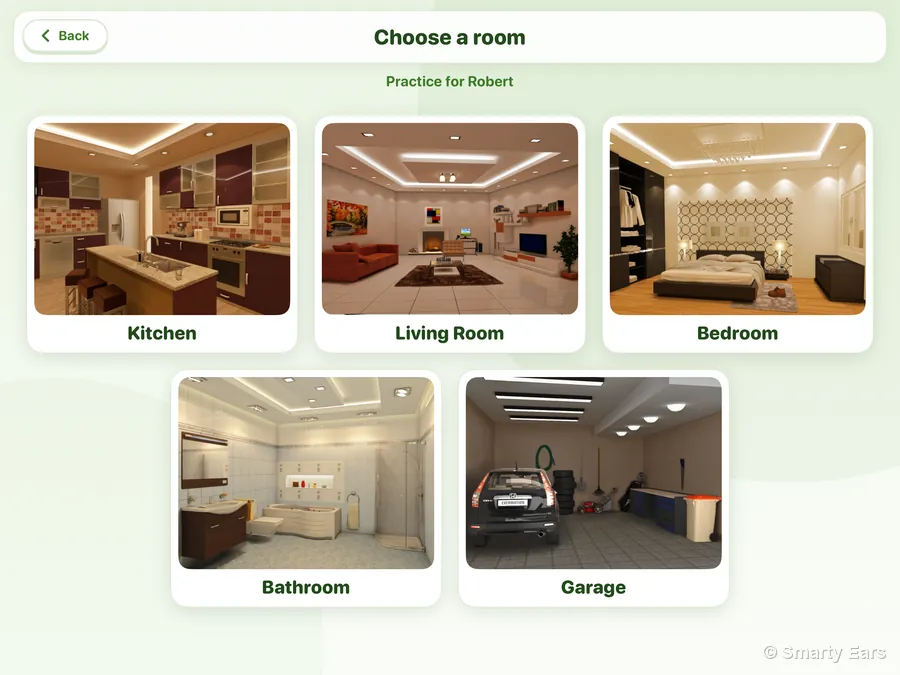
Each room of the home holds ten objects to name, shown in detailed 3D renderings so each one is seen where it belongs.
refrigerator, microwave, stove, sink, cupboards, dishwasher, coffee maker, glass, toaster, bread
television, bookshelf, sofa, chair, rug, computer, plant, coffee table, chess, fireplace
bed, dresser, window, pillow, lamp, blanket, shoes, clock, clothes, phone
shower, faucet, toilet, mirror, toothbrush, toothpaste, shampoo, soap, towel, bathtub
car, workbench, rake, shovel, golf clubs, saw, lawnmower, garbage can, tires, hose
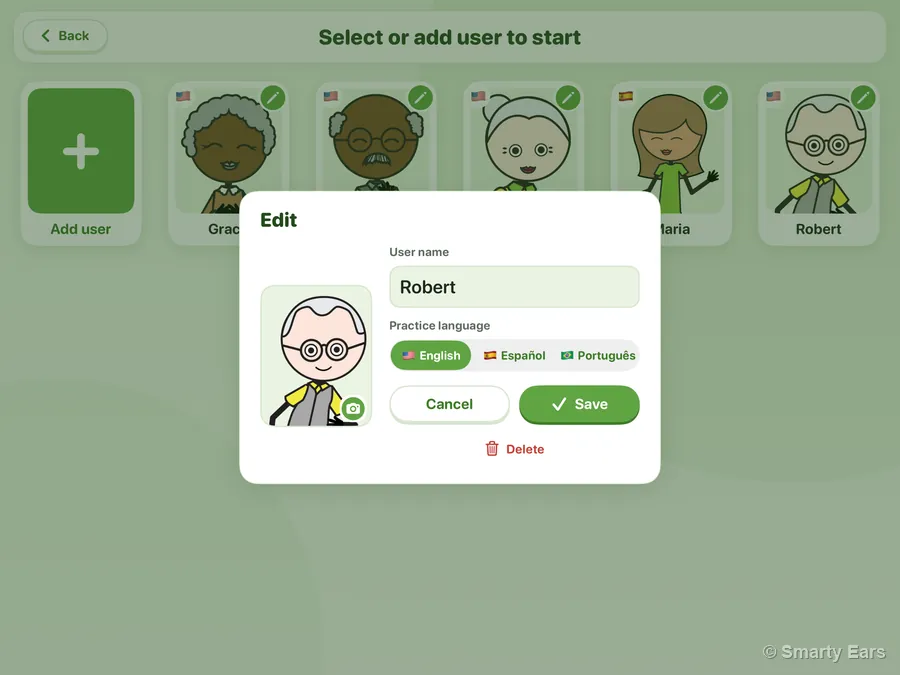
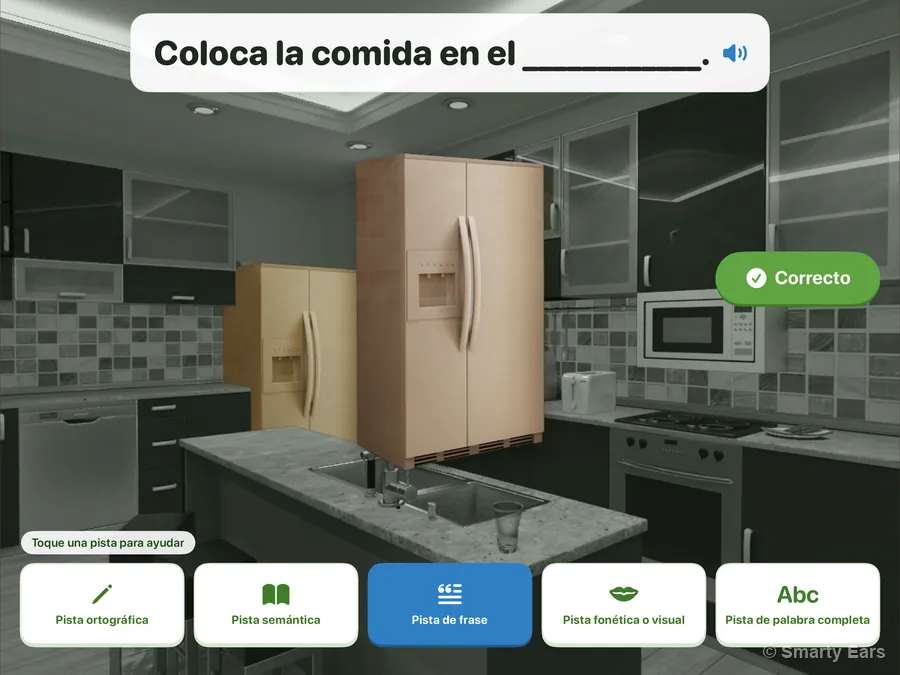
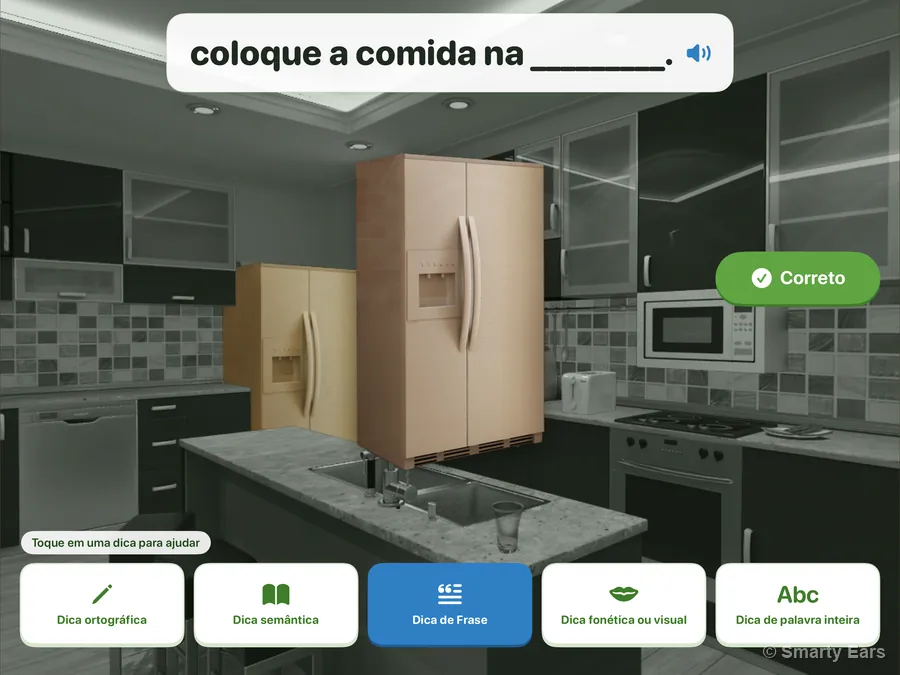
Give each person a practice language: English, Spanish or Portuguese. Their words, written cues, recordings and family report use it, while the app's buttons and menus stay in the language you chose for the app.
| English | Español | Português |
|---|---|---|
| refrigerator | refrigerador | geladeira |
| stove | cocina | fogão |
| pillow | almohada | travesseiro |
| car | coche | carro |
The demo on this page is in English only.
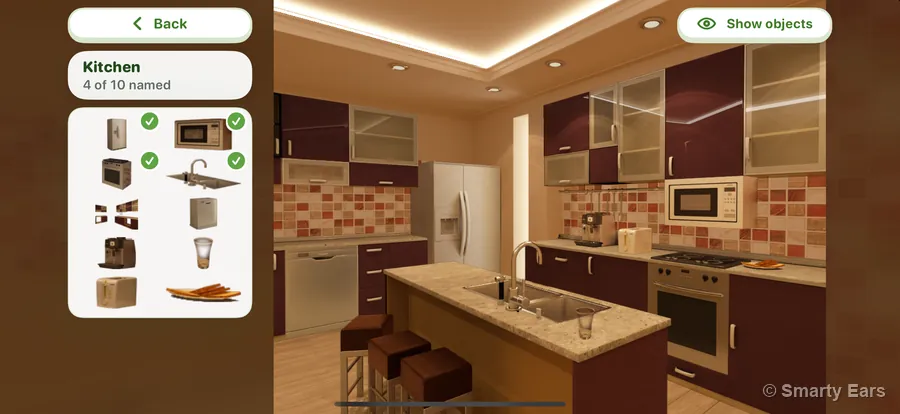
One purchase, on iPad and iPhone. The rooms, words, cues and reportProgress are the same; on iPhone the objects sit in a column beside the room, so the room stays large.
A short tour of iName It for speech-language pathologists, then a step-by-step tutorial.Short videos made for families: how iName It helps, and how to practice together at home.
$19.99 on the App Store, one purchase for iPad and iPhone. Fifty everyday words in five rooms, five cues, a report with a therapy note, Recommend to a family, and a practice language for each person: English, Spanish or Portuguese. Requires iOS 17 or later.$19.99 on the App Store, one purchase for iPad and iPhone, no subscription. Fifty everyday words in five rooms, gentle help when the word won’t come, and a Progress page to share with the speech therapist. In English, Spanish or Portuguese. Requires iOS 17 or later.
Download on theApp Store · $19.99Working on a computer or Chromebook too? Smarty Ears Online brings speech and language activities, goals and progress reports to the browser.