FeaturedSmarty Ears Online: 90+ activities in your browser, with progress reports for every student. Try it free for 14 days. Learn more →
New release

Expressive Go 6.0: Word Prediction, Switch Scanning and Personal Voice, Still Free

📅 November 9, 2026⏱️ 6 min read✍️ Barbara Fernandes
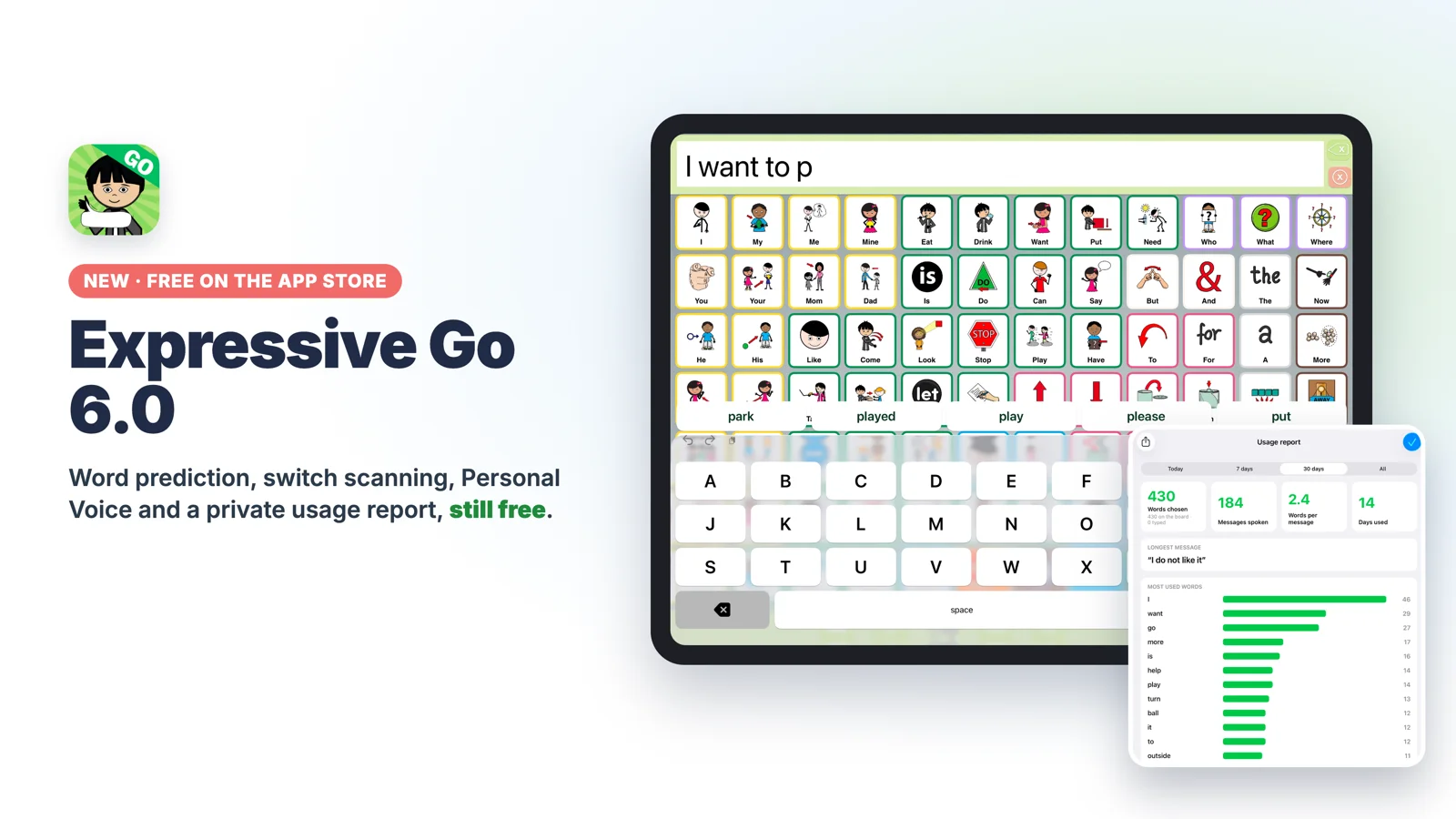
Expressive Go 6.0 on iPad: the large keyboard with word prediction and the usage report
In this article
  • Talk faster: word prediction, a large keyboard, text shortcuts, quick phrases with symbols and message history.
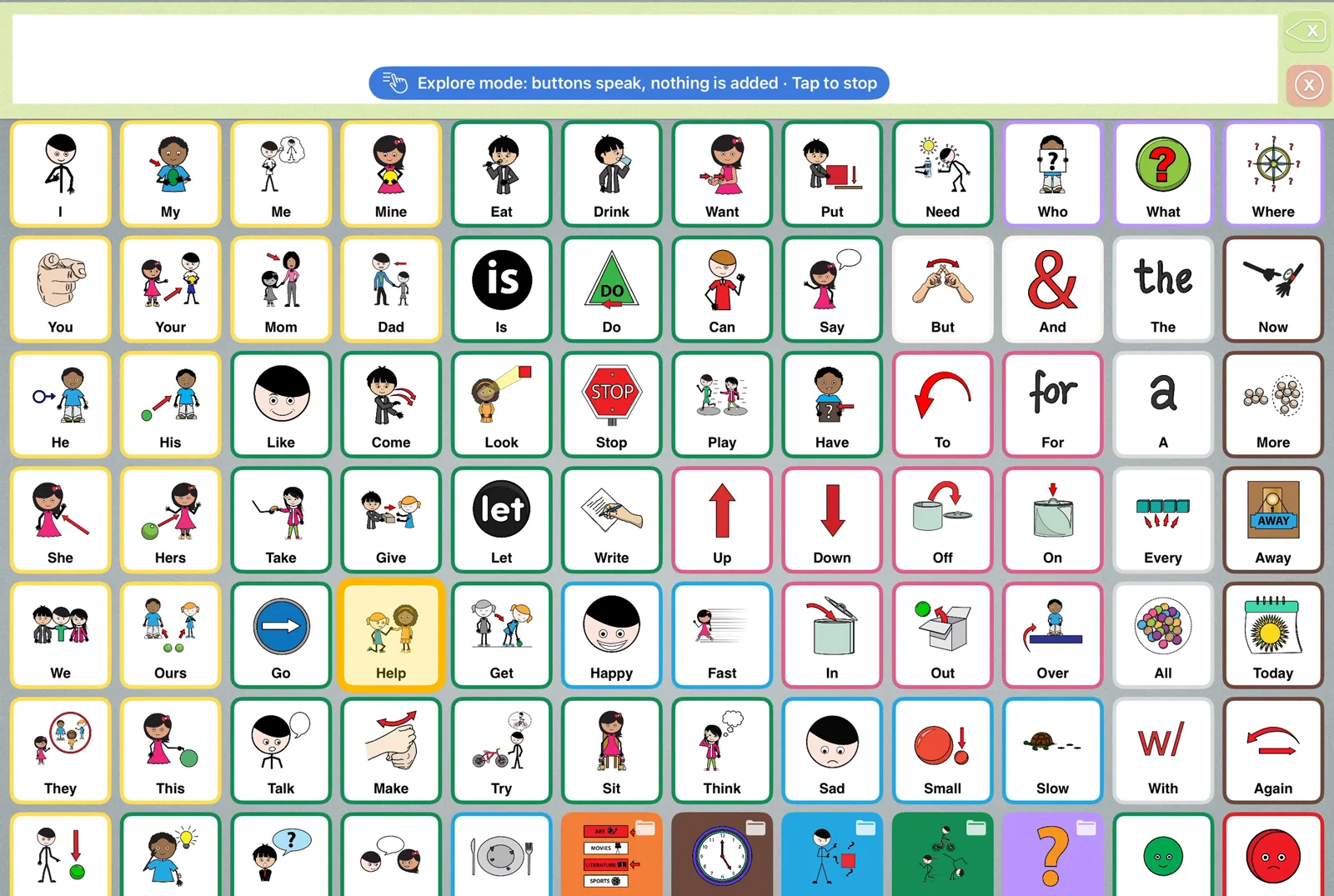
  • Model and teach: Find a word lights the way to any word, and Explore mode lets partners and beginners explore without building a message.
  • Access for every body: built-in switch scanning, hold to select, Personal Voice, and a usage report that stays on the iPad. Still free.

Expressive Go 6.0 is now on the App Store. It’s the biggest update yet for AAC users and the families, teachers and speech-language pathologists who support them, and every board, tool and setting is still free: no ads, no subscriptions, no account.

Version 5.0 gave Expressive Go its grammar engine: verbs that follow the subject, time words and a Time button for past, future and perfect, plurals after numbers, and 150+ irregular verbs. Version 6.0 is about everything around the grammar: talking faster, modeling better, and giving every body a way in.
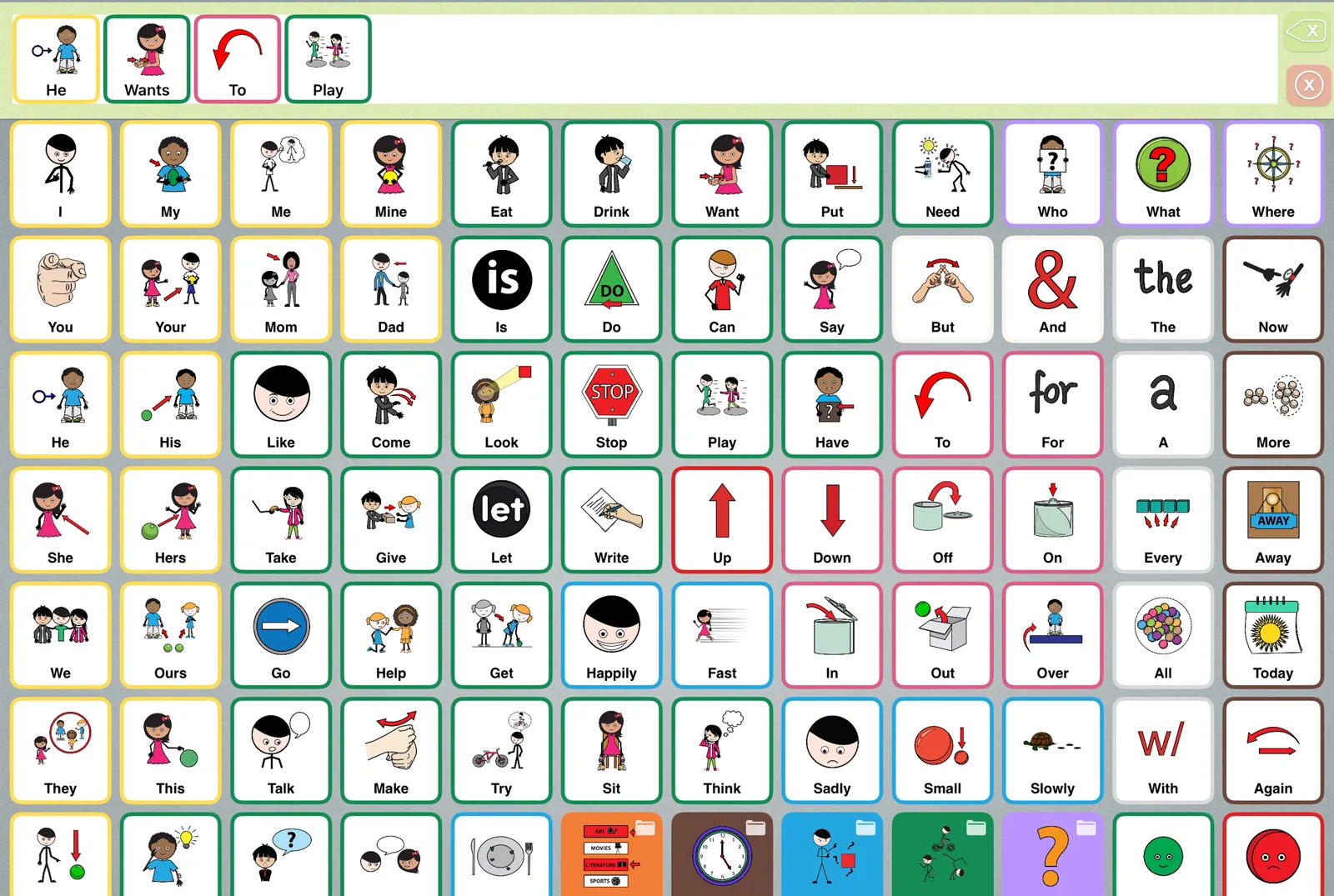
Expressive Go core board with the message He wants to play
The core board, with the grammar from 5.0: “He wants to play”, with no extra taps for “wants”.
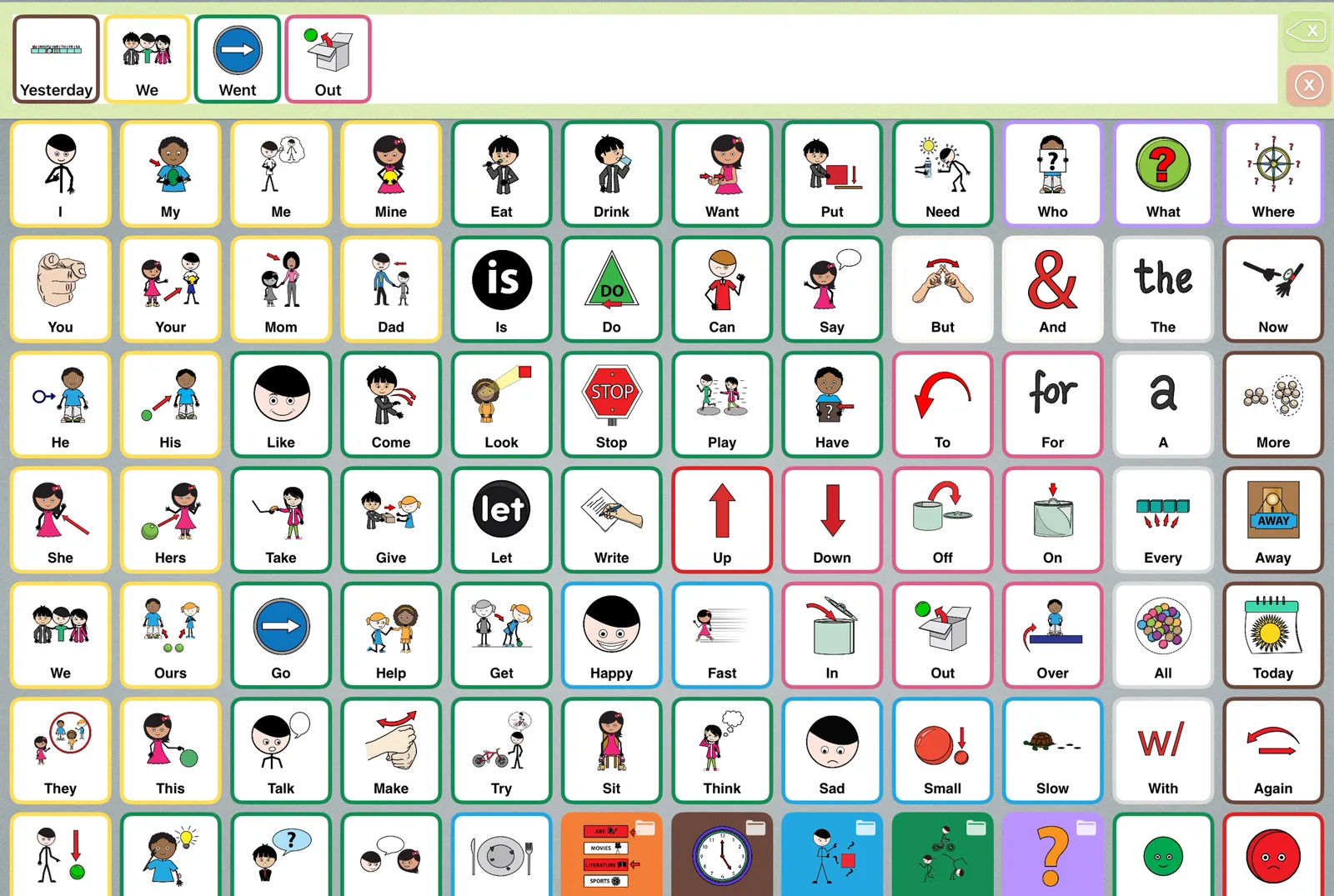
Expressive Go message Yesterday we went out
Time words change the verb: “Yesterday we went out”.

Talk faster

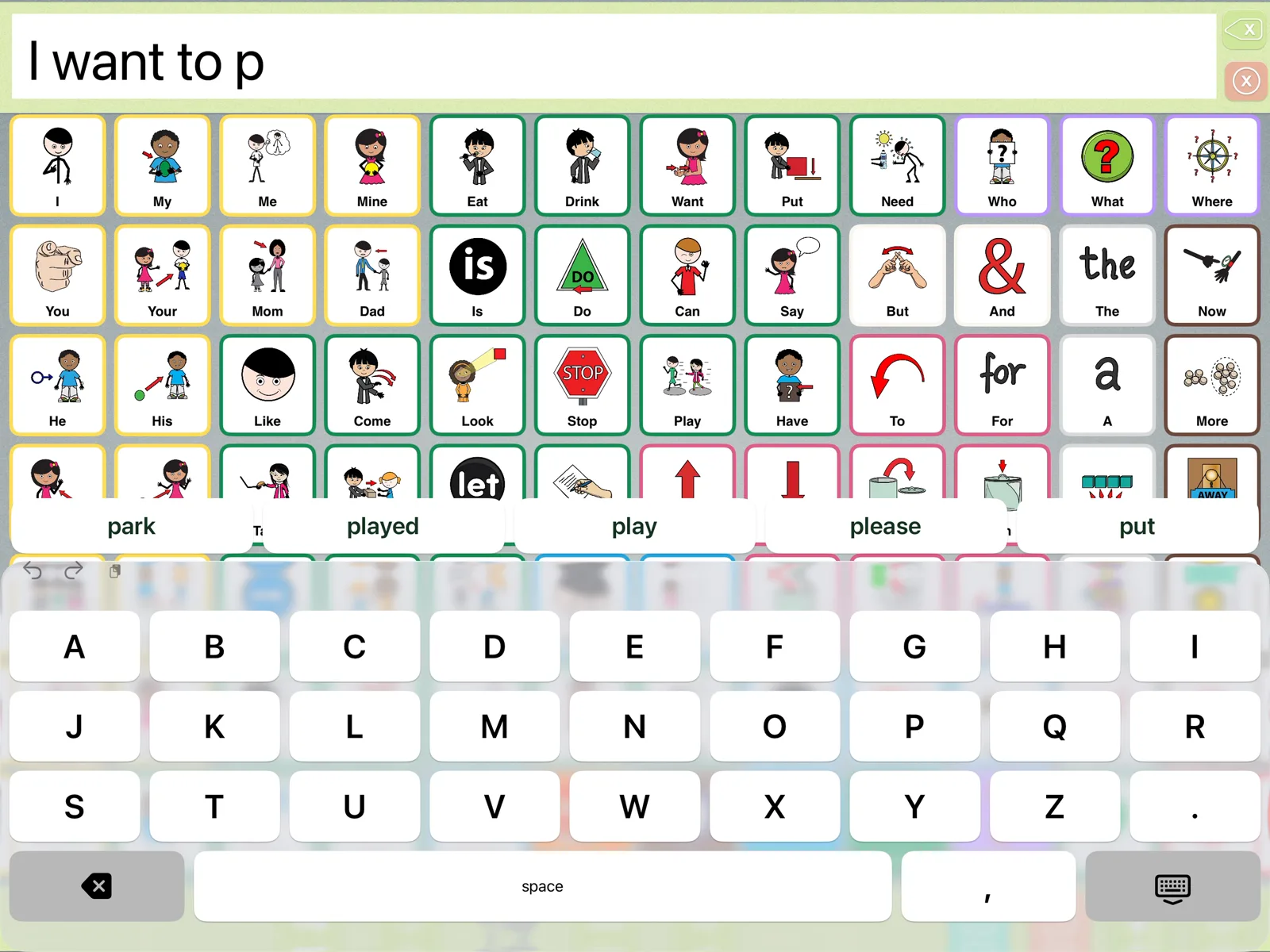
  • Word prediction above the keyboard. It learns the words each communicator uses, and they stay on the iPad.
  • A large keyboard with big keys, in ABC or QWERTY order, with letter, word or silent feedback.
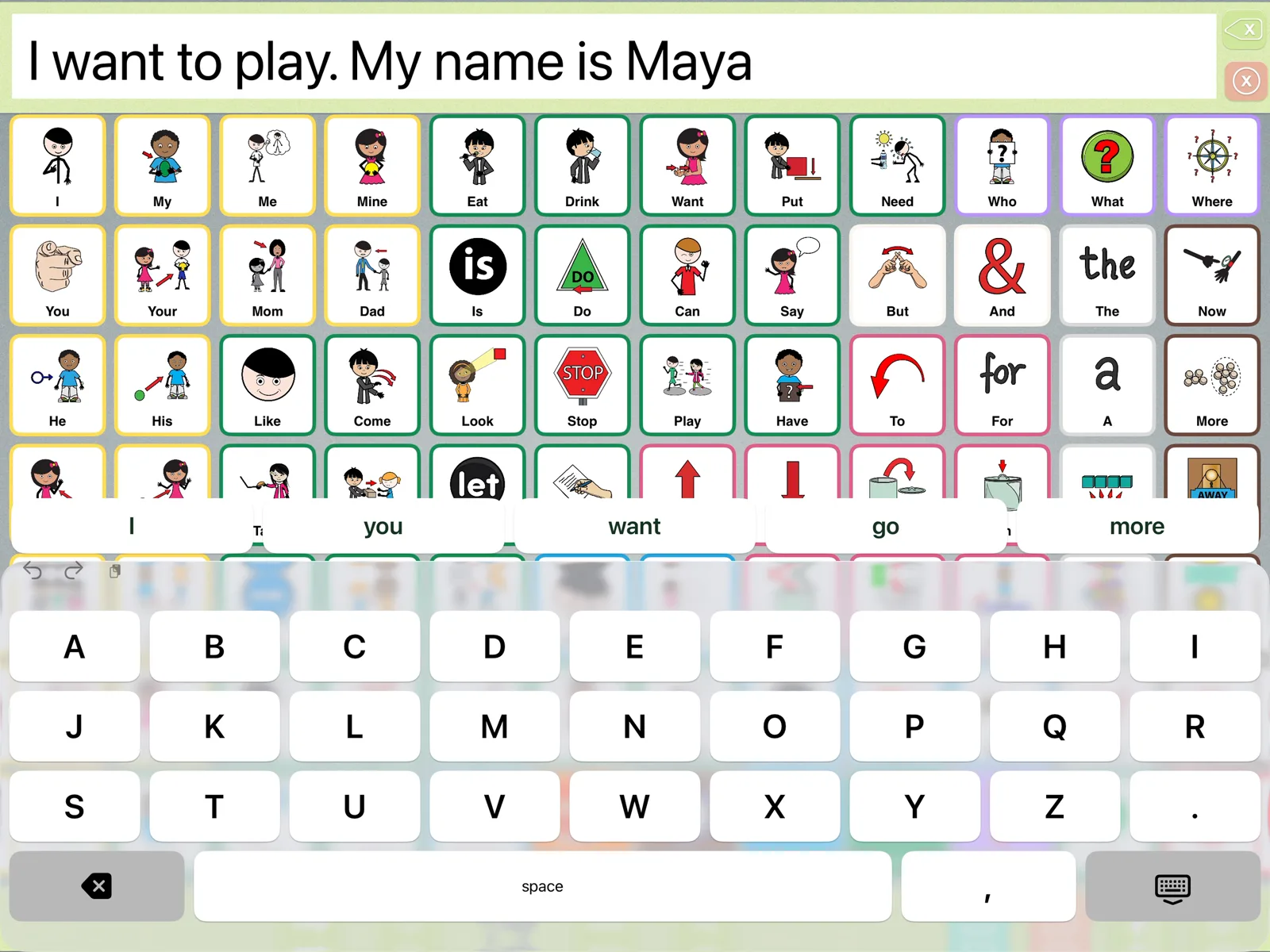
  • Text shortcuts: type a short word and a space to get a whole phrase, like a name or an address.
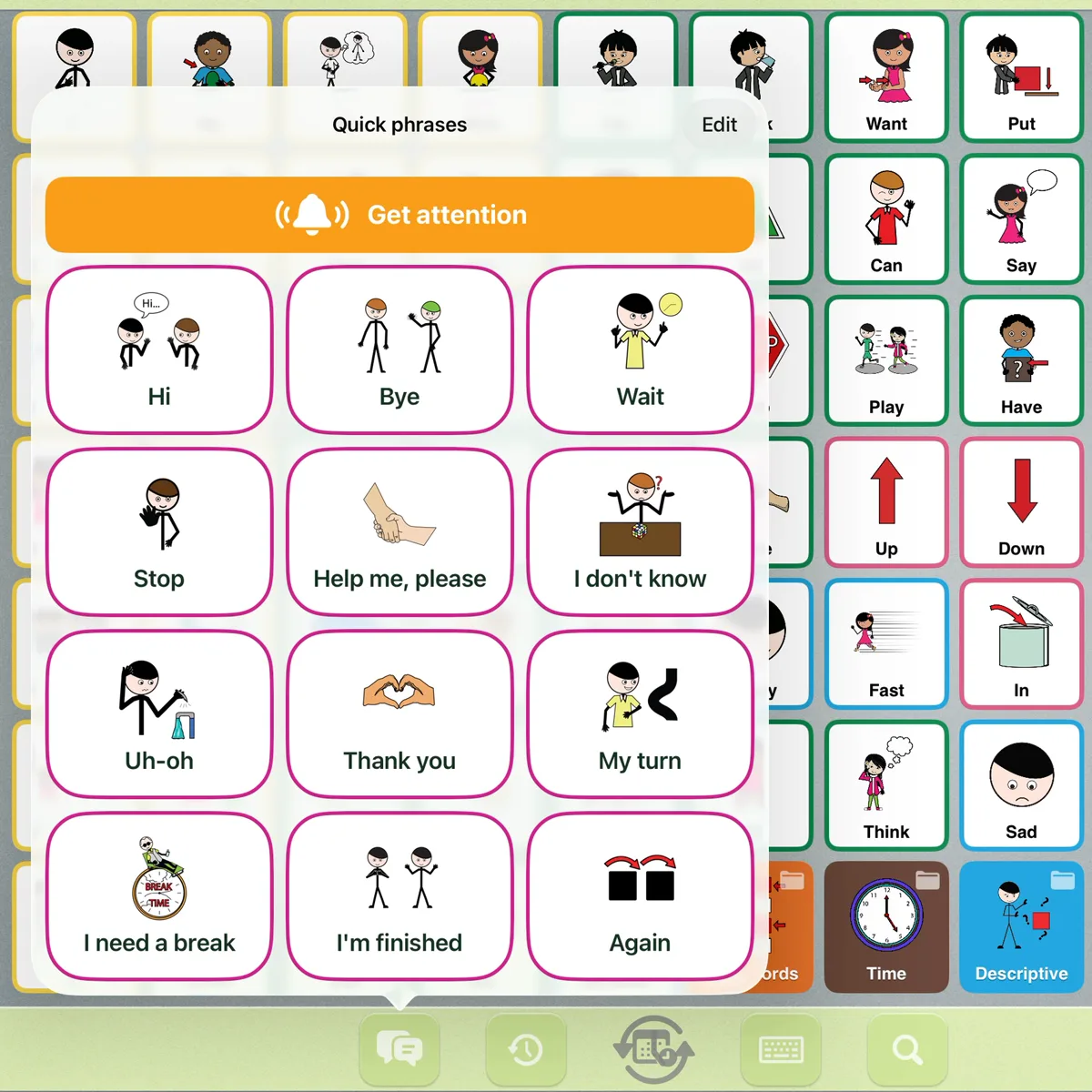
  • Quick phrases with Smarty Symbols: Hi, Help me please, I need a break, I’m finished and more, one tap away. Add your own.
  • Get attention: a chime, then “Excuse me!”
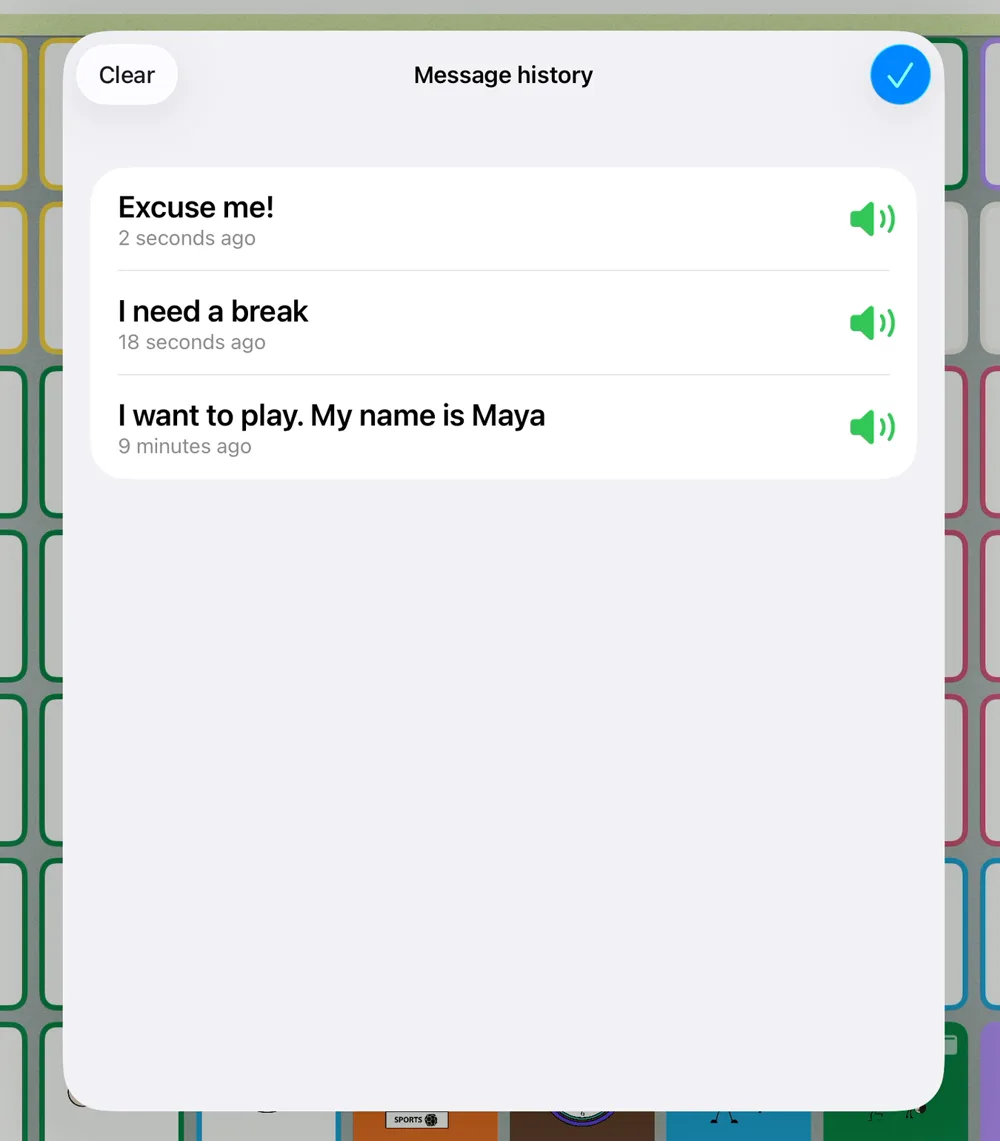
  • Message history: say an earlier message again.
  • Words light up one at a time as the message is spoken, and a tap anywhere on the message bar speaks it.
Expressive Go large ABC keyboard with word prediction: I want to p, with park, played, play, please and put suggested
The large keyboard with word prediction: type “p” and the words this communicator uses come up first.
Expressive Go text shortcut: typing mn gives My name is Maya
A text shortcut: “mn” and a space becomes “My name is Maya”.
Expressive Go quick phrases with Smarty Symbols and a Get attention buttonExpressive Go message history: Excuse me, I need a break, I want to play

Quick phrases with symbols and Get attention (left), and message history (right).
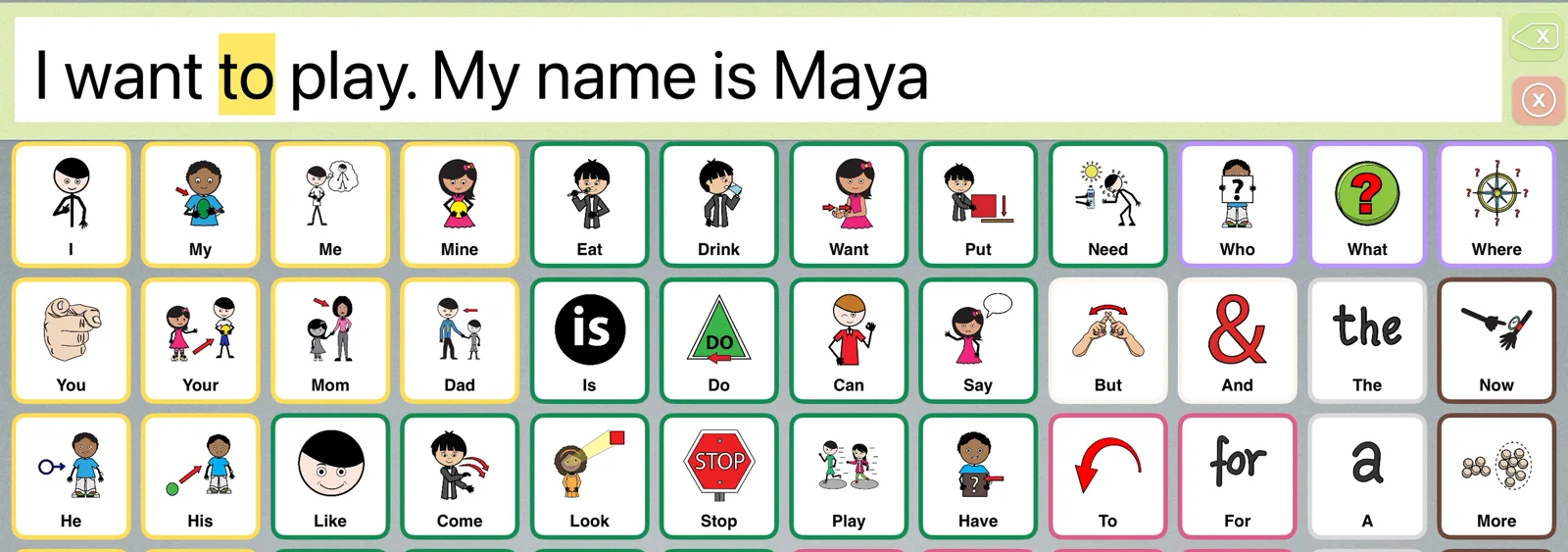
Expressive Go message bar with the word to lit up while the message is spoken
Words light up one at a time as the message is spoken.

Model and teach

Aided language input works best when partners can find words quickly. Two new tools help:
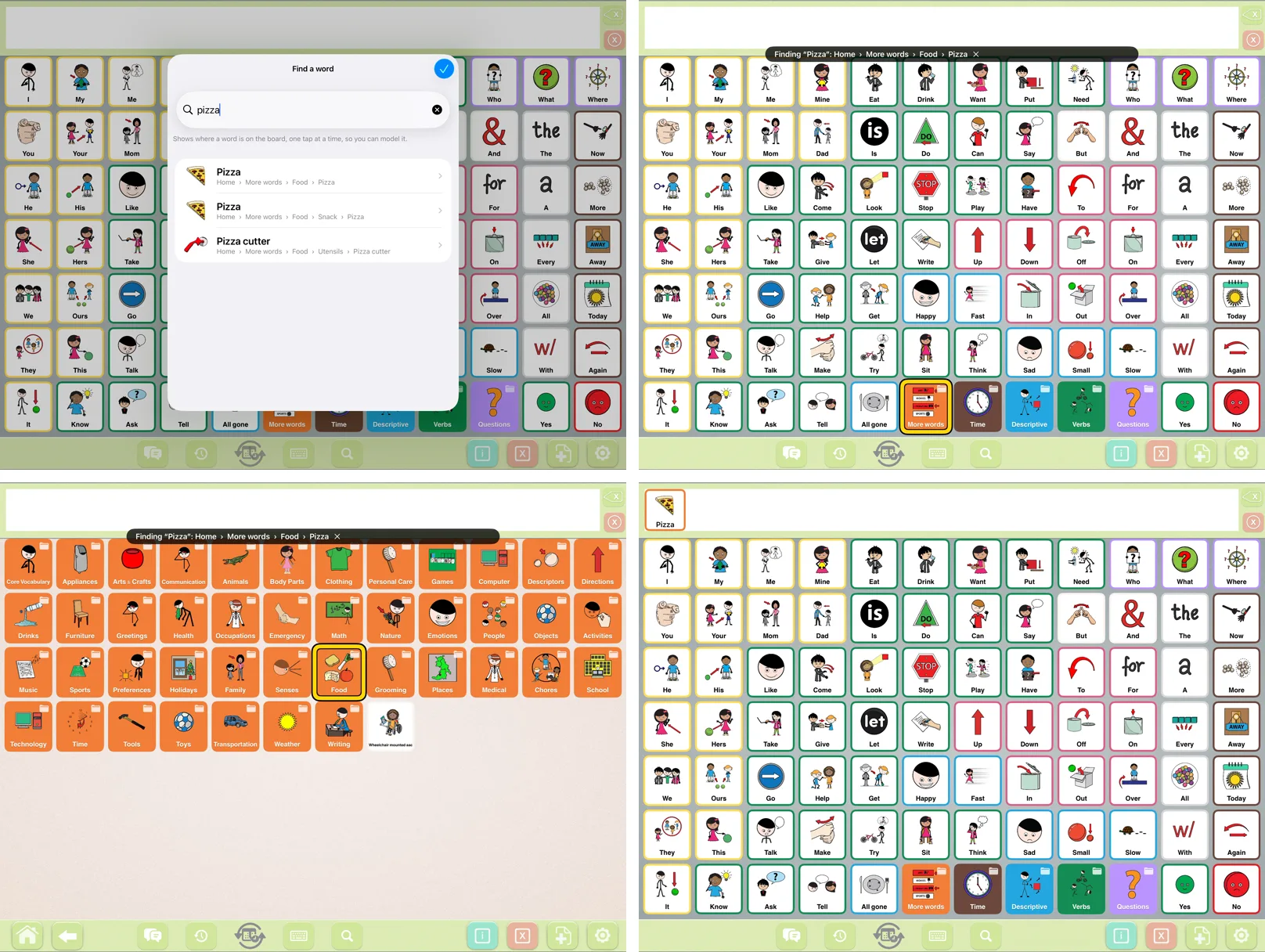
  • Find a word: search for any word, and the board lights the way to it, one button at a time, so a partner can model it without hunting through folders.
  • Explore mode: buttons speak and light up without adding to the message, for partner modeling and for beginners who are exploring.
  • Print this board: save the page on screen as a PDF, for a paper backup at the pool, on the bus or when the battery runs out.
Find a word in Expressive Go: searching pizza, then More words, Food and Pizza light up in turn
Find a word: search “pizza”, and the board lights More words, then Food, then Pizza.
Expressive Go Explore mode: a button lights up and speaks without adding to the message
Explore mode: buttons speak and light up, and nothing is added to the message.

Access for every body

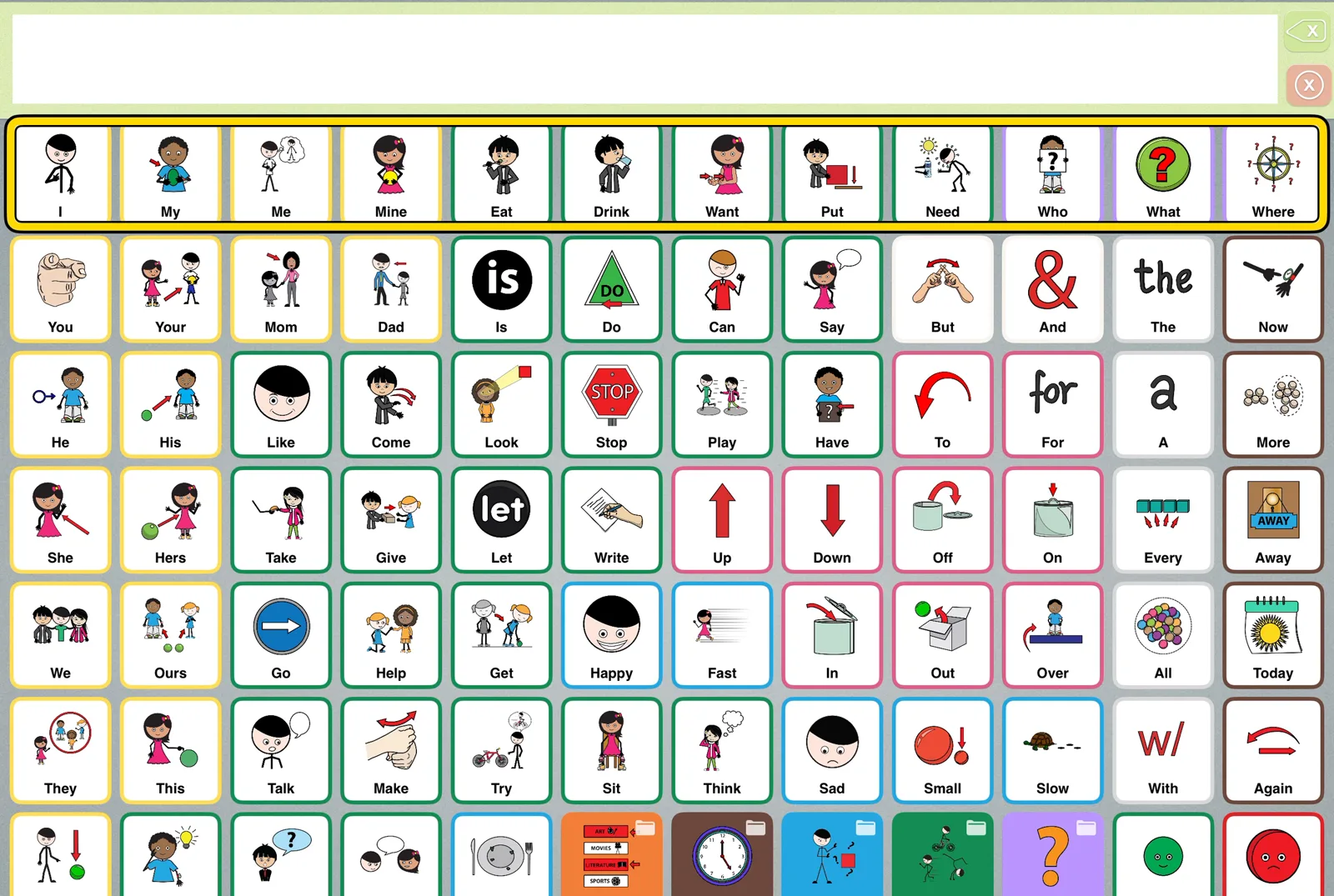
  • Built-in switch scanning, row by row, with optional spoken cues for auditory scanning. Use a switch, Space or Enter, or a tap.
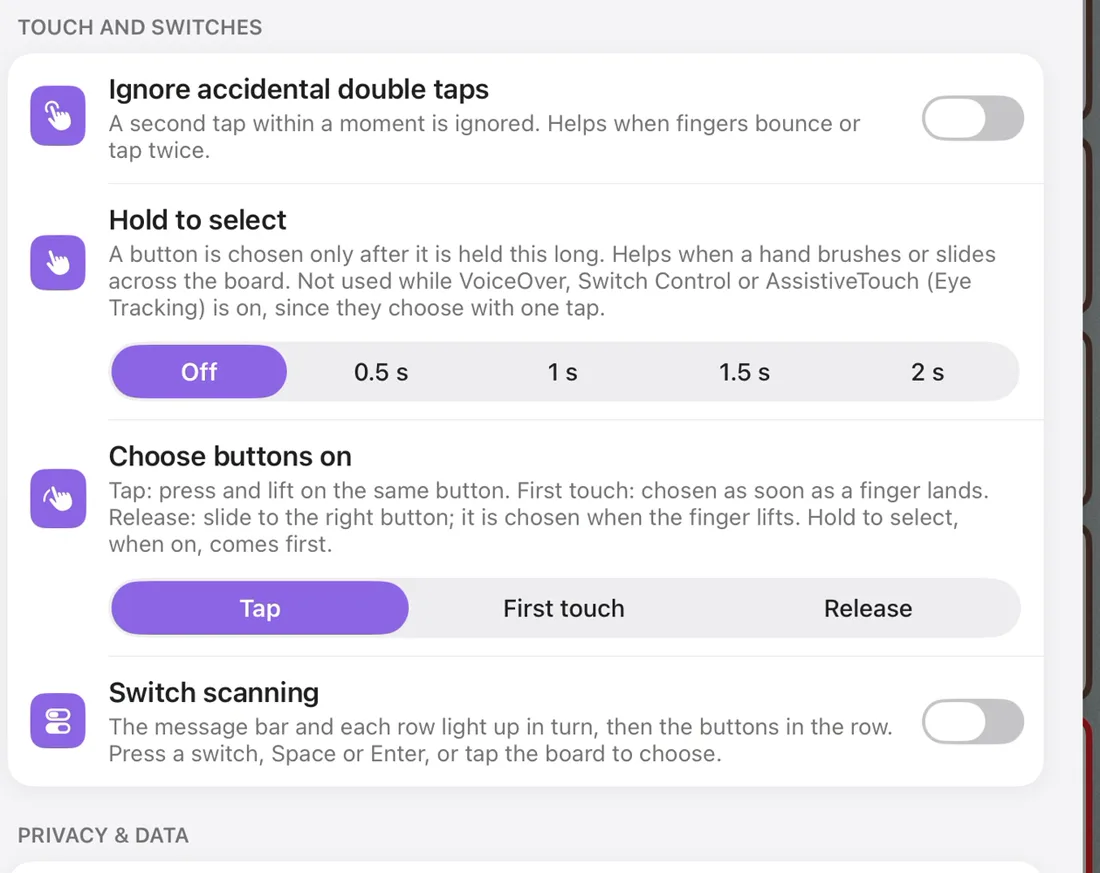
  • Hold to select, from half a second to 2 seconds, for hands that brush or slide across the screen.
  • Choose buttons on first touch, or on release, so the selection happens where it works best for each person.
Expressive Go switch scanning: the top row of the core board is highlighted
Built-in switch scanning, row by row.
Expressive Go Touch and switches settings: ignore accidental double taps, hold to select, choose buttons on tap, first touch or release, switch scanning
The Touch and switches settings.

Voice

  • Personal Voice: communicators who created a Personal Voice on their iPad can speak with it in Expressive Go.
  • Pronunciations: teach the voice how to say names and words.
  • What it says: a button can show one word and say another.
  • Voices are labeled by quality, with a tip on getting better voices for free.

Data for goals, kept private

A new usage report counts words, messages and word types, with the most-used words, for today, 7 days, 30 days or all time. It’s off unless you turn it on, it stays on the iPad, and you share it as a spreadsheet only when you choose. A new Privacy page explains what Expressive Go keeps, where, and how to erase it. The App Store privacy label is still “Data Not Collected.”
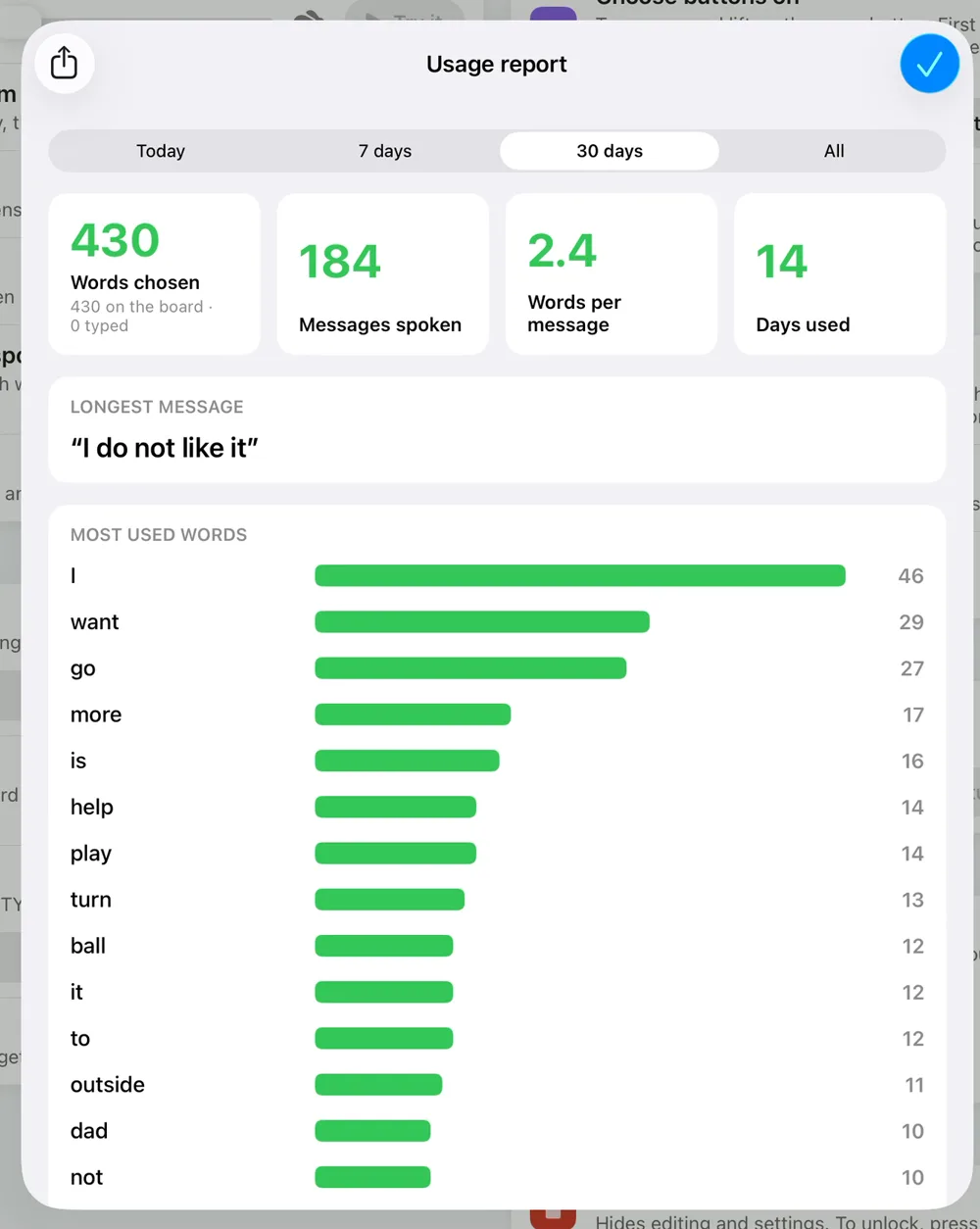
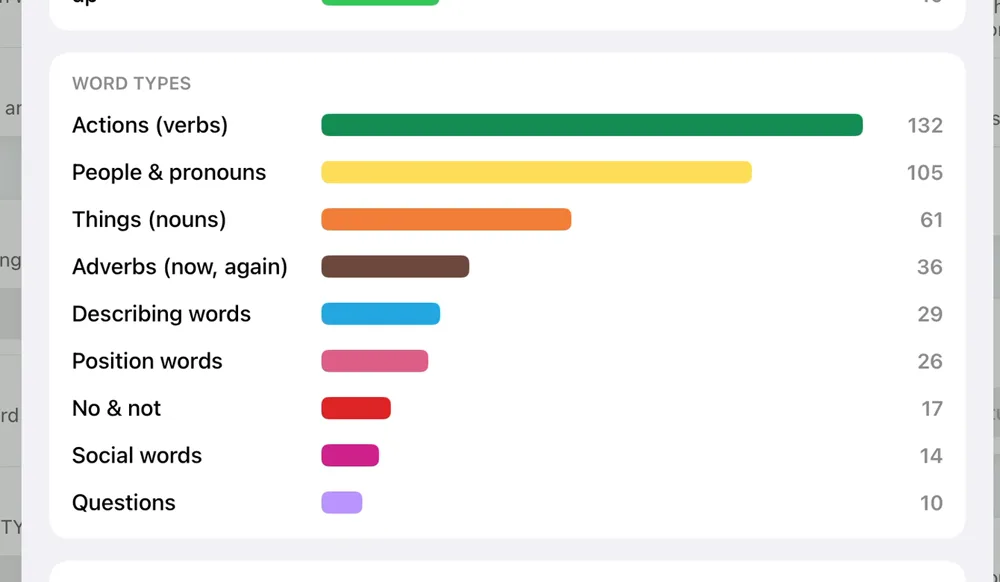
Expressive Go usage report: 430 words chosen, 184 messages spoken, 2.4 words per message, 14 days used, and the most used wordsExpressive Go usage report word types: actions, people and pronouns, things, adverbs, describing words, position words, no and not, social words, questions

The usage report, with two weeks of sample use: totals and most-used words (left), word types and recent messages (right).

Smarter symbols

Every one of the 26,000+ Smarty Symbols in the app now knows its part of speech, so a new button gets its Fitzgerald Key color automatically: green for actions, orange for things, blue for describing words. Duplicate buttons were removed from the built-in folders, and the grammar got smarter too: numbers and “many” no longer make pronouns plural, yes, no and social words never change tense, and a full stop or comma goes right after the word.
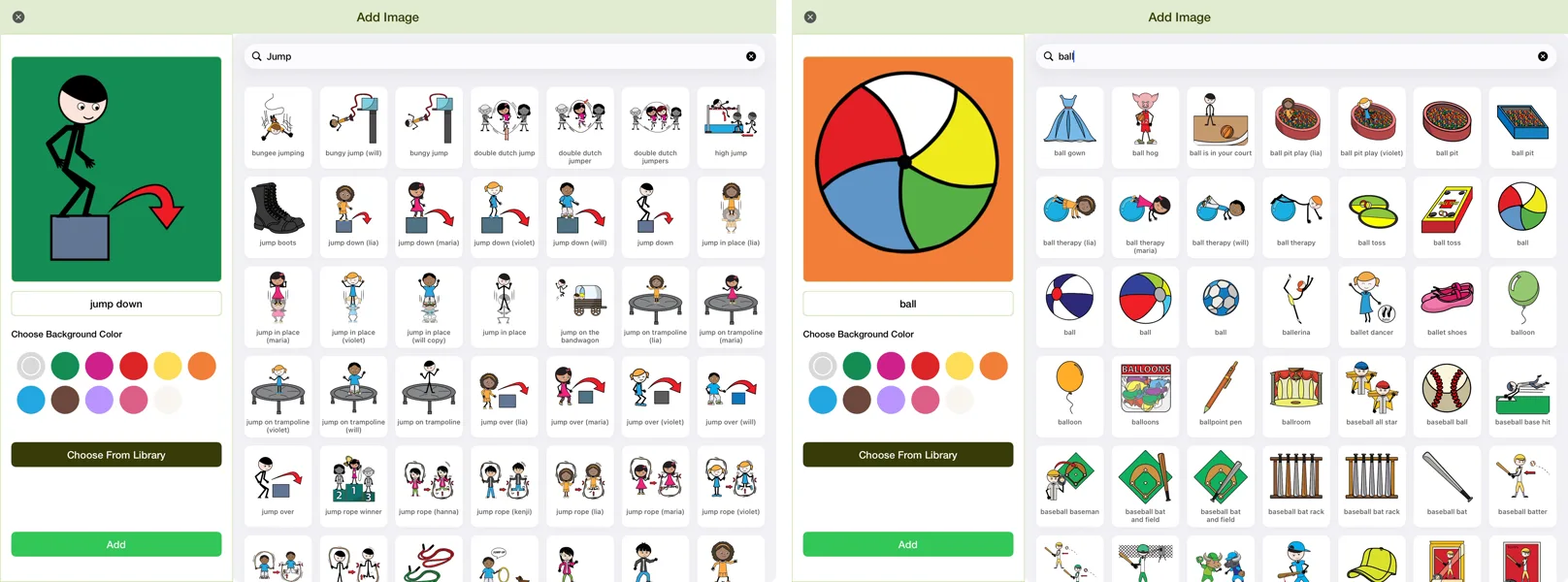
Adding a picture in Expressive Go: jump down gets a green background and ball gets orange automatically
Add a picture and its color is chosen for you: green for “jump down”, orange for “ball”.

See it in action

In An AAC Specialist’s Checklist, we hold Expressive Go up to the checklist SLPs and AAC specialists use before recommending an app, with every new feature shown live.

More short videos: Free AAC with Smarty Symbols boards, Grammar that helps and What makes it unique.

Get Expressive Go 6.0

Expressive Go is free for iPad, iPhone and Mac computers with Apple silicon. If you already have it, update it in the App Store. Your boards, pictures and settings stay as they are.

Download Expressive Go free on the App Store

Expressive Go was designed by speech-language pathologist Barbara Fernandes and the team at Smarty Ears. Its symbols come from Smarty Symbols, whose communication boards stand on playgrounds and in libraries in more than 650 communities, each with a QR code that opens the same board in the app.

✍️
Written by Barbara Fernandes, MS, CCC-SLPSpeech-language pathologist and founder of Smarty Ears.
Expressive Go 6.0 on iPad
Expressive Go · Free on the App StoreFree AAC with a grammar engine

119 core words that match the Smarty Symbols communication boards, 26,000+ symbols, and every tool in this post. No ads, no subscriptions, no account.